Ten AI note takers compared on bot-free capture, free plans, languages and price, from Granola's no-bot notepad to Plaud's wearable and Turbo AI for lectures.
The best AI note taker in 2026 depends on where your conversations happen. For most people we recommend Granola, because no bot joins the call and the notes build on what you type. Fathom gives you unlimited free recording, Fireflies fits sales teams that work in a CRM, and Circleback sends action items to other tools automatically. Teams already in Notion should try its AI Meeting Notes first. Otter AI has a live transcript, tl;dv keeps the video, and Notta handles two languages in one meeting. Plaud covers conversations away from a computer, and Turbo AI covers lectures.
Tools, features and prices checked on November 2, 2026.
What changed for AI note takers in 2026
An AI note taker records a conversation, writes a summary with action items and answers questions about what was said. Many also push the results into a CRM or task tool. The notes have started to feed other AI too: Otter, Notta and Circleback all offer MCP access, which lets outside assistants read your meeting history.
The biggest change is how these tools get into a call. Granola and Notion capture device audio with no bot, the apps from Otter, Fireflies, Circleback, Notta and tl;dv can do the same, and Fathom has it in beta on Mac. Bots face more friction, since Google Meet can file them under “With potential risks” until a host admits them, according to Avoma’s help documentation. Google has moved in itself: since September 29, its Take notes for me can start on its own in meetings with three or more people, on by default for Business Standard and Business Plus. Consent also became a legal question. On August 13, a federal judge in California let wiretap, California privacy and Illinois biometric claims against Otter proceed, without deciding whether Otter broke the law.
How we picked these tools
Every tool here records spoken conversations itself and writes the notes with its own AI, and each one had to be the strongest answer for a different kind of reader. Note apps that cannot capture audio, pure transcription services and the notes built into conferencing suites are out. We checked features and prices on each vendor’s site and help pages, and we did not run an accuracy benchmark of our own.
- Capture: whether it needs a bot in the call, works from device audio, and also covers a meeting in a room.
- Note quality: summaries and action items you can use without cleanup, with real speaker names.
- Recall: how well you can ask questions across past meetings.
- Languages: the number supported, and whether one meeting can mix two of them.
- Privacy and consent: what gets stored or deleted, and what other participants see.
- Real cost: how far the free plan goes, and what a seat costs at your volume of meetings.
1. Granola
A bot in the participant list can change the tone of a client call, which is why we put Granola first. It captures your computer’s audio, so nothing joins the meeting, and that works with Zoom, Google Meet and Teams alike. You type rough notes if you want to, and afterward the AI combines them with the transcript and the meeting context. Apps for macOS, Windows, iOS and Android cover phone calls and in-person meetings too.
Key AI features
- Merged notes: your own notes plus the transcript become one document, and you can switch back to what you typed.
- Granola Chat: answers questions about one meeting or all of them, for example what you promised this week.
- Voice typing: dictation in any app, added in October on every plan.
Pros
- A few typed keywords steer the result toward what mattered to you.
- You can judge it on real meetings before paying, because the free plan includes the AI notes and chat.
- Less sensitive material sits on a server, since audio is deleted after transcription on every plan.
Cons
- With the audio gone, a doubtful quote can only be checked against the transcript.
- The free plan keeps 30 days of history.
Pricing: Basic is free; Business costs $14 and Enterprise $35 per user per month.
2. Fathom
Unlimited recordings, storage and transcripts in 38 languages cost nothing on Fathom, which makes it our budget pick for anyone who records a lot of calls. A summary arrives right after each one.
Key AI features
- Ask Fathom: chat-style answers about a call, with an account-wide version across all meetings in beta.
- AI action items and follow-up emails: part of Premium, along with custom summaries.
- AI scorecards: Business adds these with coaching metrics and CRM field sync.
Pros
- You never have to ration calls or delete old ones to stay under a limit.
- A colleague who missed the meeting can watch a clip instead of asking for a recap.
- Small teams can connect HubSpot, Salesforce or Close for free, for up to 3 users per email domain.
Cons
- Advanced summaries stop after the first 5 calls a month on the free plan, and action items and Ask Fathom need Premium.
- Bot-free capture is still a beta and only on Mac.
Pricing: Free; Premium costs $16 per user per month billed annually or $20 monthly. Team costs $15 or $19 and Business $25 or $34.
3. Otter AI

Joining late or losing the thread is easier to fix with text on screen, and the live transcript is the reason to choose Otter AI. It labels speakers as it goes and ends with a summary of decisions and action items. You can send a meeting agent into Zoom, Google Meet or Teams, or stay bot-free with the Mac and Windows app, the Chrome extension or a phone.
Key AI features
- Otter AI Chat: searches across meetings and connected apps, and helps draft follow-ups.
- Pre-call briefings: prior discussions and open action items, collected before you dial in.
- Live Assist: prompts during a call, based on conversation history and company playbooks.
Pros
- You can check the exact wording while the discussion is still going.
- An individual gets 1,200 minutes a month for $8.33 on annual billing.
- Calls and recordings from your phone end up in one account.
Cons
- The free plan stops at 30 minutes per conversation, which is short for many real meetings.
- Transcription covers six languages: English, Spanish, French, German, Japanese and Chinese.
Pricing: Basic is free with 300 minutes a month; Pro costs $8.33 billed annually or $16.99 monthly, Business $19.99 or $30 per user per month.
4. Fireflies

Salesforce and HubSpot both connect to Fireflies, with notes syncing into Salesforce and CRM workflows automated in HubSpot, so sales and customer teams are the natural audience. These integrations sit on the premium tiers. English is the primary language, with more than 100 others in beta, and the mobile app handles in-person conversations.
Key AI features
- AI Skills: pull out key details, write follow-up emails or score candidates from a meeting.
- AskFred: the built-in assistant, next to AI search across your conversations.
- Fireflies Talk: voice input in any app on iPhone and Android, in 90+ languages.
Pros
- Reps spend less time copying call notes into the CRM by hand.
- One subscription covers routine calls with the bot and sensitive ones without it, through the desktop app or Chrome extension.
Cons
- Free storage is 400 minutes per team, under seven hours of calls.
Pricing: Free; Pro costs $10 per seat per month billed annually or $18 monthly, Business $19 or $29, and Enterprise $39 on annual billing only.
5. Circleback

After most meetings someone still has to copy action items into other tools, and Circleback automates that step. It writes the notes, assigns the tasks and sends the results to Slack, Notion, Linear, HubSpot or Salesforce. A bot can join the call, the desktop app for macOS and Windows can record without one, and iOS, Android and Apple Watch apps take care of meetings in a room.
Key AI features
- Automations: rules that pass meeting outcomes to connected apps, with Zapier and Make for the rest.
- Screen capture in notes: slides and dashboards shown on video end up in the notes.
- Ask Circleback: answers from all your past meetings, with speakers named in transcripts across 100+ languages.
Pros
- Follow-ups reach the right tool without anyone retyping them.
- A number from a slide can be found later without asking for the deck.
- Moving over costs little, because past meetings import from Fathom, Fireflies, Granola and Read AI.
Cons
- The free plan has limited automations, and all integrations start with Pro.
Pricing: Free; Pro costs $15, Business $25 and Enterprise $35 per user per month on annual billing.
6. Notion AI Meeting Notes

At $20 per member a month, Notion AI Meeting Notes is expensive if notes are all you want and costs nothing extra if your team is already on Notion Business. The desktop app captures system audio and your microphone with no bot, and the transcript and summary appear in a Notion page. It supports 16 languages, though the help center limits speaker labels to English.
Key AI features
- Action item agent: assigns tasks and drafts a first pass of the work.
- Drafts from transcripts: Notion AI can turn a meeting into a proposal, PRD or strategy document.
- Google Meet extension: a Chrome extension added in October with individual speaker labels.
Pros
- Notes sit next to the documents and tasks they belong to, so nothing has to be copied over.
- Writing a follow-up document starts from a draft instead of a blank page.
Cons
- The browser version hears only your microphone, so a video call on headphones needs the desktop app.
Pricing: Included in Business at $20 per member per month and in Enterprise; a limited trial on Free and Plus.
7. tl;dv

A transcript cannot show you the slide a customer reacted to. tl;dv records Zoom, Google Meet and Teams calls as video, then adds a transcript, an AI summary with action items and drafted follow-ups. The company states that it hosts data in the EU, complies with GDPR and never uses your data to train AI. Its desktop app offers two modes that you choose per meeting: audio only without a bot, or video with one.
Key AI features
- Cross-meeting reports: AI reports by email that surface trends across several calls.
- Translated notes: transcription in 30+ languages, with translation of transcripts and summaries.
Pros
- Colleagues can watch what was said instead of relying on someone’s summary.
- Nobody has to compile patterns across calls by hand.
- You can try it on real calls at no cost, since the free plan has no limit on meetings.
Cons
- Bot-free mode has no video, and tl;dv’s own FAQ says speaker attribution gets less reliable in larger calls.
Pricing: Free; Pro costs €18 per seat per month billed annually or €29 monthly, Business €29 or €39.
8. Notta

International teams should look at Notta, which transcribes and translates 58 languages and can handle two of them inside one recording. Capture is flexible: a bot, a bot-free desktop app for Mac and Windows, a Chrome extension, or the Notta Memo device for calls and in-person meetings.
Key AI features
- Real-time translation: an add-on for live meetings, with a few free uses a month.
- Notta Brain: answers questions that span several meetings.
- Document Builder: turns meetings into PDF, Word, Excel or slides.
Pros
- Meetings that switch languages do not need a second pass.
- Heavy users get 1,800 minutes a month for $8.17 on annual billing.
- On-device transcription keeps the audio of sensitive conversations on your own machine.
Cons
- The free plan stops at 3 minutes per recording, so it only works as a demo.
Pricing: Free with 120 minutes a month; Pro costs $8.17 and Business $16.67 per month billed annually. Translation add-ons cost $6 or $9 per month on annual billing.
9. Plaud
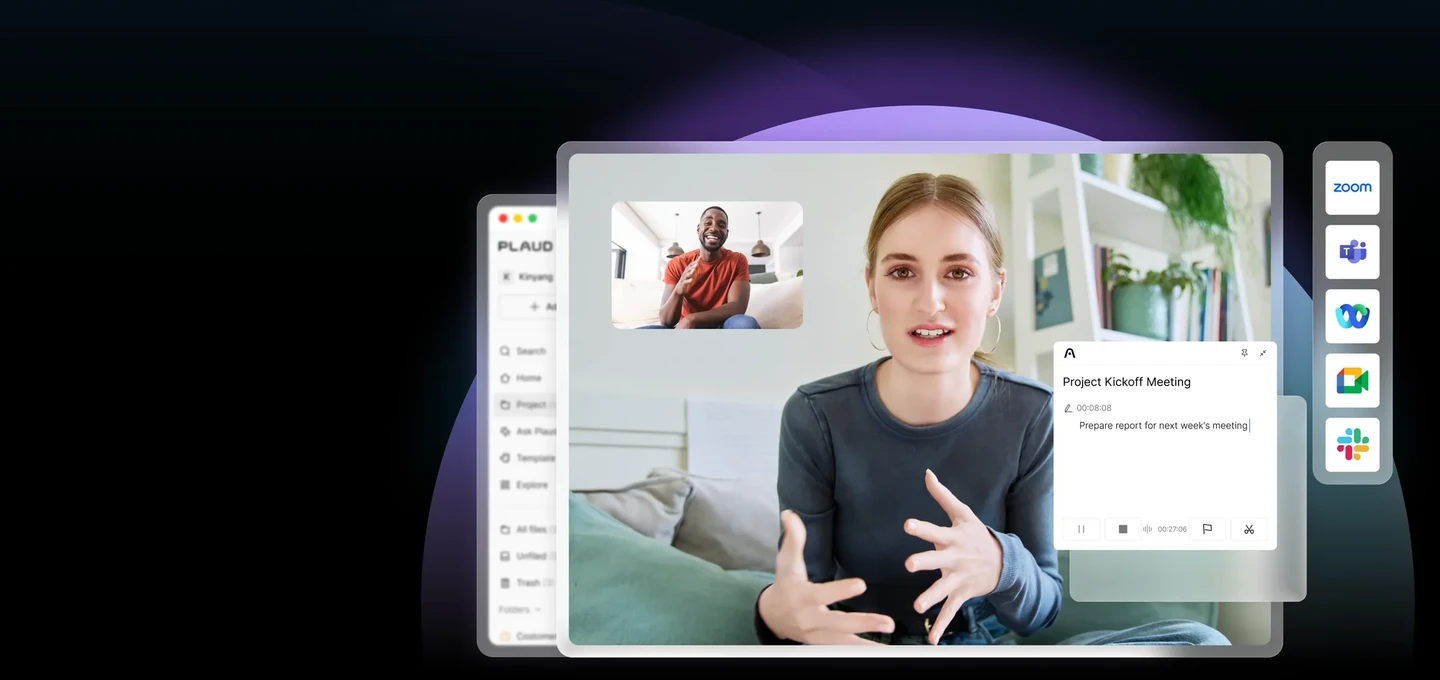
Site visits and interviews rarely happen in front of a laptop, so Plaud sells recorders. The NotePin is a wearable that records for roughly 20 hours and lasts about 40 days on standby. The card-shaped Note Pro also picks up phone calls.
Key AI features
- Transcription: 112 languages with speaker labels.
- Templates: structured notes from more than 10,000 professional templates.
- Ask Plaud: lets you ask questions about your recordings.
Pros
- You keep your hands free, with no phone on the table and no laptop open in the room.
- A full day of conversations will not drain the battery.
- Light use needs no subscription, because the free plan includes 300 minutes a month.
Cons
- The hardware is an upfront cost, on top of a subscription if you go past the free minutes.
- Phone calls need the Note Pro, as Layer3 Labs notes in its NotePin S review.
Pricing: NotePin $159, Note Pro $189. Starter is free; Pro costs about $8.33 a month billed annually or $17.99 monthly, Unlimited about $20 or $29.99.
10. Turbo AI

A lecture hall is a different job from a conference call, so our last pick is a study tool. The AI Notetaker in Turbo AI, formerly Turbolearn, listens to a class and writes notes. It also accepts PDFs, Word files, YouTube videos and recordings, and the company says more than 10 million learners use it.
Key AI features
- Study activities: flashcards, quizzes, practice questions and podcasts made from your notes.
- STEM support: math formulas, chemical equations, physics diagrams and code snippets.
Pros
- Exam prep needs no second tool once the lecture is in.
- Students can get started for free, since the free tier includes notes, flashcards and quizzes.
Cons
- The US App Store lists several prices for the same Unlimited plan, so check the amount before you buy.
Pricing: Free tier; the US App Store lists Turbolearn Unlimited at $14.99 or $19.99 per month and at $19.99 to $119.99 per year.
Comparison
| Tool | Best for | Standout AI feature | Price from |
|---|---|---|---|
| Granola | Calls with no bot | Typed notes merged with the transcript | Free; $14/month |
| Fathom | Recording a lot for free | Ask Fathom | Free; $15/month |
| Otter AI | Reading along live | Otter AI Chat | Free; $8.33/month |
| Fireflies | Sales teams | AI Skills | Free; $10/month |
| Circleback | Automated follow-ups | Automations into connected apps | Free; $15/month |
| Notion AI Meeting Notes | Teams in Notion | Action item agent | $20/month (Business) |
| tl;dv | Video of each call | Reports across meetings | Free; €18/month |
| Notta | Two-language meetings | Notta Brain | Free; $8.17/month |
| Plaud | In-person conversations | Notes from 10,000+ templates | $159 device, free plan |
| Turbo AI | Lectures | Flashcards and quizzes from notes | Free; $14.99/month |
What didn’t make the list
Wispr Notetaker arrived in August and is worth watching, but it overlaps with Granola and has no mobile version yet. Gemini Notebook, formerly NotebookLM, is a research tool first, and its mobile recorder stops at one hour. Zoom now takes notes in Teams and Google Meet without a bot through My Notes, but full features depend on its client, so it suits people already on that suite. Krisp pairs its note taker with noise cancellation, and Fellow, with its 5 lifetime AI notes on the free plan, overlaps with the tools above as well.
FAQ
What is the best free AI note taker?
Fathom is the best free AI note taker for high volume, since recordings, storage and transcripts have no cap. Granola’s free plan suits people who care more about AI notes and chat and can live with 30 days of history. tl;dv’s free plan also has no limit on meetings.
Are AI note takers legal?
Yes, if you meet the consent rules where the participants are. US federal law generally accepts the consent of one party, while California requires all parties to agree before a call is recorded. Wispr warns on its own page that participants may not get a notification from a bot-free recorder, so tell people yourself.
Can an AI note taker work without a bot joining the call?
Yes, eight of the ten tools here can capture a call from your device with no bot in the meeting, though Fathom’s version is still a Mac beta. That also skips the host approval Google Meet can ask for with bots. Plaud’s devices and Turbo AI sit outside this question, because they capture what their microphones hear.
What is the most accurate AI note taker?
We cannot name one, because we ran no benchmark and found no independent test of these tools that we could verify. You can still check two things yourself: whether your language is fully supported, and whether the tool keeps a recording. Fathom does, so you can compare a doubtful line with the audio.
Can ChatGPT take notes in meetings?
Yes, if you have a Mac and a Pro or Business plan. ChatGPT has a Meetings plugin in beta in its macOS desktop app. OpenAI’s help center says the audio is deleted once the notes are ready and cannot be replayed.
Verdict
Start with Granola if you want clean notes and no bot, or with Fathom if the budget is zero and you record a lot. Sales teams should go to Fireflies, and teams that want follow-ups to run on their own to Circleback. Notion AI Meeting Notes is the easy call for Notion Business customers. Pick Otter AI for the live transcript, tl;dv for video and Notta for mixed languages. Plaud is for life away from the desk, and students should try Turbo AI.