AI Image Generators for Creative Professionals with Adobe Firefly
Most AI Image Generators tools cover one output format; Adobe Firefly routes image, video, audio, and vector generation through 30+ models in one credit pool. Creative Professionals get editing, custom brand models, and video tools without switching apps. Built for Creative Cloud workflows — hobbyists outside Photoshop or Illustrator will find the credit system over-engineered.
- United States 21.3%
- India 9.7%
- Japan 7.2%
- Brazil 5.9%
- Other 56%
What Adobe Firefly Does
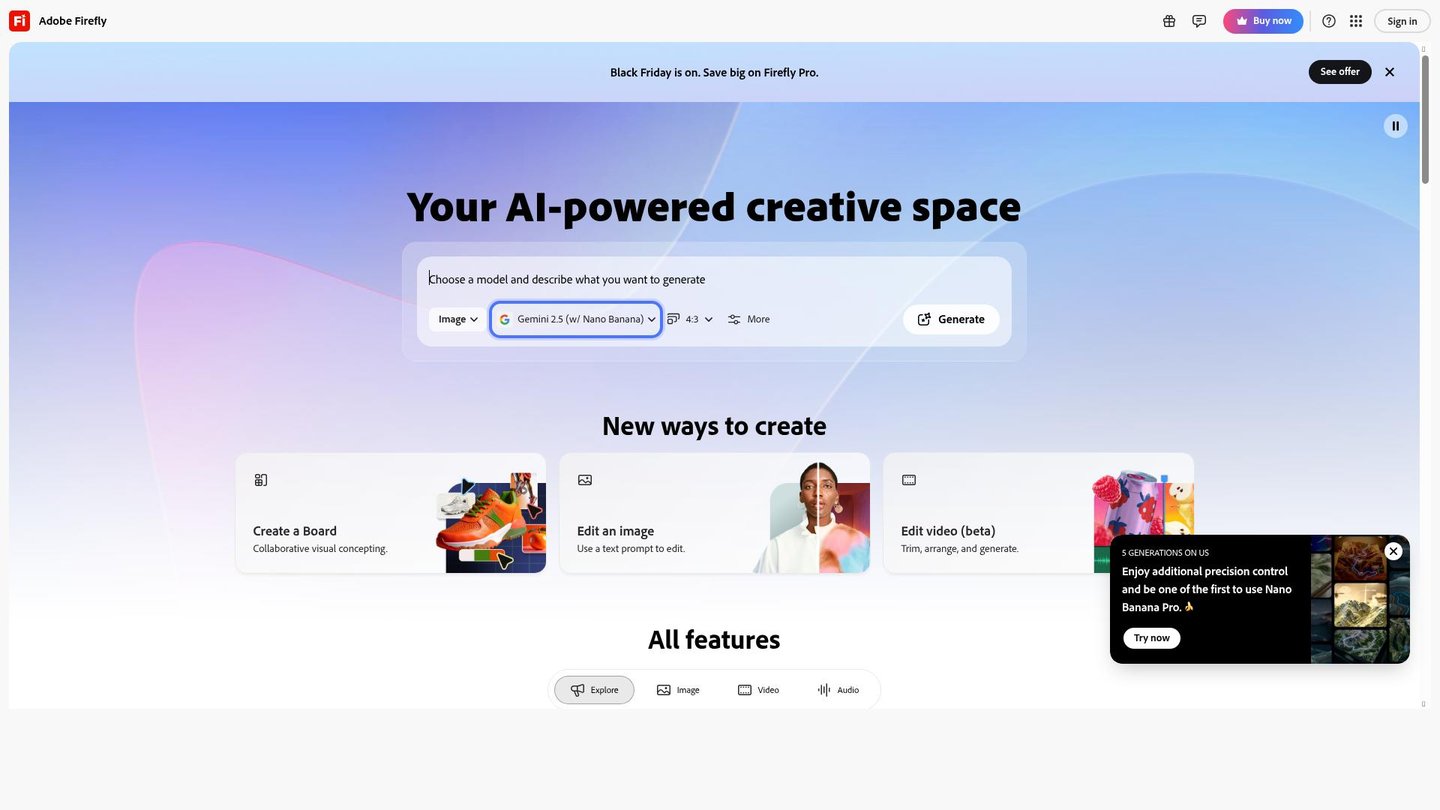
Creative Professionals use Adobe Firefly to generate and edit images, video, audio, and vector assets from text prompts, inside Photoshop, Illustrator, and Adobe Express.
Adobe Firefly covers generative fill, image expansion, upscaling, and custom model training on a single credit allocation, so a designer moves from concept to finished, on-brand asset without opening separate tools for each step. Boards organize projects, and an AI Assistant refines prompts.
Photoshop, Adobe Express, and Creative Cloud integration means generated assets land directly in files a team already has open.

Main Features
Image Generation
Adobe Firefly creates images from text prompts using its own Firefly models or selected third-party models accessed from the same interface. Users write a prompt, pick a model, and generate variations without switching applications, so comparing model outputs on one brief takes one workspace instead of several logins.
Generative Fill & Expand Image
Generative Fill adds or replaces details inside an image through AI-powered inpainting, while Expand Image extends a picture past its original borders. Both work on existing photos rather than only fresh prompts, so a cropped or incomplete source image can be corrected in Adobe Firefly instead of being reshot or redrawn.
Video & Audio Generation
Adobe Firefly turns images and text into short video clips and generates speech, sound effects, and music from text or voice input. A 2,000-credit plan covers up to 20 five-second videos per Adobe’s published figures, so video output is bounded by the credit tier a user picks, not by a separate subscription.
Custom Models & Integrations
Custom Models train on a brand’s or artist’s own style so later generations stay visually consistent, and Adobe Firefly connects directly to Photoshop, Adobe Express, and Creative Cloud. Assets generated under a trained model open in the same files a team edits daily, keeping brand style enforcement inside existing production software.
Use Cases
-
Creative Production Workflows
Creative Professionals handling multiple client assets use Adobe Firefly to remove, resize, and reframe images at scale through AI-powered production workflows. Generative Fill and Expand Image apply across a batch, cutting repetitive manual edits from the pipeline.
-
Custom Model for Brand Content
Content Creators train a Custom Model on their own artistic style so every later generation in Adobe Firefly matches prior commissioned or product work, keeping a visual signature consistent without manually matching color and composition each time.
-
Headshot Generation
Professionals needing portrait photos turn an everyday photo into a polished headshot using Adobe Firefly’s AI-powered headshot generation, skipping a studio booking entirely for a usable professional portrait.
Best For / Not For
Adobe Firefly is built for people producing images, video, or audio inside an existing Adobe workflow rather than working from a blank generation tool.
Creative Professionals running production pipelines across multiple assets, Content Creators who need a consistent trained style for commissions, and Professionals who need a quick headshot or portrait asset all fit the tool’s core features.
Adobe Firefly limits premium video, audio, translation, and partner-model generations by credit consumption, so high-volume producers without a Pro Plus or Premium plan will exhaust their allocation quickly and should budget for upgrades or added credits.
Pricing
Adobe Firefly’s free plan offers limited monthly generations, while the first paid tier, Firefly Standard, costs $9.99 per user per month for 2,000 monthly credits.
| Plan | Price | Included |
|---|---|---|
| Free | Free | Complimentary monthly credits and limited generations |
| Firefly Standard | $9.99 / user/month, billed monthly | 2,000 monthly credits, unlimited Firefly Image Model 4 generations |
| Firefly Pro | $19.99 / user/month, billed monthly | 4,000 monthly credits, unlimited generations for select image models |
| Firefly Pro Plus | $49.99 / user/month, billed monthly | 10,000 monthly credits, unlimited generations for all image models and select video models |
| Firefly Premium | $199.99 / user/month, billed monthly | 50,000 monthly credits, unlimited generations for Veo 3.1 Fast, Kling 3.0, and all image models at 4K |
Credits reset each cycle and do not roll over, so unused allocation is lost at renewal.
Pricing checked 2026-10-23.
Quick Comparison
Nano Banana 2 AI is Adobe Firefly’s main alternative for fast, prompt-driven image generation outside a creative suite. Nano Banana 2 AI focuses narrowly on quick image output without needing a Photoshop or Illustrator license installed. Adobe Firefly instead ties generation directly into Photoshop, Adobe Express, and Creative Cloud through Generative Fill and Expand Image. Choose Nano Banana 2 AI if the job is standalone image generation with no production-suite dependency. Choose Adobe Firefly if assets need to land inside existing Adobe files and brand-consistent Custom Models.
Verdict
Adobe Firefly generates images, video, and audio for Creative Professionals at $9.99 per month for 2,000 monthly credits on Standard, scaling to 50,000 credits on Premium. Direct Photoshop, Adobe Express, and Creative Cloud connections suit teams already working inside Adobe’s production suite rather than standalone prompt tools.