Clipin for E-commerce Creators: AI UGC Video Generator
An e-commerce creator has a new product sample and a launch post due tomorrow morning. Clipin, a AI Video Generators tool, takes that product image and a written idea, then generates a creator-style UGC video with narration and an avatar. Clipin does not publish uptime or output-time figures.
- Indonesia 100%
What Clipin Does
Clipin generates short-form UGC-style videos from a product image and a text prompt.
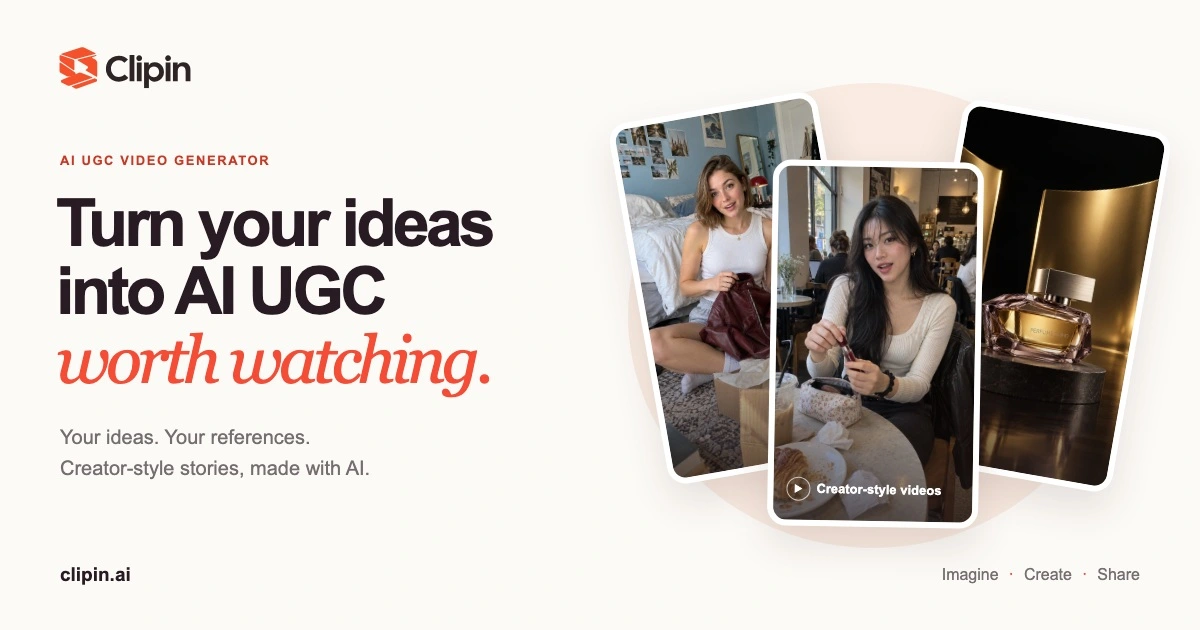
Users upload a reference photo of a product, describe the idea, and optionally build a custom avatar to narrate the story. Clipin runs the request through models including MiniMax H3, Seedance, FLUX 3, Seedream and Nano Banana, then returns a finished clip, still images, or an AI voiceover depending on the format chosen. The output covers product demos, unboxings, and everyday lifestyle scenes without a camera crew or editing software.
Finished clips can be previewed, downloaded, or queued directly for YouTube Shorts and TikTok, keeping the idea-to-post cycle inside one interface.
Main Features
AI Video Generation
Clipin converts a text prompt and a set of reference images into a finished short video by routing the request through models such as Seedance and MiniMax H3. The system builds scenes around the uploaded product itself rather than a generic template or stand-in actor, keeping the actual item visible throughout. That means a single product photo can become a fully narrated scene without booking a shoot, a location, or a camera operator.
Custom Avatars
Users can build an avatar from scratch or upload their own photo to guide the on-screen presenter inside a Clipin video. The avatar delivers the scripted narration in the finished clip, giving the video a consistent face across multiple projects. This lets creators without an on-camera presence, or without time to film themselves, still produce creator-style content at a repeatable pace.
Template Library
Clipin offers UGC, product, brand, and featured templates covering formats such as unboxings and everyday product introductions. Selecting a template locks in the scene structure, pacing, and framing before generation starts, so a new project begins from a proven layout instead of an empty prompt field. That cuts the setup work needed before a first draft is ready to review.
AI Voiceover
Clipin generates spoken narration as part of the same workflow used for video and image creation, pairing it directly with the avatar or product footage inside one project. Voiceover generation draws from the same shared credit pool as video and images, so no separate recording tool, microphone, or audio editor is needed to finish a clip end to end.
Use Cases
-
Showcase a product with AI
E-commerce creators and marketers upload product reference images into Clipin to build realistic UGC-style videos. AI-generated creator narration highlights specific features and benefits, giving the product a presenter without booking talent.
-
Unbox products in creator style
Content creators and reviewers combine real product imagery with a Clipin avatar that reacts on camera. Scripted AI narration drives the reveal, producing an unboxing format without filming a live take.
-
Share daily routines with products
Lifestyle creators and influencers place a product inside an everyday scene, such as a morning routine, using Clipin’s story mode. AI narration builds a relatable context around the item rather than a straight product shot.
Best For / Not For
Clipin is built for people who need a finished short video from a product photo and an idea, without shooting footage themselves, hiring a production crew, or opening a separate editing tool for narration and voiceover.
E-commerce creators and marketers, content creators and reviewers, and lifestyle creators and influencers match the workflows Clipin’s templates and avatar tools are built around, since each format assumes a product photo as the starting input rather than raw footage.
Clipin’s monthly credits do not roll over, so teams needing a large, unpredictable volume of long-form video within one billing cycle will run out of allocation before the cycle resets and must wait or buy top-ups.
Pricing
Clipin’s Starter plan costs $24.17/month, billed at $290/year with $58 in annual savings, and a $4.99 one-time Experience Pack is available to try the tool first.
| Plan | Price | Included |
|---|---|---|
| Experience Pack | $4.99 / one-time | 115 credits, up to 3 fast videos, up to 38 images |
| Starter | $24.17 / user/month, billed annually · $58 annual savings | 500 credits/month, up to 13 fast videos, up to 166 images |
| Creator | $65.83 / user/month, billed annually · $158 annual savings | 1,600 credits/month, up to 42 fast videos, up to 533 images |
| Studio | $182.5 / user/month, billed annually · $198 annual savings | 5,400 credits/month, up to 142 fast videos, up to 1,800 images |
Credits are shared across video, image, and voiceover generation and reset each month without rolling over, so unused capacity is lost.
Pricing checked 2026-09-19.
Quick Comparison
Magic Hour is Clipin’s main alternative for short-form AI video creation from images and prompts. Magic Hour covers a broader set of general-purpose AI video editing tools beyond UGC-style storytelling. Clipin’s advantage is its Custom Avatars feature paired with UGC and product templates built specifically around product demos. Choose Magic Hour if the project needs general AI video editing outside product marketing. Choose Clipin if the goal is UGC-style product demos, unboxings, or lifestyle content with an AI avatar.
Verdict
Clipin generates UGC-style product videos from a single reference image, with its Starter tier covering 500 monthly credits for recurring short-form output. It fits creators and small marketing teams producing regular content, not agencies needing unlimited monthly volume.