
ImageHub for E-commerce Sellers: Product Image Editing
An e-commerce seller has forty new SKUs and a marketplace listing deadline tonight. ImageHub, a Image Editing tool, cuts out product backgrounds, restages them, and upscales the files in a browser without opening a design app. ImageHub does not publish enterprise trust or compliance details.
- United States 25.4%
- United Kingdom 8.1%
- Germany 5%
- Russia 4.6%
- Other 57%
What ImageHub Does
ImageHub bundles over 20 browser-based image tools into one workspace for generating, editing, and restoring photos.
People juggling product shots, portraits, and old family photos usually need several separate apps: one for background removal, another for upscaling, another for restoration. ImageHub puts AI Image Generator, AI Background Remover, AI Photo Restoration, and related tools on individual pages that work without an account, so a single task can be done without signing up for a full editing suite.
Each tool page focuses on one job, which keeps the interface simple for users who need a quick fix rather than a layered editing project.
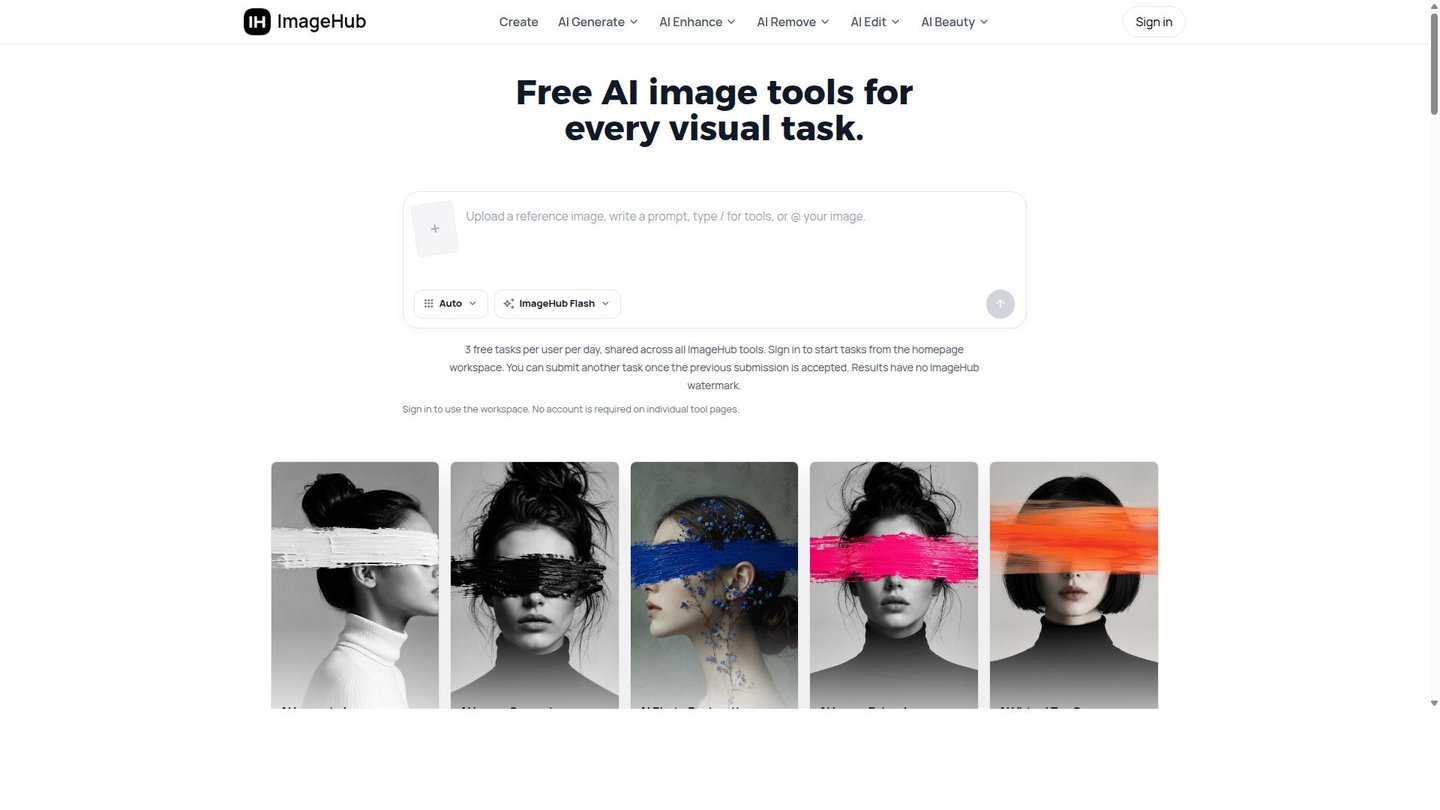
Main Features
AI Image Generator
ImageHub’s AI Image Generator creates new images from text descriptions typed directly into the tool page. It runs entirely in the browser and requires no account for single-tool use, so a user can produce a visual concept or campaign asset without installing software or committing to a sign-up flow, which matters for one-off jobs done under time pressure.
AI Background Remover
ImageHub’s AI Background Remover strips the background from a photo automatically, isolating the subject or product from its surroundings. Because it runs as a standalone page, sellers can process one image at a time and move straight into staging it on a new backdrop with ImageHub’s background changer or white-background tools, without exporting to a separate editor.
AI Photo Restoration
AI Photo Restoration repairs old or damaged photos, addressing scratches, fading, and missing detail in scanned prints. It pairs with the AI Image Enhancer for sharpening and the AI Denoise tool for grain, so a single degraded scan can go through cleanup, sharpening, and clarity passes without leaving ImageHub or opening dedicated restoration software.
AI Virtual Try On
AI Virtual Try On previews outfits and accessories on a model image, letting fashion teams test looks before committing to a shoot. Since it works from existing photos rather than new studio sessions, it swaps garments on a static image, so fit and styling decisions get made before any physical session is booked.
Use Cases
-
Create marketplace-ready product listings
E-commerce sellers cut out products, stage them on new backgrounds, and upscale files for online marketplaces. ImageHub’s AI Background Remover and AI Image Upscaler handle this without a separate design tool, so listing images move from raw photo to publish-ready faster.
-
Restore and clean up old photos
Photographers bring damaged or faded prints and need a usable digital copy. ImageHub’s AI Photo Restoration and enhancement tools clean up scratches and fading, so a scan can go from archive-quality to shareable without manual retouching.
-
Preview outfits and accessories
Fashion teams hold a model photo and garments to test before a shoot. ImageHub’s AI Virtual Try On places outfits and accessories on the model directly, so styling decisions happen before any physical session.
Best For / Not For
ImageHub is built for people who need quick, single-purpose image edits without installing software or paying for a full suite.
E-commerce sellers processing product photos, content creators making avatars or emojis, marketers producing campaign visuals, and fashion teams previewing outfit combinations are the audiences the feature set targets directly, each served by a dedicated single-purpose tool page rather than a combined project workspace.
ImageHub is best for lightweight, browser-based image tasks; it is not a substitute for a full professional design suite, and studios needing layered, non-destructive editing across many files will outgrow it quickly.
Pricing
ImageHub costs $0, with every individual tool page available for free and no paid plan publicly listed anywhere on the site.
| Plan | Free |
|---|---|
| Price | Free |
| Included | 3 free tasks per user per day |
| Free tier | Yes |
The $0 free tier caps each user at 3 tasks per day across the tools, shared rather than allotted per individual feature, and no account is required for single-tool pages, only for the homepage workspace. The table does not show what happens once that daily limit is reached, since ImageHub publishes no premium tier or overage pricing for higher-volume use.
Pricing checked 2026-09-27.
Quick Comparison
AI Image Cleaner is ImageHub’s main alternative for object and watermark removal from photos. AI Image Cleaner focuses narrowly on cleanup tasks like blemish and object removal in one dedicated flow. ImageHub covers a wider set of jobs in one workspace, including AI Virtual Try On and AI Photo Restoration in the same session. Choose AI Image Cleaner if the job is strictly removing unwanted marks from a photo. Choose ImageHub if the workflow also needs generation, restoration, or try-on in one place.
Verdict
ImageHub runs over 20 image tools free at $0, capped at 3 tasks per user per day. That suits sellers and creators with occasional jobs, not bulk production.