
AI Image Cleaner: AI Photo Editing for Photographers and Content Creators
Which browser tool erases people, text, or watermarks without a desktop editor? AI Image Cleaner, a Design & Graphics tool, brushes a mask over unwanted content and rebuilds the background for photographers and content creators. Teams needing batch processing across hundreds of files should consider a dedicated bulk retouching tool instead.
What AI Image Cleaner Does
For photographers and content creators, AI Image Cleaner turns a masked photo into a background-rebuilt image without opening desktop software.
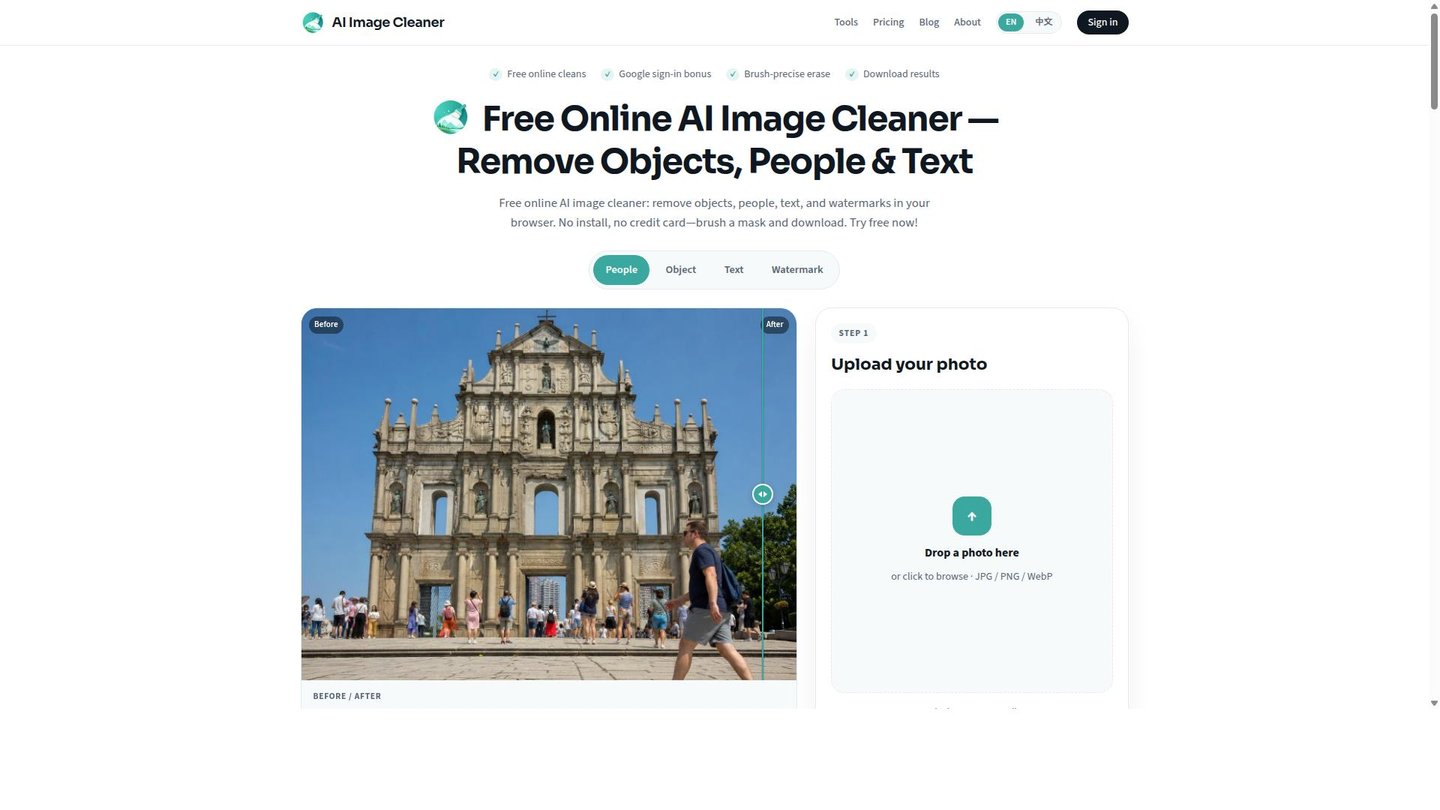
Users upload a JPEG or PNG, brush over the object, person, text, or watermark to remove, then run the clean and download the result. AI Image Cleaner applies AI inpainting in the spirit of large-mask research such as LaMa to fill the erased area with reconstructed texture rather than a blur or clone stamp. A before/after preview lets users check edges before spending credits, and failed jobs refund the credits used.
Main Features
AI Object Removal
AI Image Cleaner uses AI-powered inpainting to fill the area under a removed object, person, text block, or watermark with reconstructed texture instead of leaving a gap or blur. The model samples surrounding pixels to rebuild sand, asphalt, sky, or desk grain, so the result reads as an unedited photo rather than an obvious patch.
Brush Masking
Precise manual brush control hugs the target object while leaving surrounding texture unmasked, giving the AI model clean reference pixels to sample from. Eraser, undo, and redo let users correct the mask before running the clean, so thin edges like power lines or hair strands do not get overpainted.
Before/After Preview
A built-in comparison slider shows the cleaned result against the original before download. Because AI Image Cleaner charges 2 credits per clean, checking the preview before saving lets users catch a bad fill and adjust the mask, rather than downloading a flawed export and starting over.
Multi-Format Support
AI Image Cleaner accepts JPEG, PNG, and WebP for upload and export, and oversized images are resized automatically so processing stays reliable. This covers the common formats used for web publishing and social posts without requiring a separate conversion step before or after editing.
Use Cases
-
Removing Travel and Street Clutter
Photographers and content creators brush over bags, cones, sticky notes, or stray passersby in travel and street shots. AI Image Cleaner fills the masked area with matching sand, asphalt, or desk grain texture, so the frame reads clean without manual cloning.
-
Clearing Listing Photos for Real Estate
Real estate professionals remove props, mic stands, and lens flare blobs from property photos before listing. AI Image Cleaner’s brush masking targets only the flagged item, producing catalog-ready images without reshooting the property.
-
Erase Text from Social Media Photos
Social media creators burn off captions, stickers, date stamps, and meme overlays from everyday photos. AI Image Cleaner rebuilds the background instead of blurring it, so the erased area matches the surrounding scene.
Best For / Not For
AI Image Cleaner is built for individuals and small teams cleaning single photos or short batches inside a browser, not high-volume production pipelines.
Photographers and content creators removing clutter from travel or street shots, real estate professionals prepping listing photos, and designers and photo editors stripping watermarks from images they own are the named audiences.
AI Image Cleaner is not built for e-commerce teams processing hundreds of catalog photos at once, since it works one masked image at a time rather than in a batch queue.
Pricing
AI Image Cleaner offers two paid tiers: Basic at $6 / user/month, billed monthly, for 30 AI removals per month, and Pro at $12 / user/month, billed monthly, for 100 AI removals per month. Both plans include brush and auto mask tools, object, text, and watermark removal, and export up to 2048px. A free browser trial and daily sign-in credits are available before subscribing to either plan.
| Plan | Price | Included |
|---|---|---|
| Basic | $6 / user/month, billed monthly | 30 AI removals/month |
| Pro | $12 / user/month, billed monthly | 100 AI removals/month |
Monthly subscription credits do not roll over to the next billing cycle, though separately purchased credit packs never expire.
Pricing checked 2026-09-15.
Quick Comparison
Pixmind is AI Image Cleaner’s main alternative for general AI-driven image generation and editing tasks. Pixmind covers broader creative generation workflows beyond object removal, useful for teams building visuals from scratch. AI Image Cleaner focuses on brush-masked inpainting with a before/after preview, giving tighter control over exactly what gets erased. Choose Pixmind if the job starts with generating new imagery. Choose AI Image Cleaner if the job is removing something specific from a photo that already exists.
Verdict
AI Image Cleaner processes brush-masked photo edits for photographers and designers at $6 / user/month for 30 removals or $12 / user/month for 100. It suits single-photo and small-batch cleanup, not high-volume catalog pipelines. The free browser trial makes it easy to test before subscribing.