Krea AI: AI Image Generators for Architecture and Design Practices
Client presentations stall when a sketch needs seasonal lighting, material swaps, and a flyover before Friday. Krea AI is a photo-to-render workspace, a AI Image Generators tool, that turns sketches, models and renders into images, edits, motion studies, and animated flyovers for design teams. Particularly strong at architectural visualization — not built for precise CAD drafting.
- United States 14.7%
- Russia 13.5%
- India 9%
- Brazil 4.7%
- Other 58.1%
What Krea AI Does
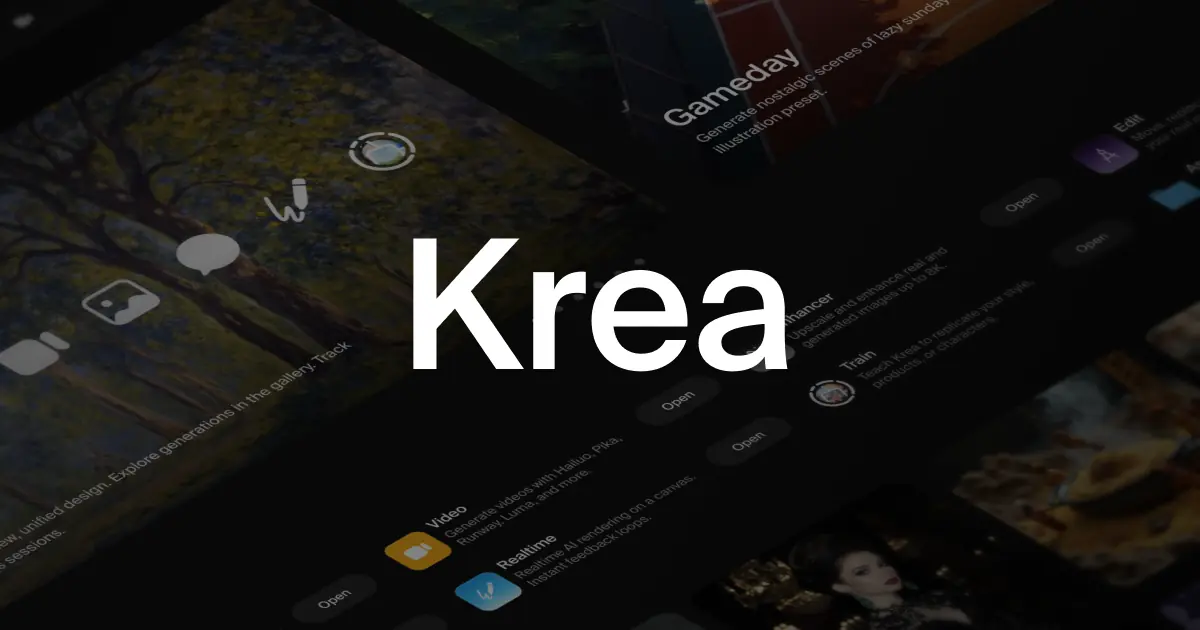
Krea AI solves the gap between a working sketch and a presentable render by routing one upload through generation, editing, and video models in a single interface. A sketch or massing model goes in; Krea AI returns image variations, material or seasonal edits, and short motion clips such as a drone flyover. Krea Agent plans and iterates on a brief across these models automatically, so a user states the goal once instead of configuring each pass by hand. Krea AI also trains custom LoRA models from a project’s own images for consistent studio output.

Main Features
Krea 3 Image Generation
Krea 3 generates and edits images from a text prompt or an uploaded sketch using Krea AI’s in-house model, producing multiple composition and lighting variants per request. Compute units are spent per generation rather than per project, so a studio testing many seasonal or material options burns through its monthly allowance faster than a single-pass workflow would.
Krea Agent
Krea Agent takes a single brief, plans a sequence of generation and refinement steps across Krea AI’s available models, and produces images or short videos without manual model switching. Because the agent iterates on its own plan, a user reviews output and adjusts direction rather than reconfiguring settings after every attempt.
AI Video Generation
Krea AI animates a still render or sketch into a short clip, including drone-style flyovers and motion studies, using video models billed in compute units per second of output. Video consumes units at a steeper rate than stills, so a studio producing long or frequent clips needs a higher-tier plan to avoid running out mid-project.
Get Krea Into ChatGPT
Krea AI connects to ChatGPT, letting a user call its generation and editing pipeline from inside an existing chat session instead of opening a separate app. This keeps a team’s brief, image output, and revision notes in one conversation thread rather than split across two tools.
Use Cases
-
Visualise design intent
Architecture and design practices turn sketches, models, renders and working views into images, edits and motion studies using Krea AI’s generation and video tools. The output supports concept design, client reviews and competition entries without a separate CGI pass for early-stage visuals.
-
Competition concepting
Architecture teams move from a sketch and massing model to multiple visual options using Krea AI’s image generation and editing pipeline. This produces material for internal review and early presentation routes before a design direction is locked.
-
Design reviews
Architecture teams use working views generated in Krea AI to test atmosphere, lighting and context while the underlying model is still changing. Iterative feedback happens on quick renders rather than waiting for a finished presentation asset.
Best For / Not For
Krea AI is built for teams that need fast visual iteration before a final CGI or animation pass is commissioned.
Architecture and design practices generating client-facing concept images, and architecture teams producing competition and internal review visuals, make up its named audiences. Studios saving repeatable workflows across multiple project teams also fit this pattern.
Krea AI does not replace CAD or BIM software, and compute-unit limits on lower plans make frequent video or large batch generation expensive; teams needing precise, dimensioned drawings should look elsewhere.
Pricing
Krea AI’s standard pricing starts at Free with 100 units per day and runs to Business at $200 per user per month, billed monthly, for 80,000 units per month.
| Plan | Price | Included |
|---|---|---|
| Free | Free | 100 units/day |
| Basic | $9 / user/month, billed monthly | 5,000 units/month |
| Pro | $35 / user/month, billed monthly | 20,000 units/month |
| Max | $105 / user/month, billed monthly | 60,000 units/month |
| Business | $200 / user/month, billed monthly | 80,000 units/month |
Compute units are consumed per generation and do not roll over, so heavy video or batch-editing workflows can exhaust a plan’s allowance before the month ends.
Pricing checked 2026-10-23.
Quick Comparison
Nano Banana 2 AI is Krea AI’s main alternative for single-model, credit-based image generation at scale. Nano Banana 2 AI focuses its credit pool on the Nano Banana 2 and Seedream 5.0 models for artists and marketers. Krea AI covers image, video, LoRA training, and Krea Agent planning in one workspace, which Nano Banana 2 AI does not offer. Choose Nano Banana 2 AI if a single-model image pipeline is enough. Choose Krea AI if a project needs renders, edits, and animated flyovers from one account.
Verdict
Krea AI generates, edits and animates architectural visuals for design practices and runs Pro at 20,000 units per month for $35 per user per month. It fits teams iterating on concept renders before a final CGI pass, not firms needing CAD-accurate output.