Faceless Video Creation for Creators with Vsub
A solo creator with a finished script still has to draw scenes, record narration, and cut a video by hand. Vsub is a faceless-video factory, a AI Video Generators tool, that splits a script into scenes and illustrates each using a cloned template. Strong at templated formats — not built for original filmmaking.
- Poland 25%
- United States 23.4%
- Brazil 9.4%
- India 7.9%
- Other 34.4%
What Vsub Does
Vsub removes the manual scene-by-scene assembly work by parsing a script or voiceover and generating narration, visuals, and structure from a cloned template.
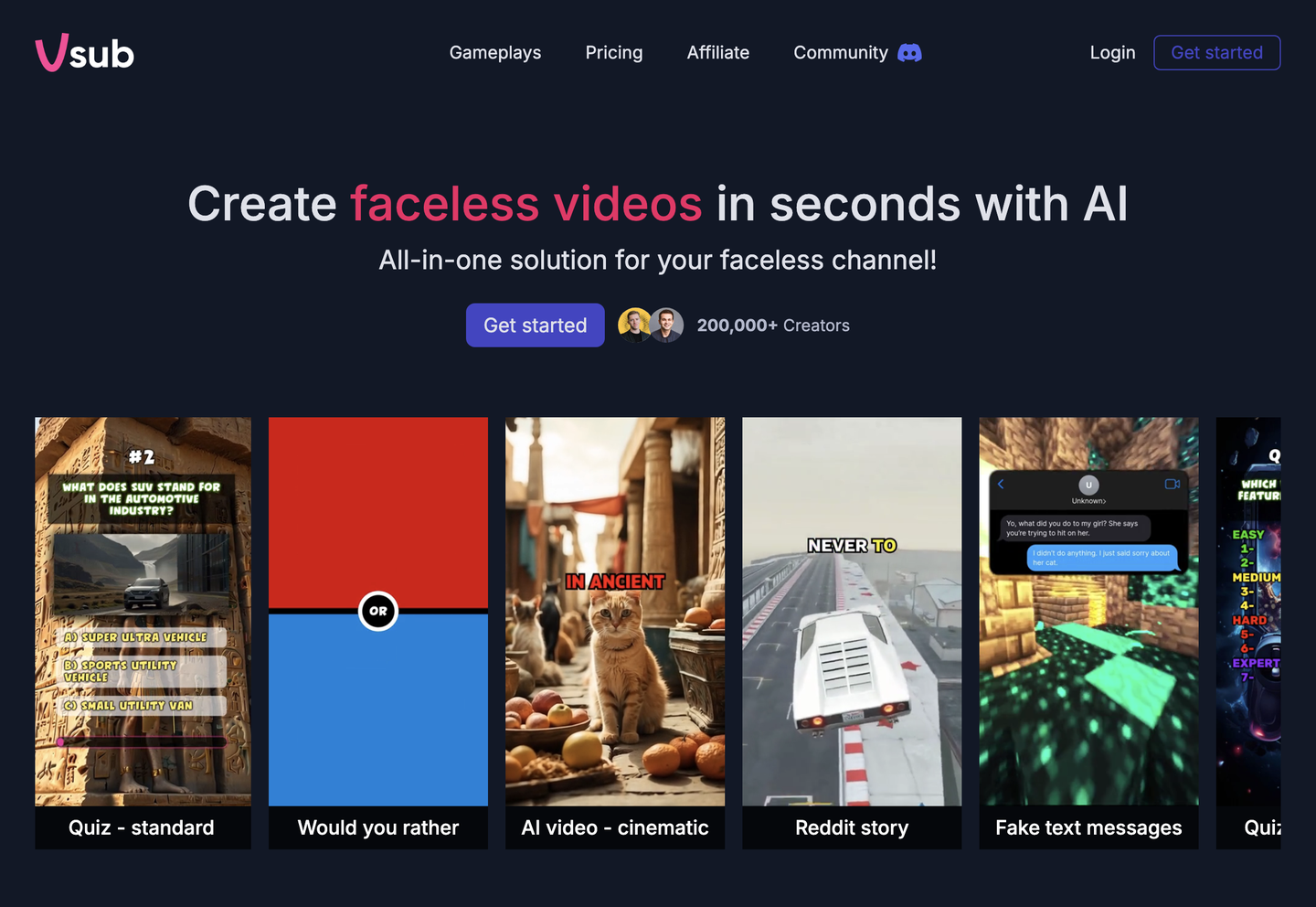
A user pastes narration or a script, picks a template cloned from an existing video, and Vsub breaks the text into scenes, generates matching visuals for each one, and renders the result as a finished video. Formats include long-form and short-form output, with credits spent on rendering, voice synthesis, and image generation depending on the video type chosen. Vsub also connects to Claude, ChatGPT, and Cursor, so a video can be triggered from inside an AI assistant conversation instead of the Vsub dashboard.

Main Features
Faceless Video Creation
Vsub converts a script or voiceover into a narrated, scene-by-scene video without requiring the creator to appear on camera or edit footage manually. It splits text into scenes and generates matching visuals automatically, so a finished video comes from a single text input rather than a timeline of manual cuts and voice recordings.
Custom Templates
Users clone a template from an existing video, defining the visual style and structure a new script will follow. Every scene Vsub draws then matches that cloned look, so a channel keeps a consistent visual identity across videos without redesigning each one from scratch.
AI Assistant Integration
Vsub connects to Claude, ChatGPT, and Cursor, letting a video be requested from within an AI assistant session instead of the Vsub web app. This means script-to-video generation can sit inside an existing content workflow or coding environment rather than requiring a separate browser tab.
Credits System
Each plan refills a fixed credit pool monthly, forever, with costs varying by service: rendering, text-to-speech engine, and image generation all draw from the same pool at different per-unit rates. Credits do not appear to roll over indefinitely, so unused monthly allocation is a factor when picking a plan size.
Use Cases
-
Video Creation for Creators
A creator with a finished script picks a template cloned from a reference video and pastes the narration into Vsub. The platform splits the text into scenes and draws each one, producing a video without manual scene assembly.
-
Social-media team managing 30 short-form videos per month
A small team reuses one cloned template across many scripts to keep output visually consistent. Vsub’s scene generation and credit-based rendering let the team queue multiple videos without re-editing each one from a blank timeline.
-
YouTube channel producing 10-minute storytelling videos
A channel owner pastes a longer script or voiceover and lets Vsub generate scene visuals matched to a cloned template style. Long-form rendering is priced into Vsub’s tiered plans by monthly video minutes.
Best For / Not For
Vsub is built for creators producing repeatable, templated video content rather than one-off original productions.
Creators running a faceless channel, a short-form content calendar, or a long-form storytelling format that can be mapped onto a cloned template get the most direct use out of Vsub’s scene-splitting and rendering pipeline.
Vsub is not built for filmmakers or editors who need precise, frame-by-frame control, since its output is generated from templates rather than hand-edited timelines; those users should look at a dedicated non-linear editor instead.
Pricing
Vsub charges a one-time, lifetime fee rather than a subscription, with three tiers scaling by monthly video minutes and monthly credit allocation.
| Plan | Price | Included |
|---|---|---|
| Pro | $735 / one-time | ~30 minutes of video a month, 11500 credits per month |
| Premium | $1485 / one-time | ~81 minutes of video a month, 27500 credits per month |
| Premium+ | $2985 / one-time | ~193 minutes of video a month, 66000 credits per month |
Credits refill monthly on every plan, and running out before the next refill means no further rendering until credits reset or are topped up separately.
Pricing checked 2026-10-24.
Quick Comparison
Faceless Reels AI is Vsub’s main alternative for templated, faceless short-form video production aimed at social channels. It focuses specifically on short-form reel formats built for rapid, repeated social posting rather than mixed-length output. Vsub instead covers both long-form and short-form videos from one shared credit pool, using cloned-template visuals and AI-assistant integration with Claude, ChatGPT, and Cursor. Choose Faceless Reels AI if a channel only ever publishes short reels. Choose Vsub if the workflow also needs 10-minute storytelling videos alongside short-form content.
Verdict
Vsub generates templated faceless videos for creators on a credit system that refills 11500 credits monthly on its entry tier. It fits channels producing repeatable, template-based content rather than one-off original edits. Credits reset monthly but do not roll over indefinitely.