
Image Editing for Ecommerce Sellers with Upscayl AI
Most Image Editing tools require a desktop install or local GPU for AI upscaling; Upscayl AI runs upscaling in-browser with no download. Ecommerce sellers and online store owners get instant batch output, fitting quick listing turnarounds. Built for enlarging pixelated photos — users needing heavy de-blurring will hit its ceiling.
- United States 5.2%
- Russia 4.9%
- Poland 4.8%
- Mexico 4.3%
- Other 80.8%
What Upscayl AI Does
Ecommerce sellers and online store owners use Upscayl AI to enlarge low-resolution product photos into 4K-ready files, uploaded directly through the browser.
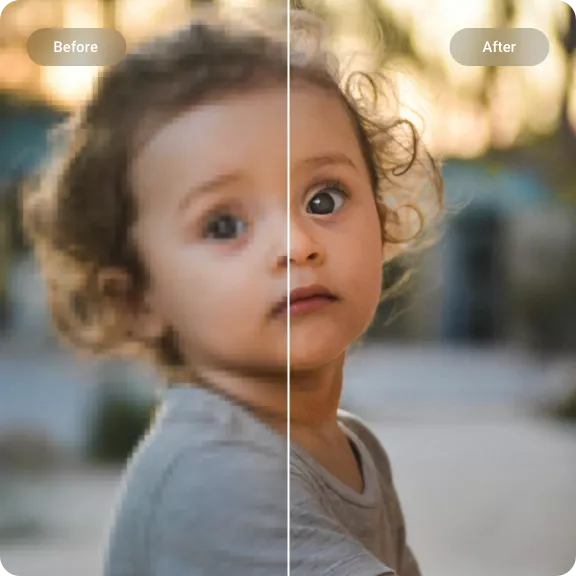
Upscayl AI runs an AI model that removes blur, reduces noise, and reconstructs missing detail in pixelated images, producing sharper output for listings, prints, or portraits. The service also includes background removal, object removal, and watermark removal tools alongside upscaling, so sellers and photographers handle multiple edits in one workspace instead of switching apps. Output supports JPG, PNG, and WEBP formats.
Batch processing handles up to 100 images per run on the top tier, which matters for catalogs with large SKU counts rather than single-photo edits.
Main Features
AI-Powered Image Upscaling
Upscayl AI enlarges low-resolution images using an AI model that reconstructs lost detail rather than simple pixel stretching. It removes blur and reduces noise while preserving realism in the final output. This means a pixelated product photo or an old scan can reach print or web resolution without re-shooting the original source.
Batch Processing
Upscayl AI processes multiple images in a single run, with batch limits ranging from 10 images on the Mini plan up to 100 on the Studio Pack. Each image still consumes one credit. Sellers uploading full product catalogs or photographers clearing a shoot in one pass avoid uploading files one at a time.
Photo Restoration
Upscayl AI repairs old or damaged photos by removing scratches, fixing damage, and recoloring faded images alongside the upscaling pass. This combines restoration and resolution enhancement in one upload, so archivists and photographers do not need a separate retouching tool before enlarging an image for print.
Background Remover
Upscayl AI strips image backgrounds automatically with a single click, including bulk background removal across a batch. Combined with upscaling, a low-resolution product shot can be cleaned of its background and enlarged in the same workflow, which cuts the number of separate tools a listing photo passes through.
Use Cases
-
Ecommerce Product Photo Upscaling
Ecommerce sellers and online store owners bring low-resolution product shots that need to hold up at larger listing sizes. Upscayl AI enlarges the image while preserving text and logos on packaging. Catalog photos stay legible at zoom without a reshoot.
-
Print-Ready Image Upscaling
Print-on-demand sellers and photographers need source files large enough for posters or merchandise printing. Upscayl AI’s 4K upscaling mode converts smaller originals into print-resolution output. This avoids rejected print jobs caused by low source resolution.
-
Anime and Manga Art Upscaling
Anime artists and manga creators upload line art or manga panels that lose crispness at scale. Upscayl AI’s models preserve clean lines rather than blurring edges during enlargement. Panels stay sharp when resized for print or digital release.
Best For / Not For
Upscayl AI is built for people enlarging and cleaning up existing images rather than generating new artwork from scratch.
Ecommerce sellers and online store owners upscale catalog photos for listings. Print-on-demand sellers and photographers prepare files for merchandise and posters. Photographers and photo archivists restore scratched or faded prints. Each persona works from an existing photo that needs more resolution or repair, not a prompt-based image generator.
Upscayl AI’s web plans sell credits in fixed packs that are consumed per image and never expire, but running out means buying another pack, which rules out heavy daily users on a fixed budget.
Pricing
Upscayl AI’s web service starts at $10 one-time for the Mini pack, covering 200 HD photo conversions with batch processing up to 10 images and uploads capped at 1000x1000px. A separate desktop app, built on the open-source Upscayl project, offers core upscaling at no cost with no account or credits required.
| Plan | Price | Included |
|---|---|---|
| Mini | $10 / one-time | 200 HD photo conversions |
| Creator | $30 / one-time | 800 HD photo conversions |
| Pro Pack | $50 / one-time | 2000 HD photo conversions |
| Studio Pack | $100 / one-time | 5000 HD photo conversions |
Credits never expire once purchased, but each plan caps upload resolution and batch size, so exceeding a lower tier’s limits requires upgrading to a higher pack.
Pricing checked 2026-10-15.
Quick Comparison
Rayopix is Upscayl AI’s main alternative for general image enhancement workflows. Rayopix covers a wider mix of editing modes in one interface beyond upscaling and restoration. Upscayl AI focuses batch upscaling with credit packs that never expire and support uploads up to 4000x4000px. Choose Rayopix if you want a broader all-in-one editor. Choose Upscayl AI if your priority is bulk product-photo or print upscaling with one-time credit purchases.
Verdict
Upscayl AI processes up to 100 images per batch on its $100 Studio Pack, giving sellers and photographers credit-based upscaling with no subscription. It fits bulk product and print work rather than single-image creative editing.