Minimax Agent: AI Agents for Research Teams
Most AI Agents tools use one fixed pipeline; Minimax Agent switches between Lightning Mode and Pro Mode by task complexity. Research teams get full reports from planning through verification, so Minimax Agent fits long document work over quick lookups. Built for multi-step research — casual chat users will find it over-engineered.
- India 10.2%
- Russia 8.4%
- United States 6.9%
- Mexico 5.4%
- Other 69.2%
What Minimax Agent Does
Research teams, developers, and marketing teams use Minimax Agent to break one request into subtasks and execute them end to end, producing a finished document or codebase.
Minimax Agent solves problems needing several steps in sequence: web research, reading a PDF, writing code, and assembling a report in one prompt is not possible otherwise. It plans subtasks, coordinates cooperating agents, and processes text, images, audio, and video. Document processing extracts data from PDFs and Word files directly, so content does not need manual copying before Minimax Agent acts on it.

Main Features
Long-horizon Task Execution
Minimax Agent breaks a complex request into multiple subtasks and executes them end to end, instead of returning one response to one prompt. It plans the subtask order, calls the tools each step needs, and compiles everything into a single deliverable such as a report or codebase, so a user submits one instruction and gets a finished artifact back.
Multi-agent Collaboration
Minimax Agent coordinates multiple agents to work on parts of a task in parallel rather than processing every step in one thread. One agent can research while another drafts, and the outputs merge into a single workflow. For software development teams running multi-file projects, this distributes code generation, debugging, and testing across agents instead of one sequential pass.
Lightning Mode & Pro Mode
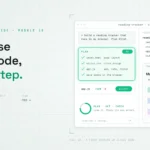
Minimax Agent splits workloads into Lightning Mode, for everyday questions, simple searches, and basic coding, and Pro Mode, for in-depth research, full-stack development, and web development. Selecting a mode sets how much planning and tool use the agent applies before responding, so a quick question is not routed through the same multi-step pipeline as a full report.
Document Processing
Minimax Agent extracts information, summarizes content, and answers questions about PDFs, Word files, and other documents without the user copying text out first. It reads the file directly and applies Office Skills for Word formatting, PowerPoint editing, and Excel calculations, so marketing or operations teams producing several reports a month can feed in source files and get formatted output back.
Use Cases
-
Research teams handling inquiries
Research teams fielding 10-30 questions weekly need to manage multiple research threads. They use Minimax Agent’s long-horizon planning, web research, document analysis, and source verification to produce structured reports. This keeps inquiries moving without manual source compilation.
-
Software development workflows
Software development teams running a full-stack project need coordinated execution across many steps. They use Minimax Agent’s code generation, debugging, browser access, shell tools, Python, and MCP integrations to run development workflows end to end in one session.
-
Document production for marketing
Marketing or operations teams producing several reports or presentations monthly handle repetitive formatting. They use Minimax Agent’s document processing and Office Skills for Word, PowerPoint, and Excel to turn drafts into finished files without manual reformatting.
Best For / Not For
Minimax Agent is built for teams running multi-step knowledge work rather than single-turn questions, where planning and tool use span a whole project instead of one reply. Research teams, software development teams, and marketing or operations teams who need an agent that plans subtasks and coordinates tools across a project fit this profile, since each persona maps directly to one of Minimax Agent’s documented use cases. Minimax Agent publishes no customer count, named clients, or compliance certifications such as SOC 2, so regulated-industry teams needing audited security evidence, and solo users wanting single-turn chat answers, should look elsewhere.
Pricing
Minimax Agent offers a free Lightning Plan with 1,000 credits, a Basic Plan at $19 per user per month with 10,000 credits and about 30 tasks, and a Pro Plan at $69 per user per month with 40,000 credits and about 120 tasks.
| Plan | Price | Included |
|---|---|---|
| Free Lightning Plan | Free | 1,000 credits |
| Basic Plan | $19 / user/month, billed monthly | 10,000 credits, approximately 30 tasks |
| Pro Plan | $69 / user/month, billed monthly | 40,000 credits, approximately 120 tasks |
An Ultra Plan is listed in the service terms but carries no public price, and the table does not show what happens once a month’s credits run out.
Pricing checked 2026-10-26.
Quick Comparison
DeerFlow is Minimax Agent’s main alternative for automated research report generation. DeerFlow focuses on structured research pipelines with configurable search and citation steps built around one workflow type. Minimax Agent adds Multimodal generation and Coding assistance in the same agent, covering text, image, audio, video, and code tasks together. Choose DeerFlow if a team only needs research report automation. Choose Minimax Agent if the team also needs coding, document formatting, or multimedia output in one tool.
Verdict
Minimax Agent processes long-horizon tasks across text, image, audio, video, and code for research and development teams, with Basic Plan access at $19 per user per month for about 30 tasks. Pro Mode adds full-stack development beyond Lightning Mode’s quick tasks.