AI Image Generators for E-commerce Teams with Imagine Art
Imagine Art is a AI Image Generators that turns prompts, reference images and garment photos into images, video and audio. Fashion & Apparel Teams use it to build lookbooks from a single garment upload. It handles multi-format production well, while teams needing one dedicated illustration tool should look elsewhere.
- India 17.5%
- United States 13.6%
- Pakistan 8.2%
- Brazil 8.1%
- Other 52.7%
What Imagine Art Does
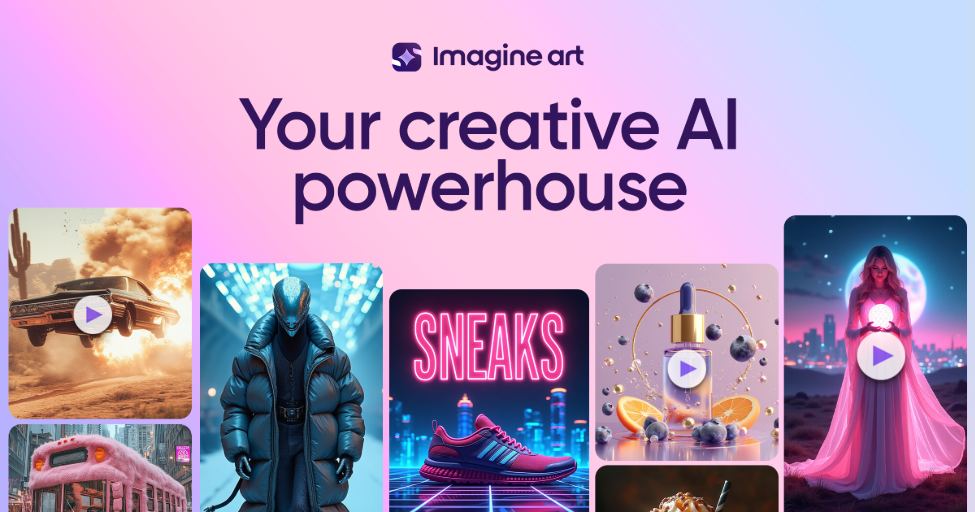
Imagine Art generates images, video and audio from a single brief, using over 50 third-party and in-house models in one interface.
Teams that would otherwise stitch together separate apps for stills, motion and voice get all three in one workspace. A brief passes through Create image, Create video or Create audio, with model choice and reference uploads at each step. Imagine Art’s Workflows chain these into node-based pipelines, so a brief produces a finished asset set rather than a single render. Plugins bring the same tools into Photoshop, Premiere Pro and Figma, so files do not have to be exported mid-project.

Main Features
Fashion Studio
Fashion Studio takes an uploaded garment photo and outputs on-model lookbooks, e-commerce shots and editorial campaigns while keeping fabric, fit and color consistent. Imagine Art applies this across one garment reference rather than regenerating each shot, so a product line gets a full visual set instead of one-off images needing manual color matching.
Workflows
Workflows are node-based flows that chain models, prompts and editing steps into a repeatable pipeline triggered from a single brief. Imagine Art runs the same sequence across a batch of products or scenes, so a campaign with dozens of variants does not require rebuilding generation steps by hand each time.
Create Video
Create video converts text or a still image into motion using Kling, Seedance, Veo and other models, then supports extending, relighting and reframing the result. Imagine Art keeps the edit inside the same workspace used for generation, so a clip does not need export to a separate tool for fixes.
Enterprise Security & Compliance
Imagine Art states SOC 2 and GDPR compliance for its enterprise offering, with encryption, AES-256 data protection, SSO and a data-processing agreement listed as features. Buyers running regulated or client-facing creative should confirm current certification scope, since independent verification is not available in public sources.
Use Cases
-
Fashion & Apparel campaigns
Fashion & Apparel Teams upload one garment photo as a reference. Fashion Studio turns it into lookbooks, e-commerce shots and fashion film content inside Imagine Art. Product imagery and fashion films are created from design to launch without a separate photo shoot per asset type.
-
E-commerce product visuals
E-commerce Teams bring product photos and need listing-ready variants across formats. Create image and Workflows generate the image and motion set inside Imagine Art at marketplace scale. Listing-ready images and motion are produced for every seller without re-shooting each SKU.
-
Food & Beverage marketing
Food & Beverage Teams need appetizing product shots adapted across campaign formats. Create image and Create video apply one reference across stills and clips inside Imagine Art. Appetizing visuals are created for every campaign from a single initial product shot.
Best For / Not For
Imagine Art is built for teams producing high volumes of campaign visuals across formats rather than a single hero image.
The clearest fits are Fashion & Apparel Teams building lookbooks from garment uploads, E-commerce Teams generating listing images and motion at scale, and Food & Beverage Teams producing recurring campaign visuals.
Imagine Art publishes no independent metric for time or cost savings, and its own pricing pages list conflicting credit amounts for the same plan name, so buyers planning a fixed budget should confirm current entitlements before purchase.
Pricing
Imagine Art’s standard paid tier starts at Basic for $5 per user per month with 1,500 monthly credits, scaling up to Scale at $500 per user per month with 215,000 monthly credits.
| Plan | Price | Included |
|---|---|---|
| Free | Free | limited daily credits |
| Basic | $5 / user/month, billed monthly | 1,500 monthly credits |
| Standard | $30 / user/month, billed monthly | 8,000 monthly credits and 3 team seats |
| Ultimate | $50 / user/month, billed monthly | 16,000 monthly credits |
| Creator | $120 / user/month, billed monthly | |
| Scale | $500 / user/month, billed monthly | 215,000 monthly credits |
Credits do not roll over between billing cycles, and Imagine Art’s own pricing pages list different Basic and Creator figures elsewhere, so confirm the current entitlement before subscribing.
Pricing checked 2026-10-23.
Quick Comparison
Nano Banana 2 AI is Imagine Art’s main alternative for teams generating product images at scale. Nano Banana 2 AI focuses on fast, high-volume image generation with a narrower single-output workflow. Imagine Art covers image, video and audio in one workspace, with Fashion Studio producing a full garment-to-lookbook asset set. Choose Nano Banana 2 AI if a team only needs rapid still-image batches. Choose Imagine Art if a team needs stills, video and audio produced from the same brief.
Verdict
Imagine Art generates images, video and audio from over 50 models, with Basic starting at $5 per month for 1,500 monthly credits. It fits fashion, e-commerce and food brand teams producing recurring multi-format campaigns rather than single hero shots.