Vizcom for Industrial Designers: Sketch-to-Render AI Image Generator
Most AI Image Generators tools generate images from a text prompt alone; Vizcom renders directly from hand-drawn or imported product sketches. Industrial designers get photorealistic renders without redrawing concepts in CAD, so Vizcom fits early-stage ideation rather than engineering handoff. Built for sketch-driven concept exploration — teams needing detailed CAD documentation will hit its ceiling.
- Italy 100%
What Vizcom Does
Industrial designers use Vizcom to convert hand sketches into photorealistic product renders directly from paper or tablet drawings.
Vizcom applies generative rendering to extract form, material, and lighting cues from a sketch, then produces multiple visual variations without manual redrawing. Real-time rendering updates the output as a designer edits the sketch, so changes appear as renders rather than requiring a new export. Collaboration and workspaces keep shared folders and role-based access in one place, which lets design teams review concepts side by side instead of emailing files back and forth.
Main Features
Sketch-to-render
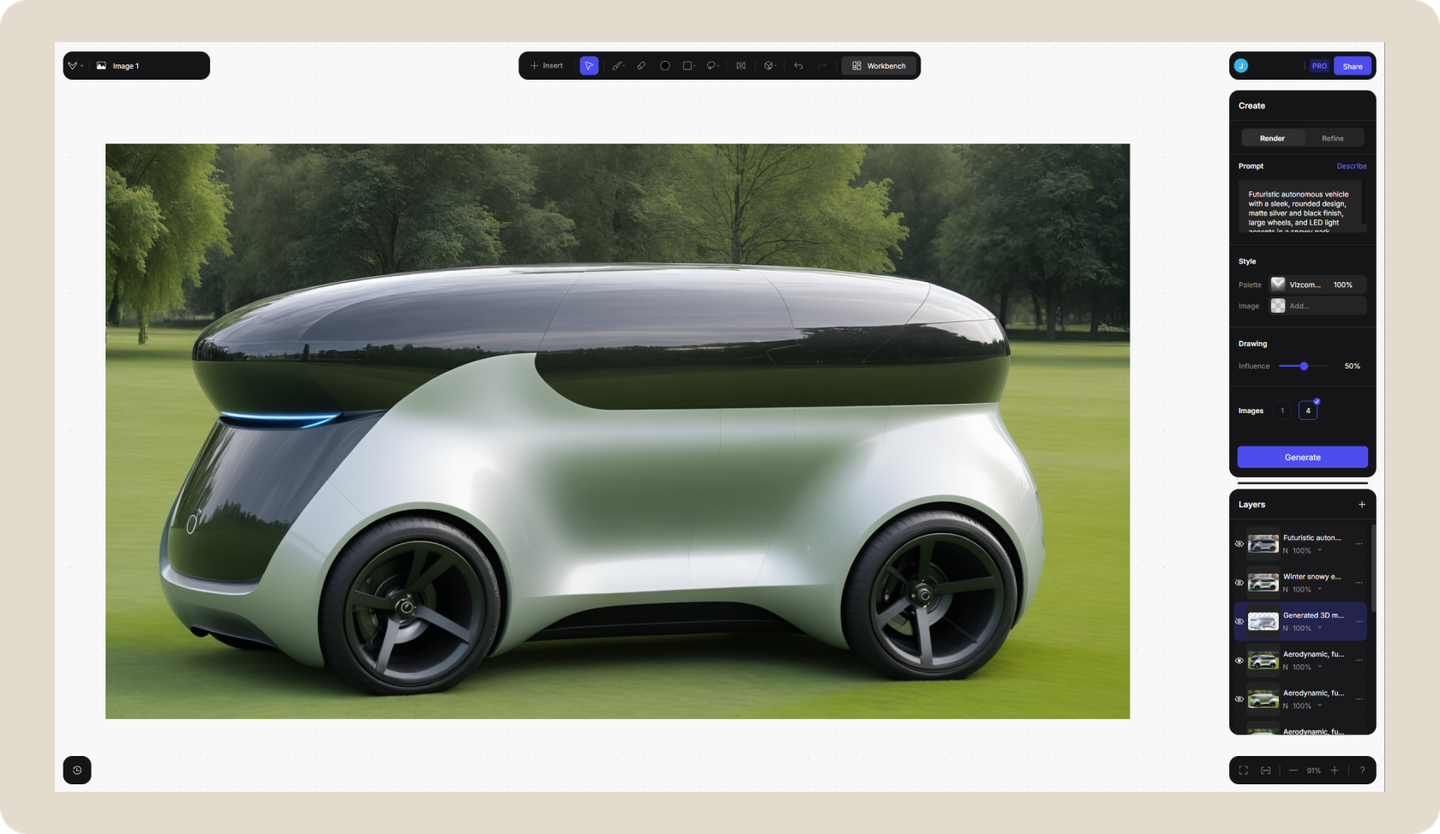
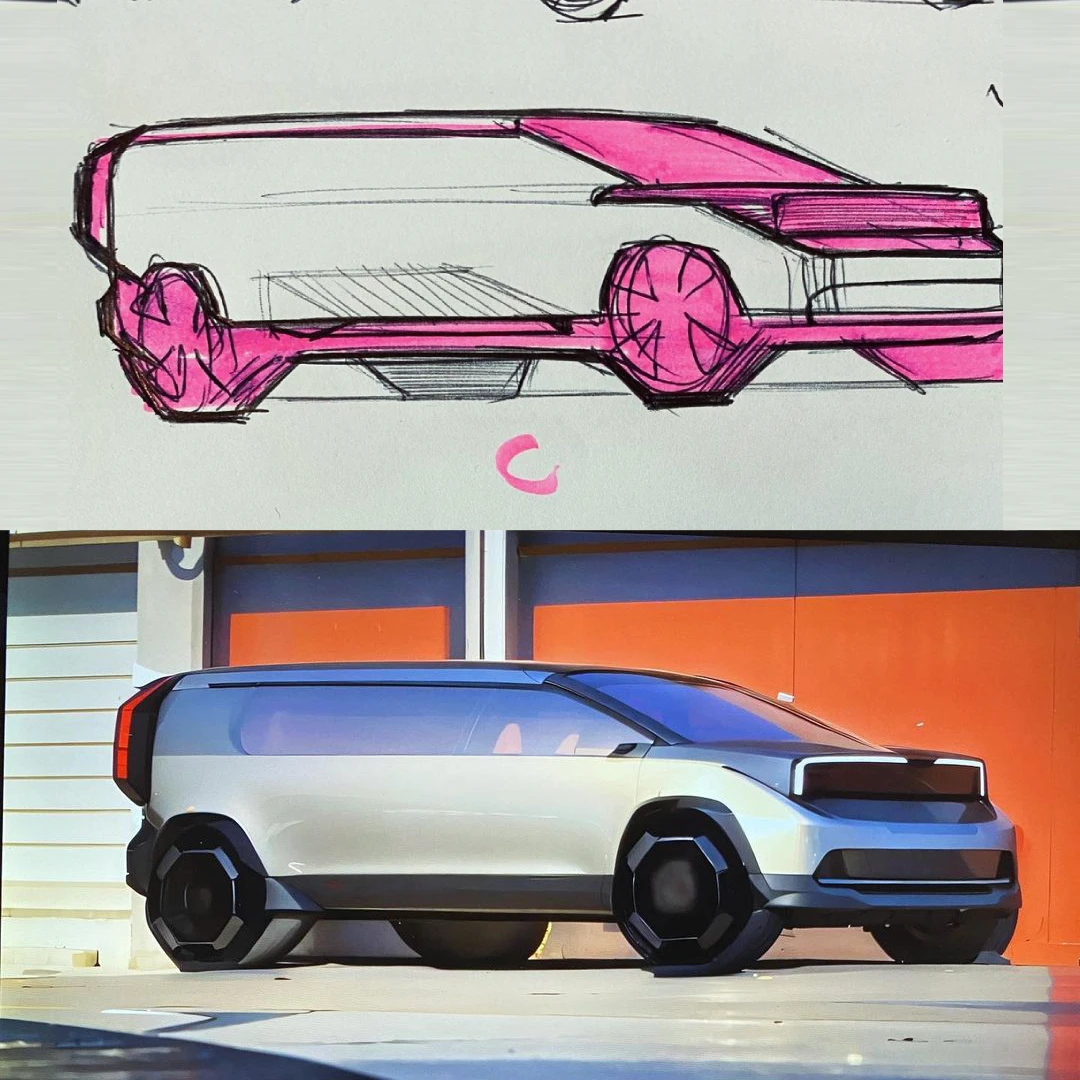
Vizcom converts hand-drawn or imported sketches into rendered product concepts, reading line work and shading to infer form and surface detail. Designers upload a sketch from paper, tablet, or scanned PDF and receive a rendered output in the same session. This removes a separate 3D modeling step before visual review, so a rough concept becomes a presentable image for stakeholders without CAD.
Generative rendering
Generative rendering creates multiple visual variations from one sketch, using text instructions to adjust material, color, or environment without a new drawing. A designer types a short prompt alongside the sketch and Vizcom generates several options in parallel. This lets a team compare colorways and finishes in one pass instead of rebuilding each variant by hand.
Real-time rendering
Real-time rendering updates the rendered output as a designer modifies the underlying sketch, instead of requiring a fresh export for every change. Edits to line work or shading show up in the render within the same workspace, so iteration happens without switching tools. Vizcom keeps this live feedback loop inside one file, which cuts the round trips between sketch and render tool.
Collaboration and workspaces
Collaboration and workspaces give teams shared project folders with role-based access, so admins, editors, and viewers see different permission levels in one place. Files stay inside shared folders rather than individual accounts, and viewers can review renders without an editing seat. This keeps concept review inside Vizcom instead of exporting files to a separate sharing tool.
Use Cases
-
Unblocking the design process
Industrial designers use Vizcom to avoid delays caused by complex tools during concept development. Sketch-to-render and generative rendering turn rough drawings into marketing-ready visuals in one session. This keeps early iterations moving without a separate rendering stage.
-
Automotive design teams
Teams creating vehicle concepts use Vizcom to convert sketches into realistic renders faster than manual workflows. Generative rendering produces multiple material and colorway options from one sketch. This allows quicker comparisons of form, finish, and color before committing further.
-
Footwear design teams
Designers developing shoes use Vizcom to generate silhouette and color variations from initial sketches instead of redrawing each one. Generative rendering applies different materials and colorways to a single sketch automatically. This reduces the manual redraw and rendering workload.
Best For / Not For
Vizcom is built for teams that start from hand sketches and need rendered visuals without a separate 3D modeling stage before stakeholder review. Industrial designers, automotive design teams, and footwear design teams use it to compare form, material, and colorway options from one sketch rather than redrawing each variant by hand. Vizcom does not replace CAD engineering software or produce manufacturing-ready documentation, so mechanical engineers needing production-ready manufacturing drawings should not rely on it as a standalone tool, and the free Starter plan’s 800 monthly credits limit heavy daily use.
Pricing
Vizcom’s Starter plan is free with 800 monthly credits, Education is free with 15,000 credits for qualified students and educators, and Professional costs $49 per user/month billed monthly with 20,000 credits.
| Plan | Price | Included |
|---|---|---|
| Starter | Free | 800 credits |
| Education | Free | 15,000 credits |
| Professional | $49 / user/month, billed monthly | 20,000 credits |
Credits reset monthly and do not roll over on the base plan, so unused Starter or Education allocation is lost at the next cycle; Professional users can buy credit add-ons that carry over.
Pricing checked 2026-10-23.
Quick Comparison
Nano Banana 2 AI is Vizcom’s main alternative for general-purpose prompt-to-image generation outside product design workflows. Nano Banana 2 AI generates images from text prompts alone across broad creative styles, without requiring an input sketch. Vizcom renders directly from hand-drawn sketches through sketch-to-render, keeping product geometry and proportions intact instead of ignoring them. Choose Nano Banana 2 AI if the job is open-ended creative image generation from text alone. Choose Vizcom if the work starts from a product sketch that needs to stay accurate.
Verdict
Vizcom renders hand sketches into photorealistic product images for industrial and footwear design teams, with Professional pricing at $49 per user/month for 20,000 credits. It fits sketch-first concept work rather than CAD production. Teams comparing colorways across a product line get the clearest benefit.