
Document Summarizer for Compliance Teams with Sharly
Most Sumarizer tools condense a single document at a time; Sharly compares multiple files at once and links every claim back to its source passage. Compliance teams, legal reviewers, and internal auditors get traceable citations, so Sharly fits audit-trail review rather than casual reading. Built for multi-document verification — solo readers skimming one PDF will find it over-engineered.
- United States 45.9%
- Canada 4.8%
- Philippines 4.2%
- India 3.8%
- Other 41.3%
What Sharly Does
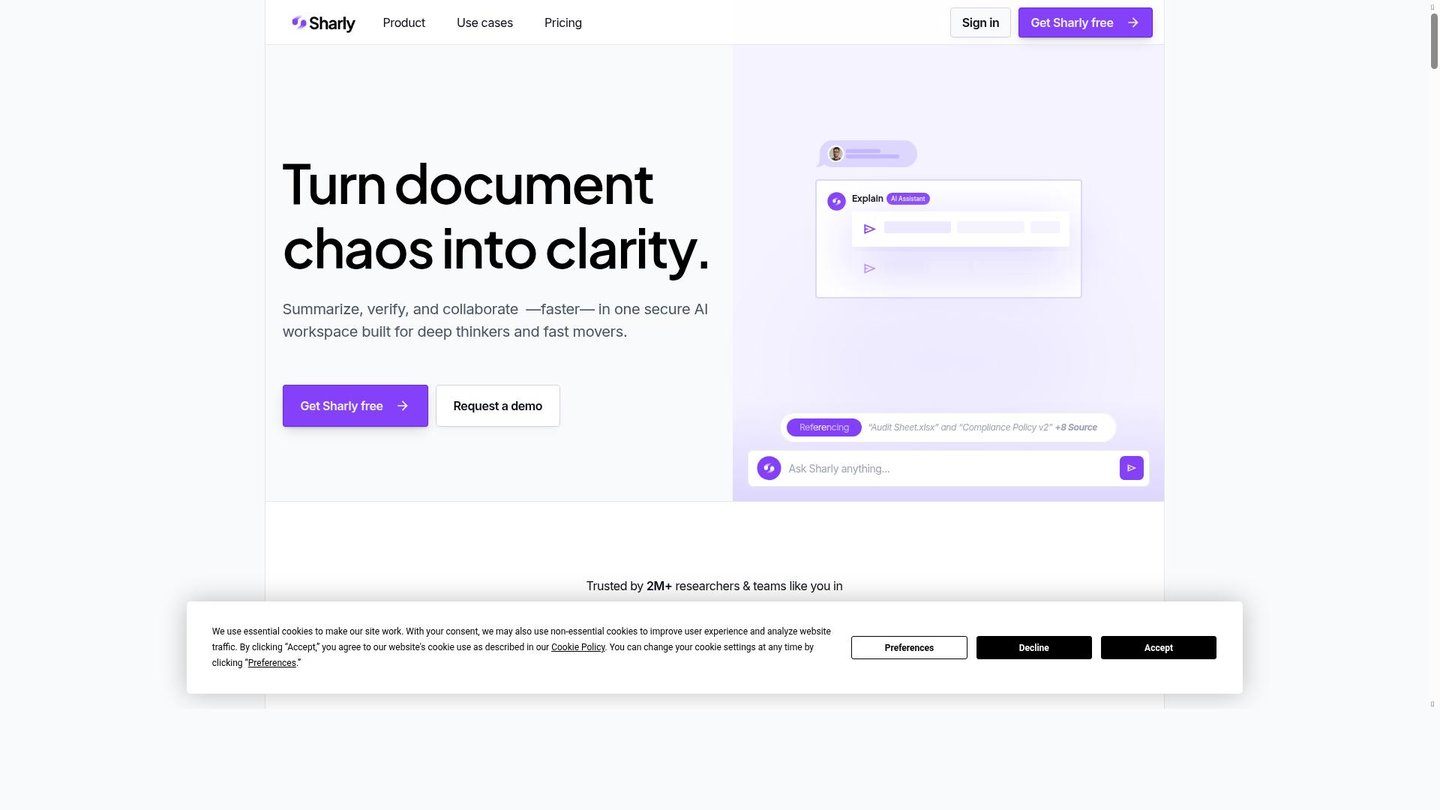
Compliance teams, researchers, and analysts upload PDFs, DOCX files, or Notion exports to get structured summaries and source-linked answers instead of reading documents line by line.
Sharly runs cross-document comparison to surface contradictions between contracts, interviews, or reports, then attaches inline citations in APA, MLA, or Chicago style to every extracted claim. The free tier caps usage at 5 documents and 50 messages a month with a 10k-token context window, pushing heavier research work toward a paid plan.
Google Drive, Notion, and Dropbox connections pull source files directly into Sharly, keeping a working document library current as new versions arrive.
Main Features
Summarize & Extract
Sharly turns dense research documents into structured insights immediately after upload, pulling out topics, key figures, and bullet summaries. Context length scales from 10k tokens on Free to 124k on Team, so longer filings and transcripts process without truncation on paid plans, unlike the entry tier. This scaling also affects how many related documents Sharly can hold in view at once, which matters for multi-file comparison work.
Validate & Compare
Sharly lines up claims across multiple uploaded files and flags conflicts between them, using semantic extraction to match related statements across documents. Analysts reviewing several reports at once can trace a discrepancy to its exact source line, which removes manual cross-referencing from the review step. The feature runs on uploaded content only, so it cannot compare a document against outside knowledge Sharly was not given.
Cite & Navigate
Sharly generates inline citations for every answer and lets users switch citation format between APA, MLA, and Chicago without re-running the query. Saved prompts and metadata extraction, available from the Pro tier up, keep recurring research questions and document metadata reusable across sessions. Free-tier citations are limited, so switching formats repeatedly on that plan requires an upgrade.
Enterprise Security & Compliance
Business-tier deployments add SSO/SAML, role-based admin dashboards, version history, and audit logs, so compliance-heavy teams can see who changed what and when. Data is handled under AES-256 and TLS 1.3 per Sharly’s documentation, with private deployment options for institutions requiring isolated environments. These controls sit above the Team plan, so smaller teams do not get audit logs by default.
Use Cases
-
Verify faster
Compliance teams, legal reviewers, and internal auditors review audit trails, contracts, or interviews in Sharly to spot inconsistencies. Validate & Compare aligns conflicting statements and traces each insight to its source, which turns manual cross-checking into a single comparison pass.
-
Summarize smarter
PhD researchers, lecturers, and faculty researchers upload PDFs or pull files from Notion into Sharly for clear insights and auto-generated citations. Cite & Navigate switches between APA, MLA, and Chicago, so reference formatting no longer needs a separate citation manager.
-
Make decisions you can trust
Analysts, policy-makers, and operational leaders upload one or many files to Sharly and extract the key numbers that matter to a decision. Validate & Compare highlights gaps or conflicts between sources, which surfaces disagreements before they reach a final recommendation.
Best For / Not For
Sharly is built for people who work across multiple documents and need every conclusion traceable to its source.
Compliance teams, legal reviewers, and internal auditors use it to cross-check contracts and audit trails. PhD researchers, lecturers, and faculty researchers use it to summarize literature with formatted citations. Analysts, policy-makers, and operational leaders use it to compare figures across reports before a decision.
Sharly limits the Free plan to 5 documents a day and a 10k-token context window, so anyone processing long filings or large batches of papers regularly will need the Pro or Team tier; it is not built for one-off single-document chat.
Pricing
Sharly’s Free plan costs $0 and allows 5 documents per day, while the first paid tier, Pro, runs $12.50 per user/month when billed annually with unlimited uploads and a 50k-token context window.
| Plan | Price | Included |
|---|---|---|
| Free | Free | 5 docs/day |
| Pro | $12.5 / user/month, billed annually | Unlimited uploads |
| Team | $24 / user/month, billed annually | Unlimited documents & chats |
Team adds per-seat pricing capped at up to 100 seats, and Business pricing is custom, requiring contact with sales for SSO, audit logs, and private deployment terms the table above cannot price out.
Pricing checked 2026-10-26.
Quick Comparison
Scholarcy is Sharly’s main alternative for academic literature summarization workflows. Scholarcy specializes in flashcard-style summary cards and reference extraction built around individual journal articles. Sharly instead compares claims across multiple uploaded documents through Validate & Compare and links answers to source passages with switchable citation formats. Choose Scholarcy if you mainly need per-article summary cards for single papers. Choose Sharly if you need to cross-check contradictions across a library of contracts, reports, or papers at once.
Verdict
Sharly processes unlimited documents on its $12.50/month Pro plan with a 50k-token context window, built for researchers and analysts who verify claims across sources rather than read one file at a time. It fits teams needing citation discipline over casual document chat.


