M-Files for Customer-Facing Teams: AI Document Management
A customer-facing team juggles contracts, onboarding forms, and support records scattered across shared drives and inboxes. M-Files, a Document Management tool, organizes those files by metadata instead of folder location and surfaces a single customer view. M-Files does not publish exact enterprise pricing without a sales call.
- United States 62.6%
- Netherlands 8.7%
- Finland 6.7%
- United Kingdom 2.7%
- Other 19.3%
What M-Files Does
M-Files is a metadata-driven document management system that unifies scattered files and automates review workflows for document-heavy teams.
M-Files organizes content by what a document is rather than where it sits, so a contract or report is findable by client, project, or status regardless of which system stores it. M-Files Aino AI classifies and summarizes documents, while workflow automation routes approvals and task assignments without manual handoffs. Version control with branch-and-merge and rollback keeps teams working from the correct version, and the platform connects to Microsoft 365, SharePoint, and Salesforce so existing document stores stay in place.
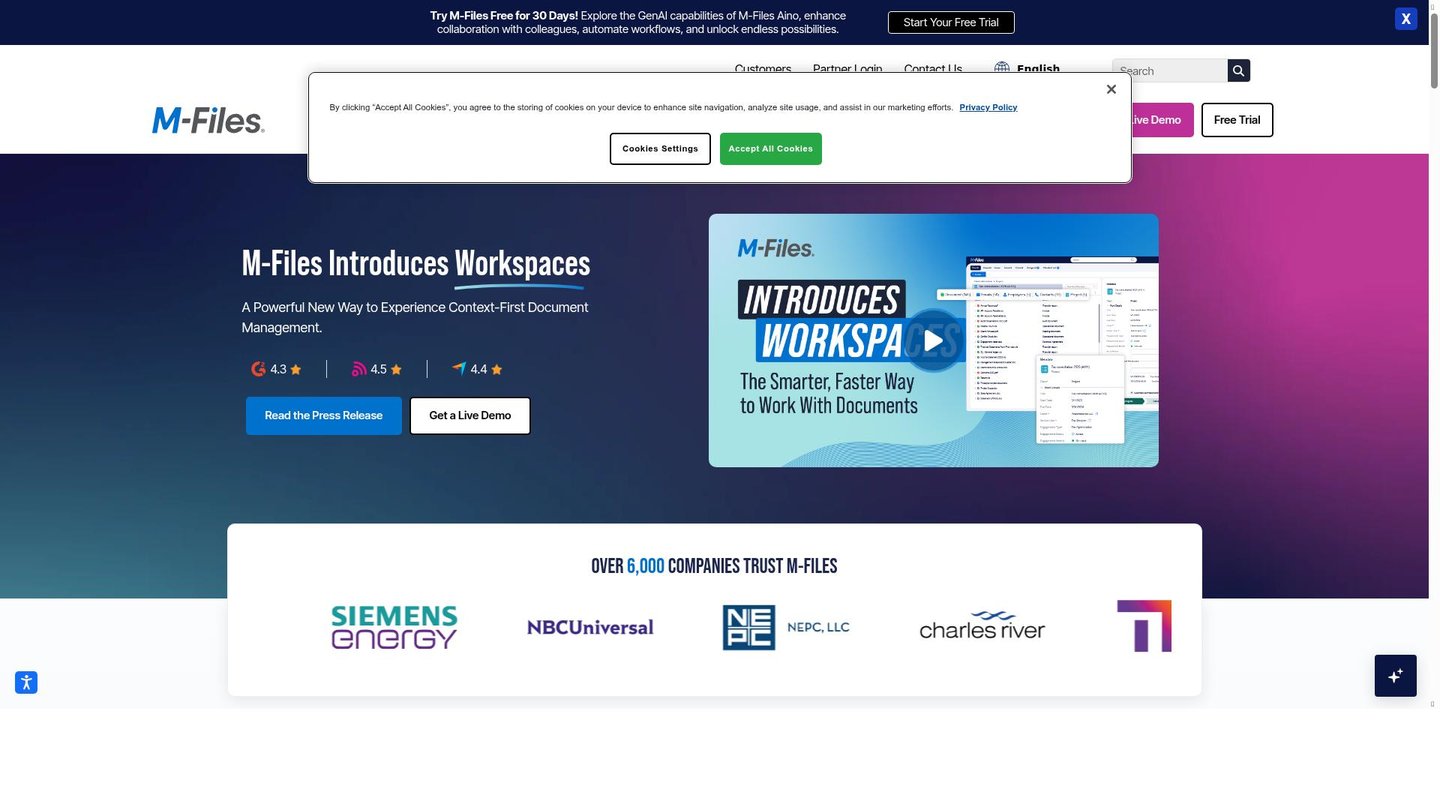
Main Features
Context-First Document Management
M-Files classifies files by metadata such as client, project, or document type instead of storage location, and shows a unified view across connected repositories. Because retrieval does not depend on remembering a folder path, teams searching for “the signed contract with Client X” find it regardless of which system or drive originally stored the file.
M-Files Aino AI
Aino is built into the platform to draft documents, summarize content, and extract data automatically from files as they are added. It runs on the metadata model rather than as a bolt-on chatbot, so suggested tags and extracted fields populate the same structure used for search and workflows, reducing manual data entry.
Workflow Automation
M-Files automates reviews, approvals, and task routing based on document state and metadata rules, moving a file to the next assigned person once a step completes. This replaces manual email chains for sign-off with a tracked, rule-based sequence, so a stalled approval is visible instead of buried in an inbox.
Security and Compliance
M-Files applies federated authentication, enterprise key management, role-based access, and extended audit logs to control who can view or edit each document. Supported frameworks referenced publicly include ISO 27001, HIPAA, and GDPR, so regulated teams can map access rules to retention and disclosure requirements without a separate compliance layer.
Use Cases
-
Customer Information Management
Customer-facing teams juggling contracts and support tickets across systems use M-Files for a 360-degree customer view. Context-first metadata pulls related records together by client, reducing time spent hunting across separate tools for one customer’s full history.
-
Project Information Management
Project managers tracking deliverables and approvals across phases use M-Files’s context-first document management to keep files linked by phase and status. Version control and workflow automation apply across the lifecycle, keeping teams aligned on budget and quality checkpoints.
-
Contract Lifecycle Management
Legal and procurement teams managing contracts from drafting through renewal use M-Files’s document automation and workflow automation to route approvals and track execution. No-code templates generate standardized agreements, keeping renewal deadlines visible instead of tracked manually in spreadsheets.
Best For / Not For
M-Files is built for organizations managing document volume across departments and compliance requirements.
Customer-facing teams, Legal and procurement teams, and Risk and compliance officers are the audiences M-Files names directly: they need metadata-driven retrieval, contract tracking, and auditable workflows rather than a flat shared drive. Operations teams managing physical or digital assets also fit, since enterprise asset management is a named use case.
M-Files lists no exact public pricing for its Enterprise tier and no free plan, and smaller teams wanting a simple shared-drive replacement will find the metadata design and workflow configuration more setup than they need.
Pricing
M-Files Essentials costs $65 per seat per month, billed annually, and includes context-first document management, Aino AI, workflow automation, version control, and lifecycle management. Enterprise pricing is custom and requires a sales quote.
| Plan | M-Files Essentials |
|---|---|
| Price | $65 / seat/month, billed annually |
| Free tier | No |
The table does not show Enterprise costs, which depend on user count, deployment type, and module selection, nor does M-Files publish seat minimums or overage rates for either plan.
Pricing checked 2026-10-26.
Quick Comparison
Laserfiche is M-Files’s main alternative for capture-and-approval workflows built around scanned invoices and forms. Laserfiche applies AI data extraction and classification automatically at the point of capture. M-Files instead centers on metadata-driven search and context-first organization across already-digital content and connected repositories. Choose Laserfiche if scanned paper intake and OCR-heavy capture are the daily bottleneck. Choose M-Files if the priority is unifying existing digital files by metadata across Microsoft 365, SharePoint, and Salesforce.
Verdict
M-Files organizes documents by metadata and runs workflow automation for teams starting at $65 per seat/month, billed annually. It fits customer-facing, legal, and compliance teams managing document volume across Microsoft 365 and SharePoint. Teams wanting a simple shared drive will find setup heavier than needed.