
ChatPDF for Researchers: AI Document Chat and Summaries
Which tool lets a researcher question a PDF directly instead of rereading the entire document for one answer? ChatPDF, a Document Management tool, answers questions straight from uploaded research papers, contracts, and reports for researchers, students, and professionals who need fast page-linked answers. Professionals needing cross-contract review at scale, with shared knowledge bases across many files, should consider Laserfiche instead.
- United States 9.6%
- Mexico 7%
- Brazil 6.2%
- Colombia 5.6%
- Other 71.6%
What ChatPDF Does
For researchers and students, ChatPDF converts a PDF upload into a conversational Q&A session without manual page-by-page searching.
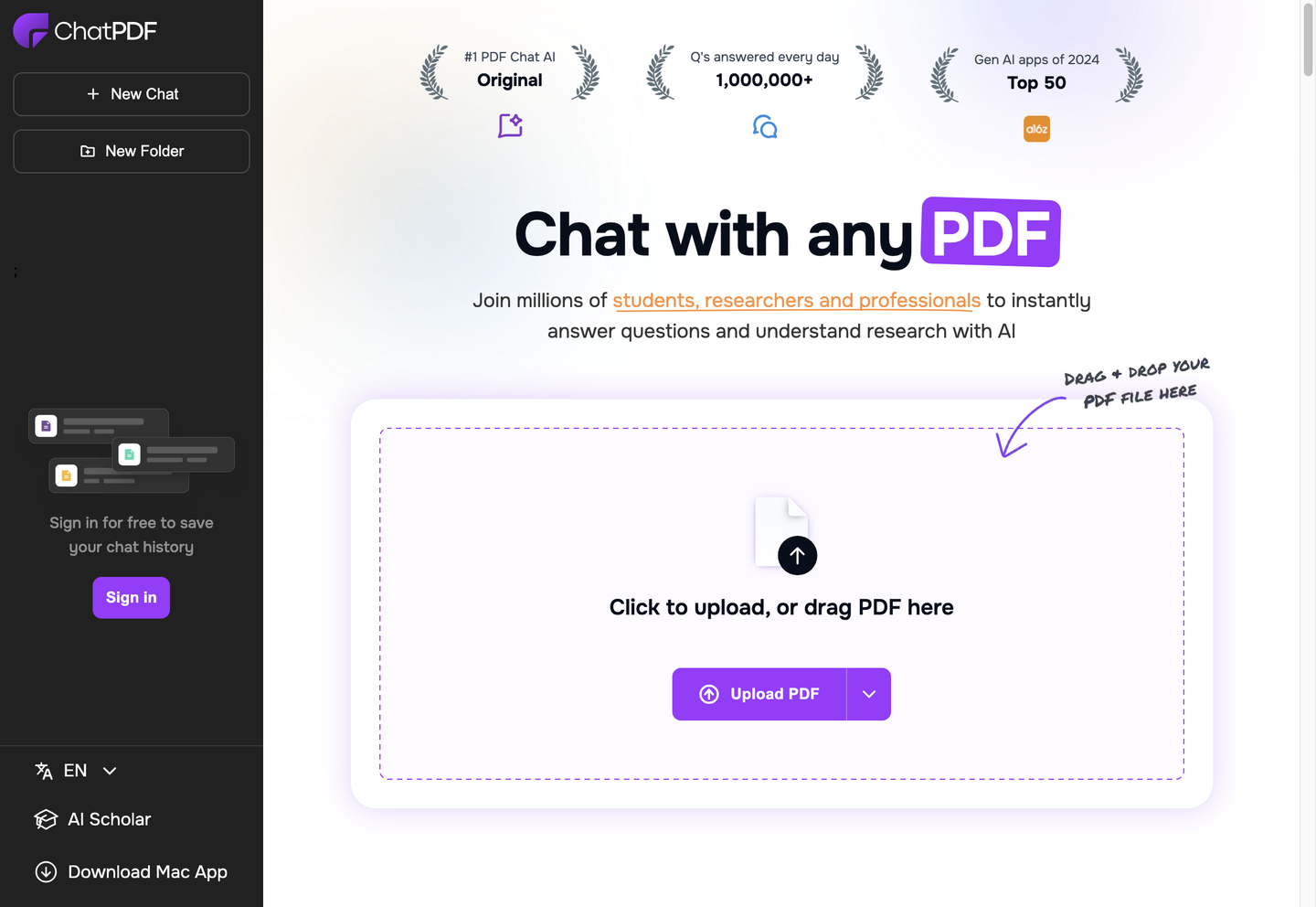
Users upload a PDF, Word, PowerPoint, Markdown, or text file, or paste a URL to an online paper, and ChatPDF answers questions with citations pointing back to the source page. ChatPDF also generates summaries of long academic articles or reports, so a reader gets the gist before deciding whether to read the full text. Chats save to an account, so a reviewed document stays searchable in a later session instead of starting over.
Main Features
Multi-File Chats
ChatPDF lets users create folders and chat with multiple PDFs inside one conversation instead of one file at a time. Questions can pull from several documents in the same thread, so comparing a contract against a policy, or cross-referencing two papers, does not require switching tabs or re-uploading files.
Summarize PDFs
ChatPDF generates summaries of academic articles, research papers, or reports on request. The model condenses the document into key points before the user asks a single question, so a 40-page report can be scanned for relevance before committing time to a full read-through.
Built-in Citations
Every answer ChatPDF gives is anchored to the specific page or passage in the source PDF it was drawn from. Clicking a citation jumps to that location in the document, so a claimed fact can be checked against the original text rather than taken on faith.
Side-by-Side View
ChatPDF keeps the chat panel and the original PDF open together on screen. Reading the source and the generated answer at the same time removes the need to toggle between a separate viewer and a chat window, which matters most when verifying citations line by line.
Use Cases
-
Researching academic papers
Researchers exploring scientific papers and academic articles use ChatPDF to ask questions about methods or findings. Page-linked answers replace manual searching through dense text, so a specific data point or citation can be checked against the source page rather than found through a full reread.
-
Studying for exams
Students use ChatPDF to study for exams and get help with homework by questioning uploaded course material directly. This lets students answer multiple choice questions faster than classmates working from the raw text alone, without rewriting notes from scratch.
-
Navigating legal documents
Professionals reviewing contracts and policy documents use ChatPDF to extract obligations and clauses on request. Built-in citations let a reviewer summarize relevant sections and confirm the exact clause location before relying on the summary in a decision.
Best For / Not For
ChatPDF is built for people who need quick answers from a specific document rather than a full document-management platform. Researchers questioning academic papers, Students studying from course PDFs, and Professionals reviewing contracts or manuals are the named audiences, each relying on page-linked answers instead of rereading a file end to end. ChatPDF’s free tier caps analysis at 2 documents per day, with a 120-page limit and a 10 MB file-size limit, which rules it out for teams processing large volumes of documents daily without upgrading to the paid Plus plan.
Pricing
ChatPDF offers two tiers: a free plan that lets anyone analyze 2 documents every day at no cost, and ChatPDF Plus, a paid upgrade priced at $5 per user per month, billed monthly, which removes the daily cap entirely and allows unlimited document analysis for frequent users processing many files.
| Plan | Price | Included |
|---|---|---|
| Free | Free | Analyze 2 documents every day. |
| ChatPDF Plus | $5 / user/month, billed monthly | Unlimited document analysis. |
The table above does not capture every reported limit: third-party sources describe Plus allowing files up to 2,000 pages and 32 MB per upload, figures that ChatPDF does not publish directly on its own pricing page, so exact file-size ceilings should be confirmed before relying on them for very large research documents, lengthy legal contracts, or academic manuscripts.
Pricing checked 2026-10-26.
Quick Comparison
Humata is ChatPDF’s main alternative for broader document-workspace and knowledge-base workflows. Humata handles cross-document knowledge-base organization beyond single-session chat folders. ChatPDF offers built-in page citations and a side-by-side PDF view without requiring an account to try it. Choose Humata if a team needs a persistent shared knowledge base across many files. Choose ChatPDF if a researcher or student needs fast, citation-linked answers from one or a few documents.
Verdict
ChatPDF processes 2 free documents daily or unlimited documents on Plus at $5 per user per month, pairing answers with page citations. It fits researchers and students who need fast answers from a handful of documents rather than large-scale document repositories.


