
ChatCut for Content Creators and Video Producers: AI Video Editing Timeline
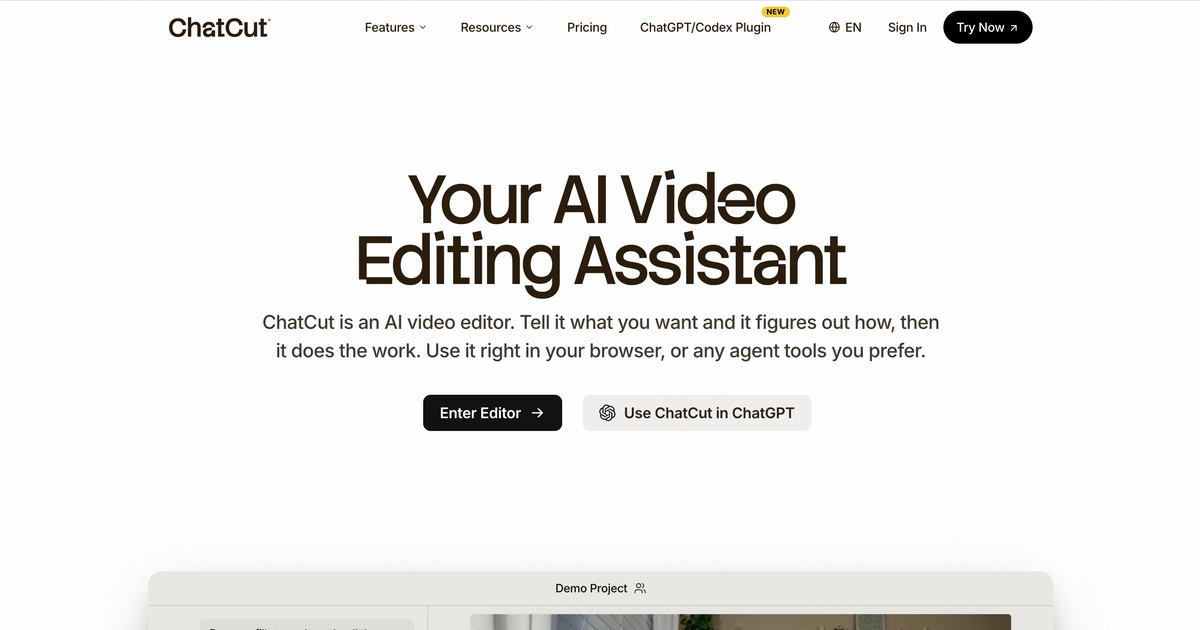
Raw talking-head footage sits unedited for days while filler words and missing captions wait on manual cleanup. ChatCut, a conversational editing workspace and a Video Editing tool for macOS, Windows, and the browser, turns prompts and transcript edits into timeline changes and can generate new footage on the same timeline. Strong at transcript-driven cuts, not at flat-rate billing.
- United States 23.6%
- China 15.5%
- India 7%
- Japan 3.8%
- Other 50%
What ChatCut Does
ChatCut turns spoken-word editing into a text-editing task by applying natural-language commands directly to a video’s transcript and timeline.
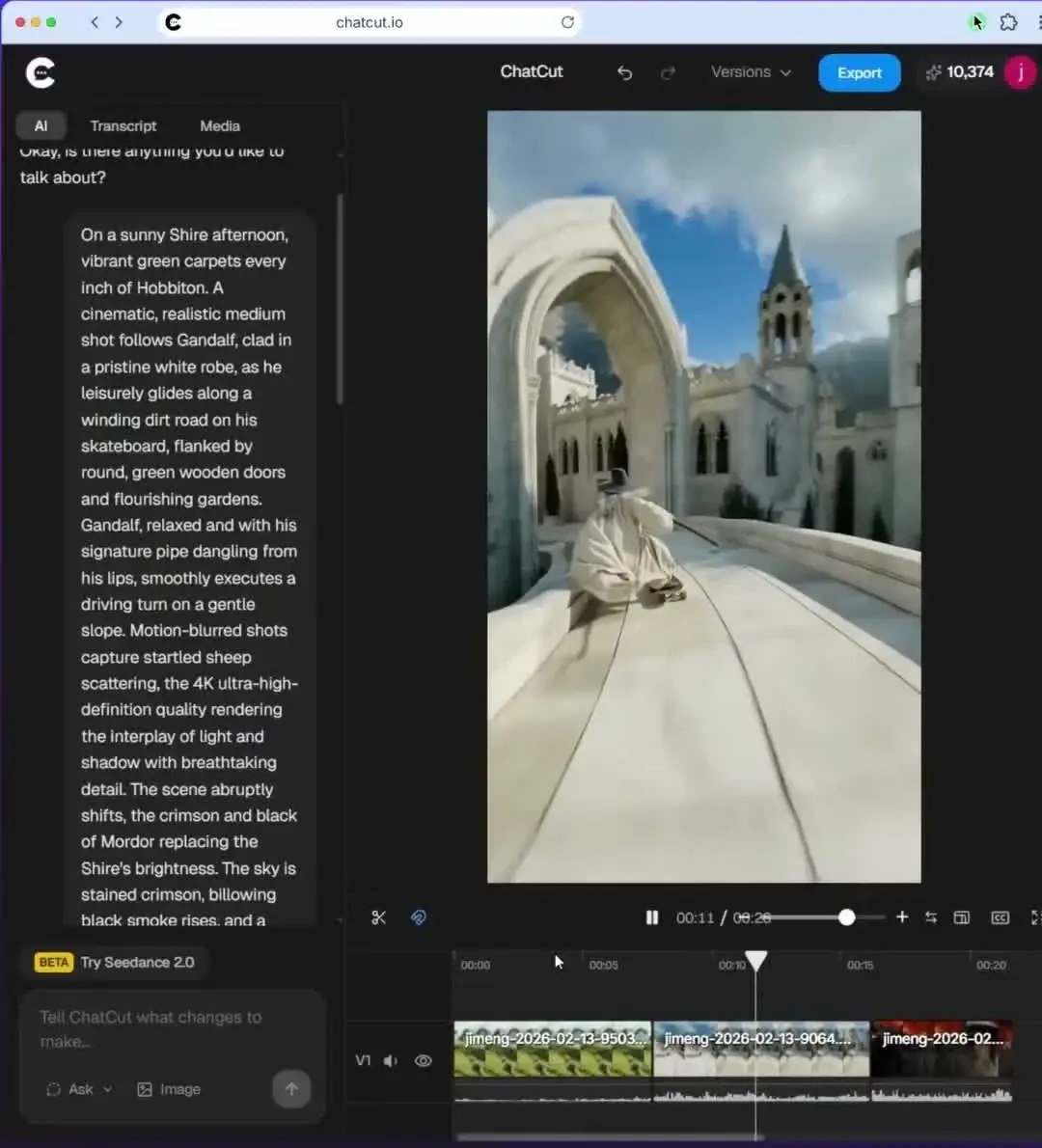
A user deletes a sentence from the transcript and ChatCut removes the corresponding clip, closes the gap, and keeps captions synced. The same conversational layer generates video clips, B-roll, motion graphics, music, and AI avatars, so a project that once needed separate stock, music, and graphics tools runs through one interface. A multi-track manual timeline sits underneath for frame-level adjustments ChatCut’s agent does not handle.
ChatCut runs as a desktop app for macOS (Apple silicon and Intel) and Windows, as a web app in a desktop browser, and as an Agent Plugin for the Claude Code, Codex, and WorkBuddy desktop apps. According to ChatCut’s documentation, the desktop app is the recommended option for most work: it reads local files and folders and renders supported exports locally, up to 4K and HDR on capable hardware.

Main Features
AI Conversational Video Editor
ChatCut accepts plain-language instructions — “cut the pause after the intro,” “remove the stutter” — and applies them as transcript and timeline edits. It works by mapping spoken words to clip boundaries, so deleting text removes the matching footage automatically. This means edits that would require scrubbing a timeline manually happen through text instead.
AI Video Generation
ChatCut generates clips from text, images, first and last frames, references, or a source video, and can edit or extend existing clips. Models listed in the documentation include Seedance 2.5, Seedance 2.0, Gemini Omni, and MiniMax H3, each with different inputs, durations, and resolutions. Generation requires a paid plan, uses credits, and shows a credit estimate before a request is sent. Generated clips land directly on the editable timeline instead of in a separate tool.
Multi-Track, Multi-Timeline Editing
One project can hold several timelines that share a single media pool, which suits cutting multiple shorts or versions from the same source. Each timeline has separate video and audio tracks (V1/V2, A1/A2) with visibility, mute, lock, and automatic audio ducking that lowers music under dialogue.
AI Motion Graphics
ChatCut generates lower thirds, title cards, charts, and logo animations from text prompts rather than template libraries alone. Paid plans cap monthly output between 1,000 and 4,000 clips depending on tier, and motion graphics can be exported with a transparent background. Because graphics are prompt-generated, iterating on brand style happens inside the same session instead of a separate design tool.
AI Captions & Subtitles
ChatCut auto-transcribes footage and styles captions with built-in presets such as Plain, Netflix, or TikTok Pop, or with saved custom styles, including bilingual caption display. Captions draw on the same transcript used for editing, so caption timing stays locked to whatever cuts are made upstream. Subtitles export as SubRip (.srt) or plain text.
AI Agent Plugins
ChatCut’s Agent Plugin lets the Claude Code and Codex desktop apps, as well as WorkBuddy, create and edit a ChatCut project from the agent conversation while the real timeline stays open for manual changes. The plugin works only in these desktop apps, not on the ChatGPT or Claude websites. Some features run free inside these plugins.
Export to Other Editors
Beyond video, audio, and subtitle files, ChatCut documents Premiere and DaVinci Resolve XML export and editable CapCut/Jianying drafts. This lets a rough cut assembled by prompts move into a traditional post-production tool for finishing.
Use Cases
-
Talking Head Editing
Content creators bring raw camera footage into ChatCut for speech cleanup, B-roll insertion, motion graphics, captions, and music. The conversational editor and transcript-based cuts handle the work together, replacing separate editing, caption, and music tools in one pass.
-
Long Video to Shorts
Social media managers feed a long-form video into ChatCut to extract and reframe the strongest moments for YouTube, TikTok, and Reels. A 9:16 canvas and separate timelines per short keep repurposing inside one project.
-
Generated Footage in an Edit
Creators and marketers who lack B-roll or product shots generate clips from a prompt or reference image and cut them alongside recorded footage. Because generation and editing share one timeline, generated shots can be trimmed, captioned, and scored without exporting between tools.
-
Bilingual Captions
Multilingual content creators use ChatCut to show captions with a second language alongside the original, styled per language. The caption engine draws from the editing transcript, so subtitles stay synced to the final cut without a separate localization pass.
Best For / Not For
ChatCut is built for people producing video content from raw footage on a recurring basis, not studios running a fixed post-production pipeline.
Content creators and video producers editing talking-head footage, social media managers and content creators cutting long videos into shorts, and multilingual content creators needing bilingual subtitle output all fit the sources ChatCut names. Teams that finish in Premiere or DaVinci Resolve can use ChatCut for the rough cut and hand off via XML.
ChatCut’s credit-based billing makes extensive AI video, image, and motion-graphics generation expensive or difficult to forecast, which rules it out for teams needing flat, predictable monthly costs.
Pricing
ChatCut offers a free tier with 5 credits and paid plans starting at $42 per month, billed annually, for 200 credits per month.
| Plan | Price | Included |
|---|---|---|
| Free | Free | 5 free credits, basic editing and exports, AI images, motion graphics, captions, music, AI avatars, voice cloning previews, and a 60-minute web export limit. |
| 200 credits | $42 / month, billed annually | 200 credits/month, e.g. up to 500 s of Seedance 2.5 video or 1,000 motion-graphics clips; 2 cloned voices; all agent editing capabilities; no export limit |
| 400 credits | $49 / month, billed annually | 400 credits/month, e.g. up to 1,000 s of Seedance 2.5 video or 2,000 motion-graphics clips; 4 cloned voices; no export limit |
| 800 credits | $98 / month, billed annually | 800 credits/month, e.g. up to 2,000 s of Seedance 2.5 video or 4,000 motion-graphics clips; 8 cloned voices; no export limit |
Credits fund video, image, music, and motion-graphics generation, so heavy AI media use can exhaust a monthly allotment before the billing period ends. Monthly billing costs $50, $100, and $200 respectively. Some features are free when used through the Claude Code, Codex, or WorkBuddy plugins.
Pricing checked 2026-10-19.
Quick Comparison
Typecast is ChatCut’s main alternative for voice and narration-focused video production. Typecast concentrates on AI voice generation and voice cloning for narration-heavy video projects. ChatCut adds transcript-based timeline editing, AI video generation, and motion graphics in the same workspace. Choose Typecast if voiceover quality and voice variety are the primary need. Choose ChatCut if transcript editing, captions, generated footage, and motion graphics need to run in one tool.
Verdict
ChatCut combines transcript-based edits, AI video generation, bilingual captions, and AI motion graphics on one multi-track timeline, available on macOS, Windows, the web, and inside desktop AI agents, from $42 per month for 200 monthly credits. It fits creators replacing multiple editing tools with one workspace, less so teams needing fixed-cost billing.

