Autodraft for Children’s Content Creators: AI Animation Generator
A children’s content creator needs a colorful nursery-rhyme video ready for YouTube by Friday. Autodraft, a AI Image Generators tool, generates characters, backgrounds, and voiceovers from text prompts, returning finished animated scenes ready for upload. Autodraft does not publish independent metrics on production time saved.
- India 88.9%
- Pakistan 2.9%
- United States 2.4%
- Bangladesh 1.8%
- Other 4%
What Autodraft Does
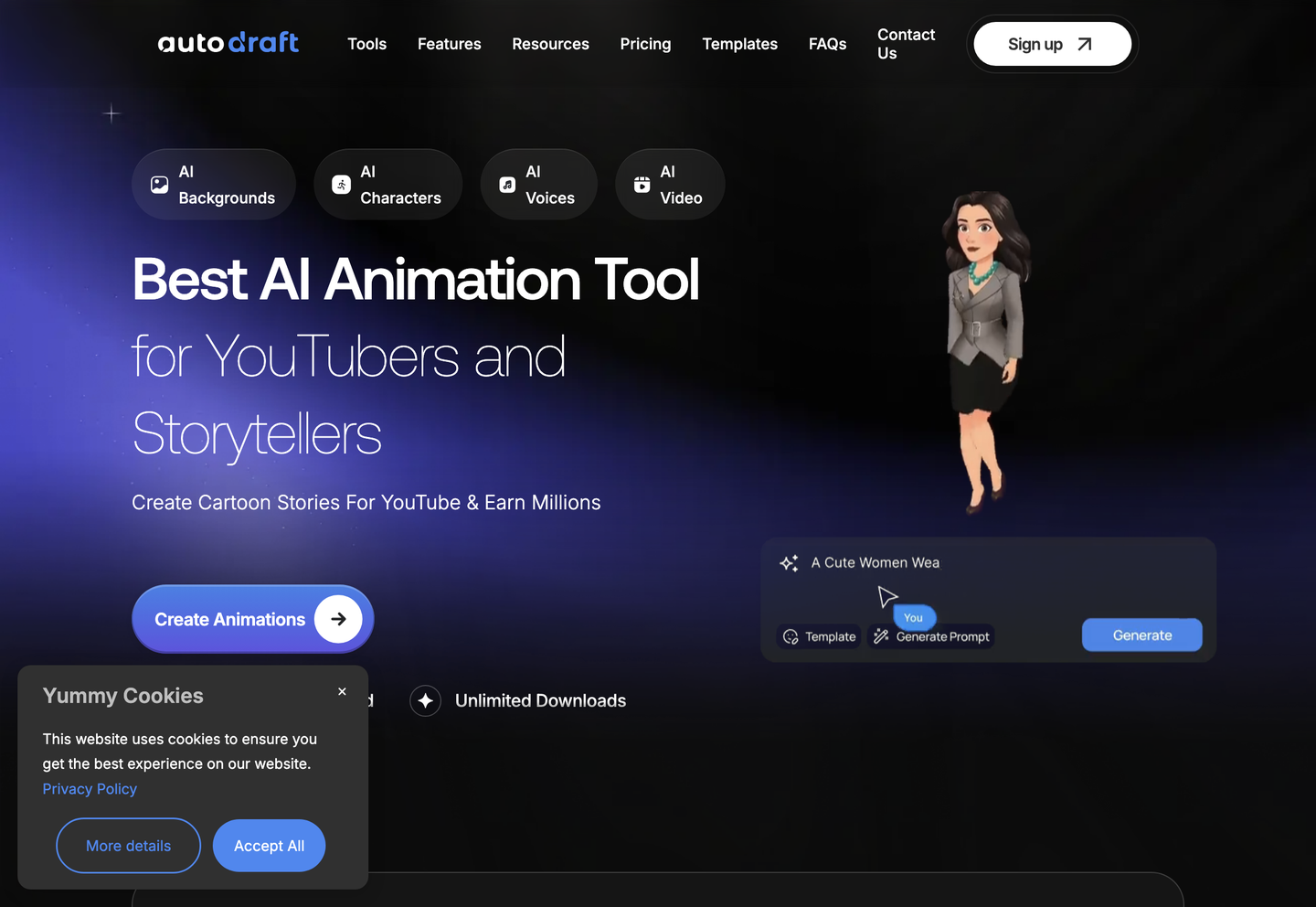
Autodraft is a browser-based animation platform that generates cartoon video assets for YouTube creators.
Autodraft covers the pieces a creator would otherwise assemble from separate tools: characters, backgrounds, voiceovers, sound effects, and a timeline to assemble them into a finished clip. Animation Studio, Cinema Studio, and Whiteboard Studio each target a different visual style, from cartoon series to whiteboard explainers, and each pulls from the same character and background generators. The platform targets YouTube channels producing animated content on a recurring schedule, not single-shot video projects.
Main Features
Animation Studio
Animation Studio generates characters, backgrounds, and voices from text prompts inside a single cartoon-creation workspace. Autodraft applies preset actions and expressions to generated characters rather than requiring manual rigging, so a creator assembles a scene without a separate illustration step. The result is a cartoon workflow that stays inside one browser tab instead of switching between drawing and animation software.
AI Story Generator
The AI Story Generator produces script and narrative content from a prompt before any visuals are built. Autodraft uses this output to drive scene generation downstream, so the story structure exists before characters and backgrounds are created. Creators working from a loose premise get a usable script draft, which shortens the gap between an idea and a storyboard.
AI Voiceover
AI Voiceover converts script text into spoken audio using preset voice options, and Autodraft also offers voice cloning on paid plans. Because the voiceover generation sits in the same studio as character and background creation, narration can be matched to a scene without exporting audio to a third-party tool. Multiple voice presets support different character ages and tones.
Drag and Drop Timeline Editor
The Drag and Drop Timeline Editor assembles generated clips, voiceovers, and sound effects into a sequenced video. Autodraft arranges scenes, transitions, and layers on a visual timeline rather than requiring a code-based editing workflow, so non-technical creators can reorder and trim content directly. This is the step that turns separate generated assets into one exportable video file.
Use Cases
-
Kids Cartoon Story Creation
Children’s content creators bring a nursery rhyme or moral-story concept and need bright, age-appropriate visuals. Autodraft generates colorful characters and vibrant backgrounds through Animation Studio. The scene-building workflow fits a recurring kids-channel upload schedule without a separate illustrator.
-
Horror Animation Production
Horror storytellers bring a scary-story script and need a visibly darker tone than standard cartoon output. Autodraft generates shadowy environments and unsettling character designs on request. This lets a thriller-focused YouTube channel keep a consistent visual mood across episodes.
-
Webtoon and Anime Content
Webtoon and anime creators bring a comedic or light-hearted story and need a specific art style rather than generic cartoon visuals. Autodraft applies anime and painting-style generation to backgrounds and characters. The style selection keeps visual tone consistent across a multi-episode webtoon series.
Best For / Not For
Autodraft is built for creators producing recurring animated video content for a single platform rather than one-off commercial projects.
Children’s content creators, horror storytellers, and webtoon and anime creators make up the audiences the vendor names directly, each matched to a specific visual style inside the platform, from bright nursery-rhyme scenes to shadowy thriller environments to anime-style webtoon art.
Autodraft does not publicly document integrations with third-party editing or publishing software, which rules it out for teams that need their animation tool to connect into an existing production pipeline, marketing stack, or custom API workflow.
Pricing
Autodraft offers a Free plan with 20 starting credits, then charges $22 per user per month, billed monthly, for the Base plan, or $18 per user per year, billed annually, for the same Base tier.
| Plan | Price | Included |
|---|---|---|
| Free | Free | 20 free credits to get started |
| Base | $18 / user/year, billed annually | 12000 credits per year |
| Base | $22 / user/month, billed monthly | 1000 credits per month |
| Pro | $70 / user/year, billed annually | 50000 credits per year |
| Pro | $86 / user/month, billed monthly | 4000 credits per month |
Autodraft does not publicly state what happens once a monthly credit allocation is used before the billing cycle renews.
Pricing checked 2026-10-23.
Quick Comparison
Consistent Character AI is Autodraft’s main alternative for generating reusable character designs across scenes. It focuses specifically on locking character consistency across multiple generated images without animation tooling. Autodraft adds a Drag and Drop Timeline Editor, voiceover generation, and preset actions to turn those characters into a finished video rather than static art. Choose Consistent Character AI if you only need consistent character illustrations for comics or static art. Choose Autodraft if you need those characters animated, voiced, and exported as a finished YouTube video.
Verdict
Autodraft generates characters, backgrounds, and voiceovers for YouTube creators starting at 20 free credits, scaling to 50000 annual credits on the Pro plan. It fits recurring cartoon-channel production more than single commercial projects. Horror, kids, and webtoon styles are its clearest strengths.