AI Image Extender: AI Image Editing for E-commerce Brands and Sellers
Which tool widens a product photo’s background without redrawing the product itself? AI Image Extender, a Image Editing tool, extends image borders with AI-generated context for e-commerce brands and sellers. Designers needing layered PSD or vector output should consider Image to Layers AI instead.
What AI Image Extender Does
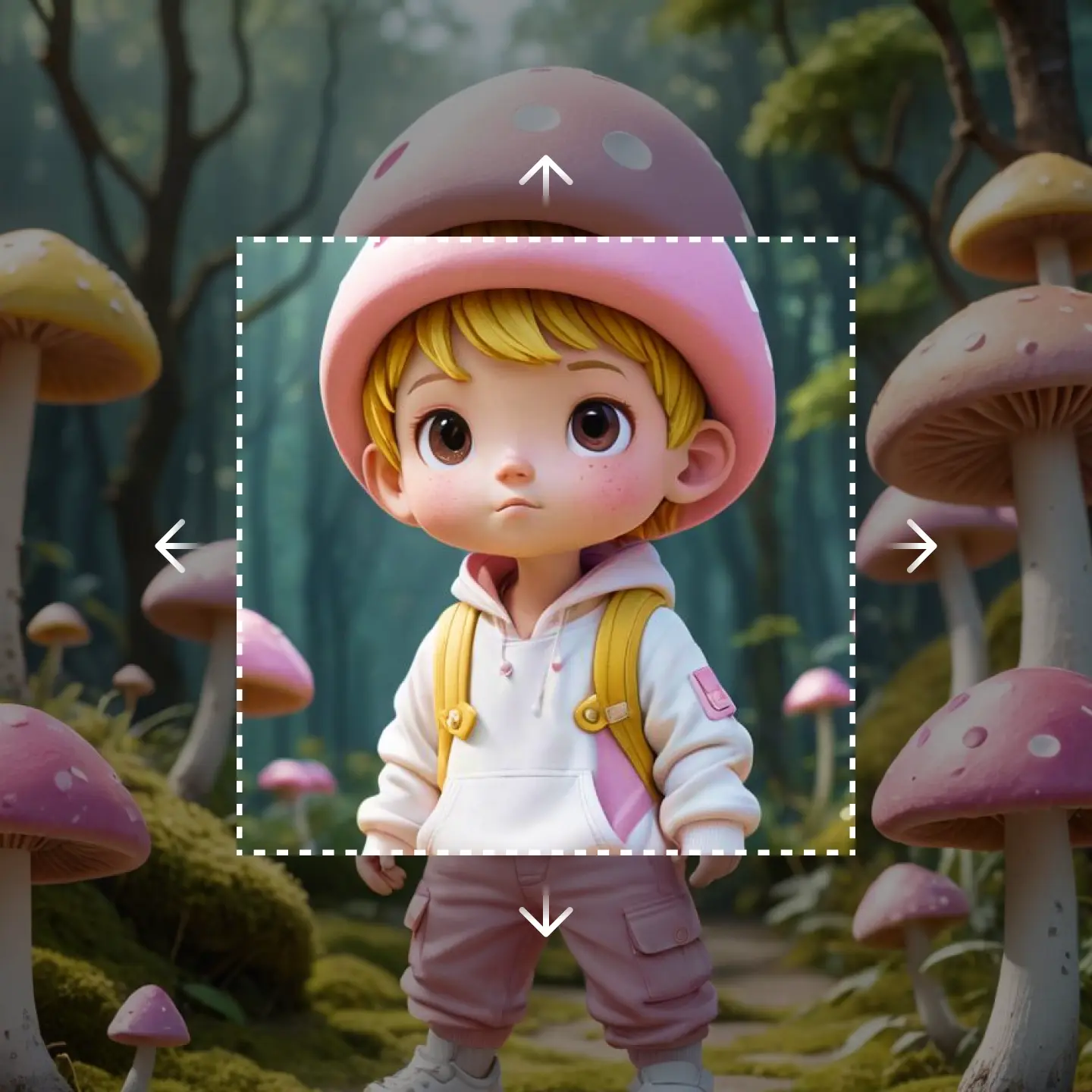
AI Image Extender fills in the area around a photo’s edges, turning a tightly cropped image into a wider composition without redrawing the subject.
AI Image Extender analyzes pixels and context at an image’s border, then generates new surrounding content that matches the original lighting, color, and style. This solves a specific problem: fitting a photo into a different aspect ratio, such as a square product shot needing a landscape banner, without cropping into the subject or leaving blank space. Multi-directional expansion covers up, down, left, right, or all sides at once. AI Image Extender does not perform general photo editing, retouching, or layout design.
Main Features
Content-Aware AI Technology
AI Image Extender analyzes an image’s existing pixels and surrounding context to generate new border content automatically, without manual cloning or masking. The model reads texture, lighting, and composition before extending the frame. This removes the manual outpainting work a designer would otherwise do in a layered editor, so a single upload replaces several editing steps.
Zero Quality Loss Guarantee
AI Image Extender advertises extending images without compromising quality, aiming to preserve detail, texture, and color at the seam between original and new content. It publishes no independent test data behind this claim. For product and portrait photos where a visible seam would be obvious, matching tone at the border reduces the need for a separate retouching pass.
Multi-Directional Expansion
Images can be extended up, down, left, right, or on all sides in a single pass, letting one source photo fit multiple aspect ratios. This matters when the same photo needs to serve a square thumbnail and a wide banner. AI Image Extender handles the resize without a separate crop-and-recompose step for each target format.
Simple, Transparent Pricing
Starter, Professional, and Business plans are built around a credit system, with each extension consuming credits rather than requiring a per-seat license. Plans scale from individual content creators to agencies running larger volumes. Because usage is metered in credits rather than unlimited exports, high-volume teams should check their expected monthly image count against plan credit limits before committing.
Use Cases
-
E-commerce product image expansion
E-commerce brands and sellers bring cropped product photos needing wider backgrounds for marketplace listings. AI Image Extender fills the surrounding area while leaving the product untouched. One photo then fits multiple listing templates instead of requiring new photography per layout.
-
Social media portrait expansion
Content creators and social media marketers bring portraits cropped for one platform’s ratio. AI Image Extender widens the frame and adds space for platform-specific icons on YouTube, Facebook, TikTok, or Instagram. One source image is then reused across formats instead of reshot.
-
Seascape and landscape expansion
Photographers and landscape enthusiasts bring tightly framed outdoor shots needing more surrounding environment. AI Image Extender’s multi-directional expansion broadens the horizon and fills in plausible scenery around the subject. This recovers context that cropping removed, without a reshoot.
Best For / Not For
AI Image Extender is built for people who need to resize existing photos without cropping into the subject or commissioning new shoots.
E-commerce brands and sellers fitting product photos to different marketplace templates, and content creators and social media marketers adapting one portrait across multiple platform ratios, are the named audiences.
AI Image Extender is best for extension and uncropping, not full-featured image editing or design work, so teams needing layout tools, text overlays, or multi-layer compositing should look elsewhere.
Pricing
AI Image Extender’s standard Starter plan costs $9.9 per user/month billed annually, with a promotional $4.99 first month, before scaling through two higher tiers listed below.
| Plan | Price | Included |
|---|---|---|
| Starter | $9.9 / user/month, billed annually · $4.99 first month | 6000 credits/year |
| Professional | $23.9 / user/month, billed annually | 15000 credits/year |
| Business | $63.9 / user/month, billed annually | 60000 credits/year |
All three tiers bill annually and allocate a fixed yearly credit pool; the table does not show whether unused credits roll over or what happens once an allowance runs out.
Pricing checked 2026-10-02.
Quick Comparison
ImageHub is AI Image Extender’s main alternative for teams wanting a broader editing toolkit alongside outpainting. ImageHub bundles over 20 browser-based tools for generating, editing, and restoring photos in one workspace. AI Image Extender’s Multi-Directional Expansion focuses specifically on border extension across multiple aspect ratios. Choose ImageHub if a team needs multiple editing tools in one place. Choose AI Image Extender if the job is strictly resizing or uncropping photos.
Verdict
AI Image Extender processes product and portrait photos into multi-directional extensions starting at $9.9 per user/month for 6000 credits/year. It fits e-commerce sellers and social media marketers resizing existing photos, not teams needing layered design editing.