Suno, Udio, Mureka, AIVA, Soundraw and ElevenLabs got the same deep house brief. Hear each take and compare control, rights and prices.
Every AI music generator promises a finished track from a single sentence. So we wrote one sentence, a fairly demanding one, and handed it to six of them. This AI music generator comparison puts three song generators, Suno, Udio and Mureka, against three tools for instrumentals and soundtracks, AIVA, Soundraw and ElevenLabs, and lets you hear what each one made of the same brief.
Next to the listening test, we compare how each tool takes a brief, what you can fix after the first take, what you may download and do with the result, and what it costs. The short version: Suno is the all-rounder, Udio is built for reworking single sections but keeps your songs on its platform, Mureka lets you steer the melody and the voice, AIVA is a sketchpad for composers, Soundraw cuts instrumentals to the exact length of a video, and ElevenLabs puts music, sound effects and voiceover in one place.
Tools, features and prices checked between October 16 and 23, 2026. Samples generated on October 23, 2026.
The challenge: one brief, six AI musicians
Computers have been composing since 1957, when a program at the University of Illinois wrote the Illiac Suite for string quartet. Today you skip the punch cards and simply type what you want to hear. Here is what we typed:
Create a 30-second deep house track with a futuristic feel. Soft but rich bass, subtle cymbals, and an arpeggiator in the background, something like a softer synth with reverb and echo. Layer in a jazzy piano melody. Chord progression: D minor, A minor, E, D minor.
It reads like one request, but it hides seven separate instructions, and each is easy to fumble:
- Feel: a deep house groove with a futuristic edge.
- Bass: soft, but rich.
- Cymbals: present, but subtle.
- Arpeggio: a soft synth in the background, with reverb and echo.
- Piano: a jazzy melody on top.
- Chords: D minor, A minor, E, D minor.
- Length: 30 seconds.
The chords are the trick question. D minor and A minor both belong to the key of D minor, but E major does not: its G sharp comes from outside the key and pulls the ear toward A minor, and then the progression lands back on D minor instead. A tool that really reads the progression has to play that out-of-key chord. A tool that only picks up the mood will quietly smooth it over.
How we ran the test
We kept the rules simple, so that the tools, not our editing, make the difference.
- Same words: wherever a tool takes text, it got the brief word for word.
- Closest settings: where a tool only takes settings, we translated the brief and list the settings we chose.
- Instrumental: the brief describes an instrumental arrangement, so we switched vocals off wherever a tool lets you.
- First take only: one generation per tool, no retakes, no edits, no cherry-picking.
For every instruction we mark ✓ when we clearly hear it, ~ when it is only partly there and ✗ when it is missing. It is one take per tool, so read the results as a snapshot of each tool’s instincts, not as a benchmark.
AI music generator comparison at a glance
| Tool | Best for | How you brief it | Vocals | Price from |
|---|---|---|---|---|
| Suno | Complete songs | Text prompt or your own lyrics | Yes | Free; $8/month |
| Udio | Reworking single sections | Text prompt | Yes | Free (10 credits/day) |
| Mureka | Steering melody and voice | Text prompt, reference track or humming | Yes | $8/month |
| AIVA | Film and game scores | Style preset or uploaded influence | No | Free; €11/month (yearly) |
| Soundraw | Videos cut to length | Genre, mood, length, tempo and key | No | $11.04/month (yearly) |
| ElevenLabs | Video soundtracks with voiceover and effects | Text prompt or short reference track | Yes | Free; $6/month |
Round 1: the song generators
Suno, Udio and Mureka write complete songs, lyrics and vocals included. Our brief asks for an instrumental, so this round is about arrangement and sound rather than singing.
Suno: the all-rounder with a studio attached

Suno turns a prompt into a complete song with vocals, instruments and production in under a minute. Paid plans run on its v6 and v6-wild models, the free plan on v6-mini. What sets it apart is what happens after the first take: you can extend or remix a song, split it into stems and, on Premier, rearrange and mix the parts in Suno Studio, a workstation in the browser.
How we ran the brief
We pasted the brief as the song description and switched on instrumental mode.
The result
Listen: Suno’s take on the deep house brief
Our take: Suno built a consistent arc: a soft piano intro that flows smoothly into the deep house beat. The piano on top is rich, blends with the synth modulations and is easy on the ears. It didn’t stick to 30 seconds, though, so you get a longer track to enjoy.
Strengths and limits
- You can fix and rearrange a take instead of rolling the dice again.
- Commercial rights start on the cheapest paid plan.
- The free plan includes no downloads and no commercial rights.
Pricing: free with 50 credits a day; Pro $8 per month with 2,500 credits and 20 downloads; Premier $24 per month with 10,000 credits, 60 downloads and Studio. Yearly billing saves 20% (Suno pricing).
Udio: the section editor that keeps your songs at home

Udio is built for reworking a song after the first take. Its audio inpainting regenerates a selected passage, such as one rough transition, from the audio around it, and extensions continue a track with a context window you set yourself. On Pro it creates 10 songs at once.
Know the catch before you start: since its partnership with Universal Music Group in October 2025, downloading audio, video and stems is disabled. Your songs stay on Udio, which is why our sample plays from Udio itself.
How we ran the brief
We pasted the brief as the prompt and switched on instrumental mode.
The result
Listen: Udio’s take on the deep house brief
Our take: The arpeggiator sits further forward than the brief asked for, and the melody is less mellow than typical deep house. It hit the D minor and kept the length at 30 seconds. Overall, the melody is less varied than in the other takes.
Strengths and limits
- You repair the one weak passage and keep everything you liked.
- The free plan allows three 130-second songs a day, enough to explore the sound.
- Downloads of audio, video and stems are disabled.
Pricing: free with 10 credits a day plus 100 a month; Standard with 2,400 and Pro with 6,000 credits per month (Udio help center).
Mureka: for when you can already hum the tune
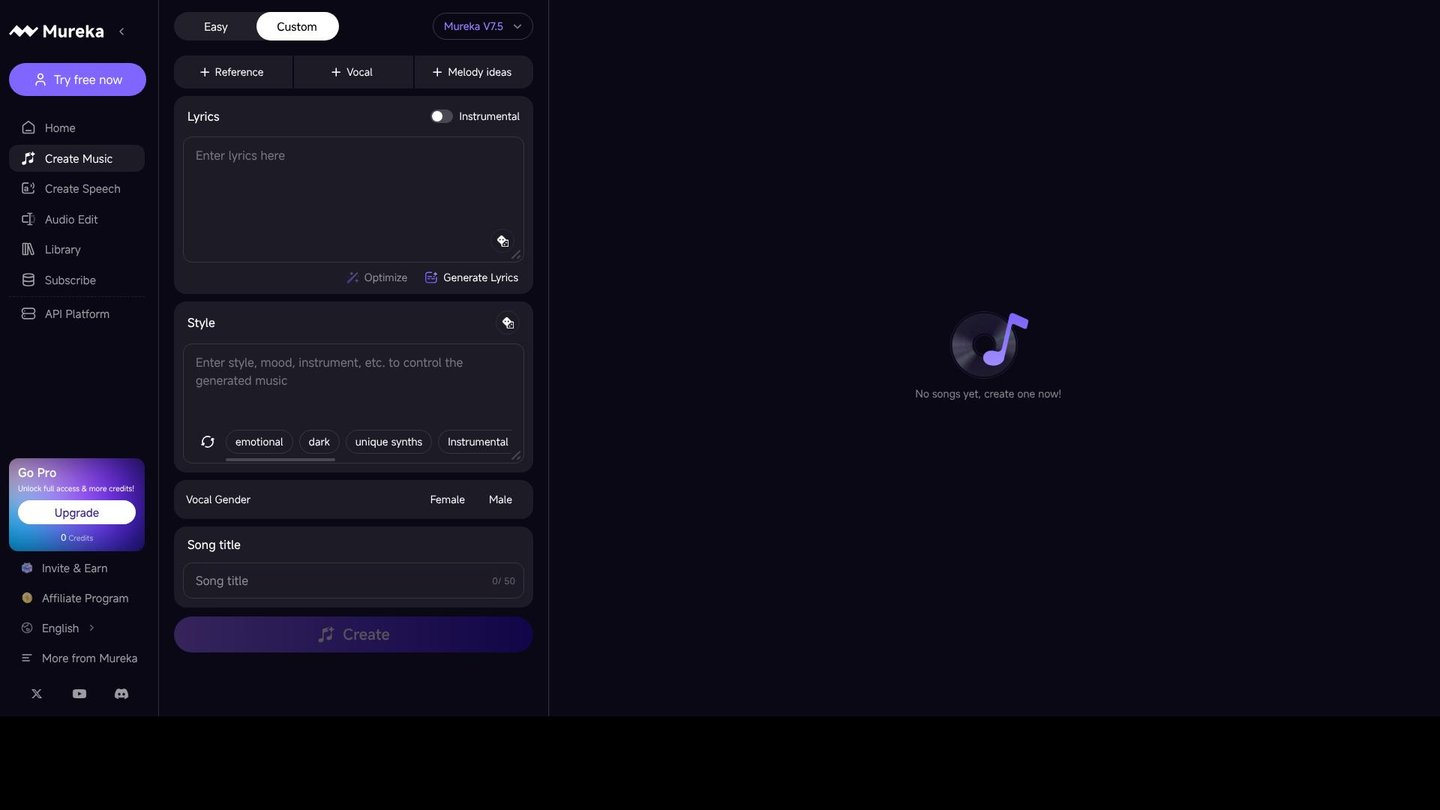
If the melody is already in your head, Mureka lets you hum it, and on the Pro plan any voice, your own humming included, can become the singer. Pro also accepts a reference track, edits single regions of a song and extends a melody. The basics are a lyrics generator and text-to-song, with vocals or as an instrumental.
How we ran the brief
We pasted the brief as the text prompt and didn’t add any lyrics.
The result
Listen: Mureka’s take on the deep house brief
Our take: Interestingly, Mureka added a jazzy saxophone as the lead. It departed from the chord progression, and the saxophone sounds a little distorted. Overall, it’s a stylish deep house melody, just not quite the one we asked for.
Strengths and limits
- A hummed idea can become the vocal line of a finished song.
- Basic gives 400 songs a month with commercial licensing for $8.
- Pro delivers WAV files and stems for further production.
- Reference uploads, region editing and voice cloning are Pro only, and Basic downloads are MP3 only.
Pricing: Basic $8 per month ($96 per year) with 400 songs; Pro $24 per month ($288 per year) with 1,600 songs (Mureka).
Round 2: instrumentals and soundtracks
AIVA, Soundraw and ElevenLabs make music that sits under something else: a game, a video, an ad or a podcast. ElevenLabs takes the brief word for word and can sing as well, while AIVA starts from a style or an uploaded influence and Soundraw from genre and mood settings. So this round also shows how much of a detailed brief survives when you have to translate it into settings.
AIVA: the composer’s sketchpad

Film and game composers get more from AIVA than from the song generators. It composes instrumental pieces in more than 250 styles, takes an audio or MIDI file as an influence, lets you build your own style models and exports MIDI, so a sketch can move straight into your own software. The plan decides who owns the music: on Free and Standard, AIVA keeps the copyright; only Pro transfers it to you.
How we ran the brief
AIVA starts from a style, not from a written brief, so we chose “Simple Chords” with ambient and instrumental, set the length to just under a minute and picked a few instruments for the composition before generating the sample.
The result
Listen: AIVA’s take on the deep house brief
Our take: The sample sounds more like soft techno than deep house. The piano barely comes through, and the lead melody feels slightly repetitive. Still, it’s a solid sample that is easy on the ears and leaves room to build on. To get the most out of it, it helps to know your way around sampling and music production.
Strengths and limits
- A composer can start from a sketch and keep full control in their own software.
- Pro allows 300 downloads a month with the copyright in your name.
- Copyright ownership and WAV export require Pro; Free and Standard download MP3 and MIDI.
Pricing: free with 3 downloads a month; Standard €11 per month with 15 downloads and Pro €33 per month with 300 downloads, plus VAT, billed yearly (AIVA pricing).
Soundraw: the instrumental you cut to fit
Background music rarely fits a video on the first try. Soundraw generates an instrumental from a genre and a mood, out of more than 30 genres that can be blended. Then you mute, solo or change the intensity bar by bar, switch instruments on and off, adjust tempo and key, and set the exact length.
Soundraw states that its AI is trained only on music by its in-house producers. Every plan comes with a perpetual commercial license, and tracks made while you subscribe stay licensed after you cancel.
How we ran the brief
Soundraw has no text box, so the brief became settings: “House” as the genre, “Laid Back” as the mood, 30 seconds, a tempo between 100 and 130 BPM and the key of B♭, since Soundraw offered only B♭, D major and G major. There is no setting for a chord progression, so that part was up to Soundraw, which chose E♭, D minor, C minor and E♭.
The result
Listen: Soundraw’s take on the deep house brief
Our take: Without a written brief, the melody came out chipper rather than deep and moody. The chord progression is easy on the ears.
Strengths and limits
- A track can be cut to the exact length of your edit.
- The Creator plan includes unlimited MP3 downloads.
- There is no free plan, and WAV files and stems start with Artist Pro.
Pricing: Creator $16.99 per month, or $11.04 per month billed yearly, with unlimited MP3 downloads; Artist Pro $35.99 per month, or $23.39 billed yearly, with 20 downloads including WAV and stems (Soundraw pricing).
ElevenLabs: music, sound effects and voiceover in one studio
Best known for its voices, ElevenLabs launched Eleven Music in August 2025. It writes full songs with vocals or pure instrumentals from a text prompt, and you can set a fixed length, such as 30 seconds, or leave it on Auto. Afterwards you can regenerate a single section, add or delete sections and rewrite a section’s lyrics or instrumental prompt without starting over. Music v2 is the default model, and v2.5 is available from the model menu.
For video creators, the draw is everything else on the same account: text to speech, voice cloning and a sound effects generator sit next to the music tool. ElevenLabs says the music model was created in collaboration with labels, publishers and artists.
How we ran the brief
We pasted the brief as the prompt, chose an instrumental and set the length to 30 seconds, using Music v2.5.
The result
Listen: ElevenLabs’ take on the deep house brief
Our take: Of all six takes, this one comes closest to Suno’s. The melody stays very close to the brief, there’s no long intro, and the track gets straight to what we asked for. It leans slightly upbeat, with solid sound quality and clearly separated instruments.
Strengths and limits
- A written brief plus a fixed length, so you can ask for a 30-second cue directly.
- Music, sound effects and voiceover come from one account.
- One weak section can be regenerated without touching the rest.
- On every self-serve plan the license excludes film, TV, radio and studio games; those uses need an Enterprise Music plan.
- The free plan allows no downloads and requires attribution.
Pricing: free plan without downloads; Starter $6, Creator $22 and Pro $99 per month. Releases on streaming services are allowed from Creator, and higher-fidelity exports start with Pro (ElevenLabs pricing, Music terms).
Scorecard: how close did each tool get?
✓ clearly there, ~ partly there, ✗ missing.
| Tool | Feel | Bass | Cymbals | Arpeggio | Piano | Chords | 30 seconds |
|---|---|---|---|---|---|---|---|
| Suno | ✓ | ✓ | ✓ | ✓ | ✓ | ✓ | ~ |
| Udio | ~ | ~ | ✓ | ~ | ✗ | ~ | ✓ |
| Mureka | ✓ | ✓ | ✓ | ~ | ~ | ~ | ~ |
| AIVA | ~ | ~ | ✓ | ✓ | ~ | ~ | ~ |
| Soundraw | ~ | ✓ | ✓ | ~ | ✓ | ✗ | ✓ |
| ElevenLabs | ✓ | ✓ | ✓ | ✓ | ~ | ✓ | ✓ |
Suno and ElevenLabs share the top spot, each with six of seven instructions clearly there. Every tool got the subtle cymbals right, but the chords were the real filter: only Suno and ElevenLabs played the progression as written. Udio, Mureka and AIVA came close, while Soundraw, which has no chord setting, picked a progression of its own. Length split the field differently, with Udio, Soundraw and ElevenLabs landing on 30 seconds. Only two instructions went missing outright: the jazzy piano in Udio’s take and the chords in Soundraw’s.
Rights and downloads compared
A great take only helps if you may use it. This is where the six tools differ most, and the plan you pick often matters more than the tool.
| Tool | Downloads and formats | What you may do with the track |
|---|---|---|
| Suno | None on Free; 20 a month on Pro, 60 on Premier; stems on paid plans | Commercial use on paid plans only |
| Udio | Audio, video and stem downloads disabled since October 2025 | Songs stay on the platform |
| Mureka | MP3 on Basic; WAV and stems on Pro | Commercial licensing from Basic |
| AIVA | MP3 and MIDI; WAV on Pro | AIVA keeps the copyright on Free and Standard; yours on Pro |
| Soundraw | Unlimited MP3 on Creator; WAV and stems from Artist Pro | Perpetual commercial license, kept after you cancel |
| ElevenLabs | None on Free; MP3 on paid plans, higher fidelity from Pro | Commercial use except film, TV, radio and studio games; streaming releases from Creator |
Which AI music generator should you pick?
- You want a finished song with a singer: start with Suno, and switch to Mureka when you want to hum the melody or bring a reference track.
- You keep polishing one passage: Udio, as long as your songs can stay on Udio.
- You score films or games: AIVA, on Pro if you need the copyright.
- You edit videos: Soundraw when the music has to fit the cut to the second, ElevenLabs when you also need a voiceover or sound effects.
- You want the tool that followed our brief most closely: Suno or ElevenLabs, tied on our scorecard.
Five tips for briefing an AI music generator
-
Name the genre first.
It sets the groove, the sound palette and the tempo range, and everything else in the brief refines it.
-
Give a tempo.
Deep house usually sits around 120 to 125 BPM, and a number is harder to misread than “upbeat”.
-
Describe the mix, not just the instruments.
Words like “soft”, “in the background” or “with reverb” tell the tool where each part belongs.
-
Translate for tools without a text box.
Turn the brief into genre, mood, tempo, key and length. Anything without a setting, like a chord progression, is left to the tool.
-
Generate more than one take.
We kept the first take to keep the test fair. In a real project, a few extra takes cost little and often bring the best result.
FAQ
Do all AI music generators accept a text prompt?
No. Suno, Udio, Mureka and ElevenLabs work from a written prompt. AIVA starts from a style preset or an uploaded influence, and Soundraw from genre, mood and mixer settings such as tempo, key and length.
Can I use AI-generated music commercially?
Yes, on the right plan. Suno grants commercial rights from its Pro plan, Mureka includes commercial licensing from Basic, and Soundraw licenses tracks for commercial use on every plan. Suno’s free plan is non-commercial, and ElevenLabs excludes film, TV, radio and studio games on all of its self-serve plans.
Which AI music generator makes the best vocals?
For songs with a singer, try Suno and Mureka, because both generate lyrics and vocals in one step. Mureka’s Pro plan adds voice cloning and lets a hummed melody guide the singer. ElevenLabs sings too, while AIVA and Soundraw focus on instrumentals.
Is there a free AI music generator?
Several have free plans with limits. Suno gives 50 credits a day without downloads or commercial rights, Udio allows three 130-second songs a day, and AIVA offers 3 downloads a month. ElevenLabs lets you generate music for free but not download it, and Soundraw has no free plan.
Verdict
Suno and ElevenLabs tied on the scorecard, and Suno’s take is the one you’ll want to listen to twice. Beyond the challenge, the choice comes down to what you make. For complete songs with vocals, Suno is the all-rounder and Mureka gives you more say over melody and voice. Udio suits producers who like to rework single passages, as long as they can live without downloads. Composers writing for film or games should look at AIVA Pro for the copyright, video editors who cut music to length at Soundraw, and creators who also need a voiceover or sound effects at ElevenLabs.