
PDF.ai: Chat with PDFs Effortlessly
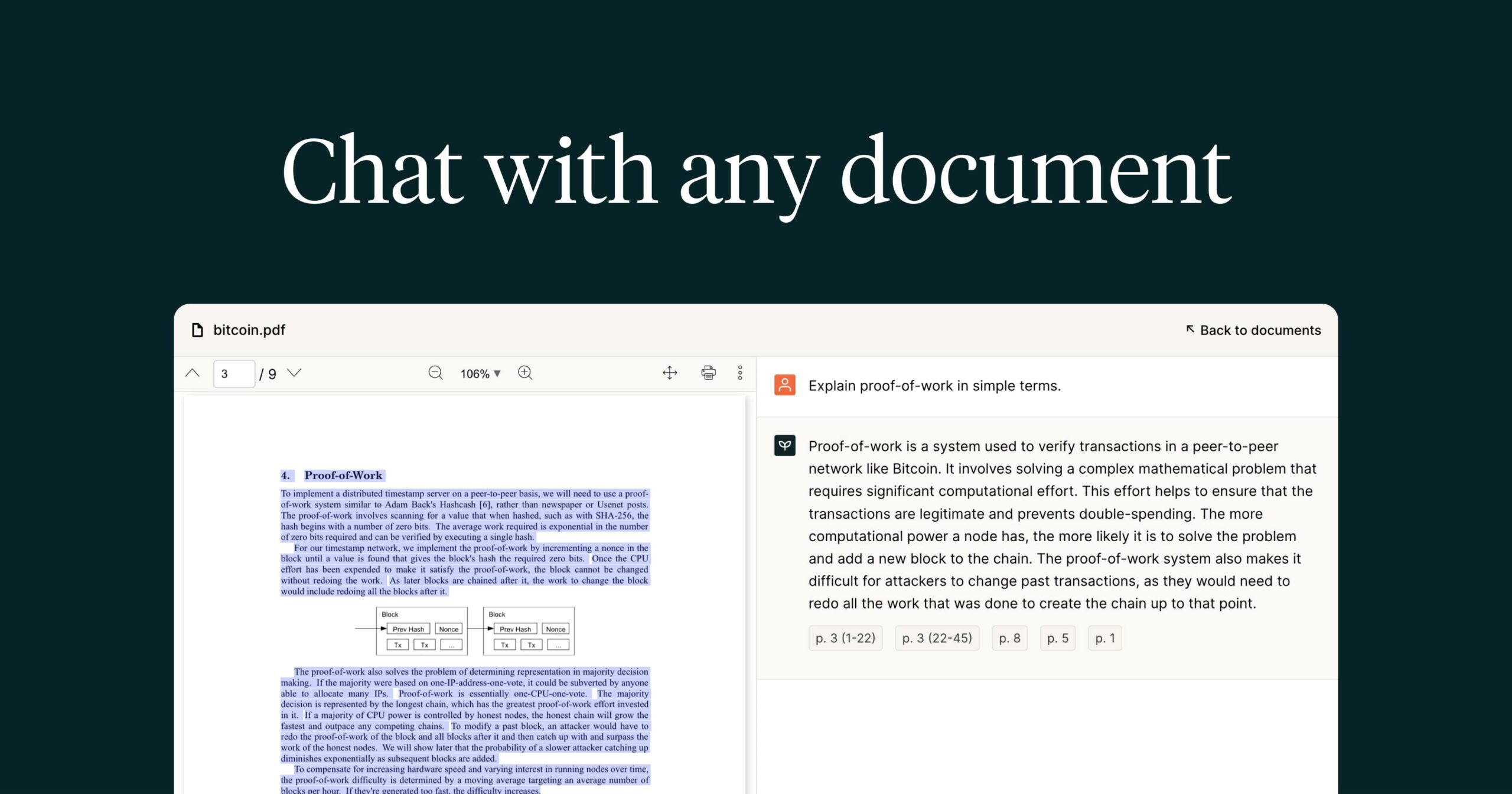
PDF.ai revolutionizes how you handle PDF documents by letting you chat directly with them using AI. For example, a law student uploads a 50-page case study and asks, “What are the key precedents cited?” PDF.ai instantly pulls answers with exact references. In particular, researchers save hours by getting summaries of dense reports. As a result, professionals like marketers quickly extract insights from whitepapers without endless scrolling.
About PDF.ai
PDF.ai is an AI-powered PDF reader that turns static files into interactive conversations. It solves the problem of sifting through long documents by using natural language processing to answer questions, summarize content, and extract data. Students, lawyers, and analysts rely on it daily.
Specifically, educators upload lecture notes and query specific topics for quick reviews. Meanwhile, financial analysts pull exact figures from invoices without manual hunting. The tool works via upload or cloud links, employing OCR for scanned pages and retrieval tech for precise responses.
Additionally, it integrates with Google Drive and Dropbox. For instance, marketers tag campaign reports for easy access, speeding up strategy sessions. This simple AI approach boosts productivity across fields.
Features of PDF.ai
Moreover, PDF.ai packs powerful tools that enhance document workflows.
- Ask Questions: Chat with PDFs to get instant answers with sources, perfect for AI PDF analysis in research or legal reviews.
- Auto Summarize: Generate quick overviews of long docs, saving time for busy professionals using this AI document tool.
- Chrome Extension: Access local or online PDFs seamlessly, ideal for quick queries on the go.
- Capture & Ask: Screenshot content anywhere and query it, boosting efficiency in digital research tasks.
- Document Tagging: Organize files with tags for fast retrieval in large collections.
- Multi-Language Support: Interact in various languages, expanding use for global teams.
- Embed Chatbot: Add interactive AI to PDFs on websites for user-friendly info access.
Furthermore, PDF.ai offers API access for custom integrations into apps, free credits for new users, and cloud storage links like Google Drive. Collaboration shines through shared docs and tagged organization. Mobile support ensures access anywhere, while tiered pricing fits solo users to enterprises. These extras make it a versatile AI PDF reader, streamlining data extraction and team workflows without complexity.
Ultimately, PDF.ai delivers unmatched value as an AI PDF analyzer by making documents conversational and actionable. Consequently, users from students to executives handle complex files faster, focusing on insights over reading. Its blend of chat, extraction, and organization tools sets it apart in productivity tech.