AI Meeting Assistant for Busy Teams with Noty.ai
Action items discussed on a call often go untracked once the meeting ends, leaving deadlines unassigned. Noty.ai is a meeting-to-task workspace, a AI Meeting Assistants tool, that converts spoken discussion into transcripts, summaries, and to-do lists. Particularly strong at turning talk into trackable tasks — not built for teams needing deep third-party integrations, since none are publicly documented.
- United States 15.3%
- Indonesia 12.9%
- Philippines 12.9%
- India 12%
- Other 47%
What Noty.ai Does
Noty.ai solves the problem of meeting notes and follow-ups scattering across memory and chat threads by recording, transcribing, and summarizing calls into structured output.
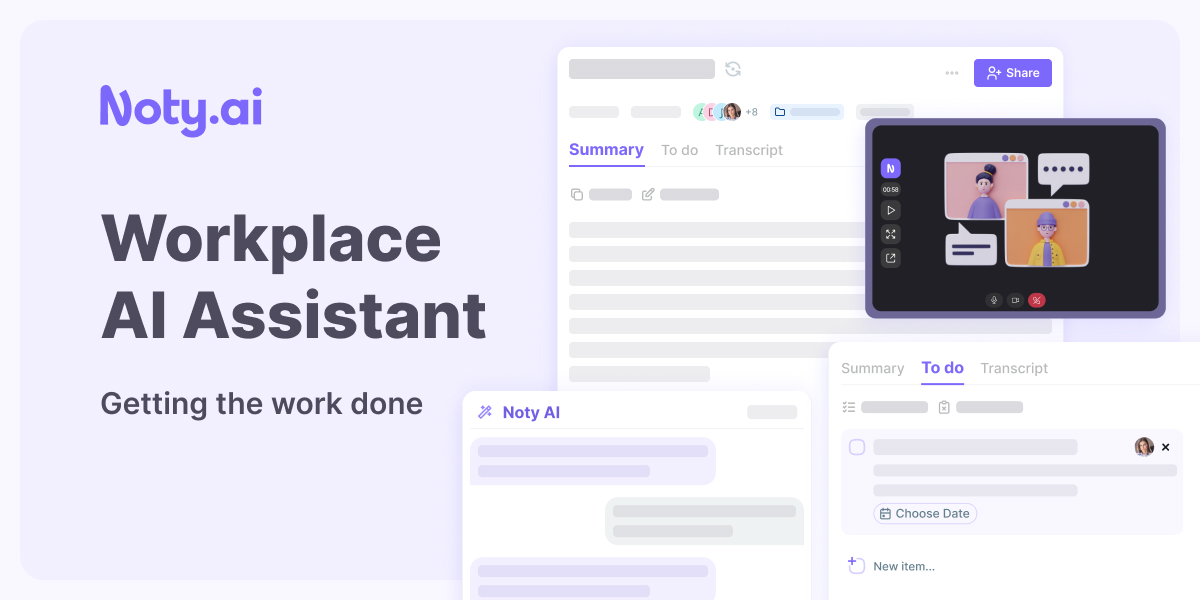
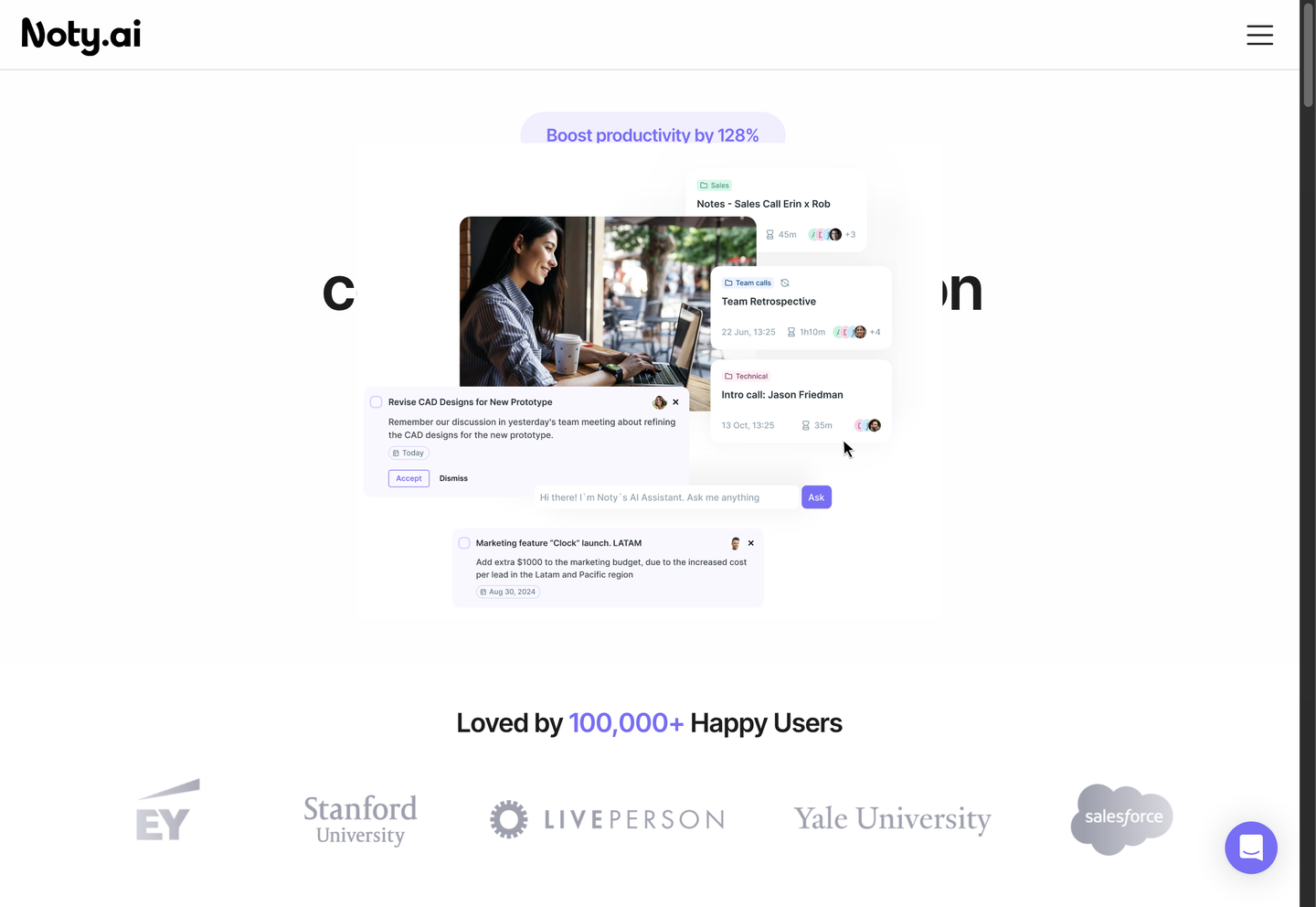
Noty.ai captures meeting audio, converts it to text, and extracts deadlines and responsibilities so details are not lost once a call ends. It then produces summaries and to-do lists exportable to Docs, PDF, or TXT, searchable across past meetings. Noty.ai supports 90 languages, including beta coverage for Spanish, French, Japanese, and Korean, extending its use beyond English-only teams.
Main Features
Automatic Transcription
Noty.ai records meeting audio and converts speech into searchable text as the call happens, capturing details and deadlines without manual note-taking. The transcript becomes the source material for every later summary and task, so a missed detail in the room is still recoverable afterward through search.
AI Meeting Summaries
Noty.ai generates custom summaries from the transcript, condensing a call into key points so participants can review decisions without replaying the recording. Summaries are included in the Pro plan’s export options to Docs, PDF, or TXT, which lets notes move into other documentation systems.
Action-Item Extraction and To-Do Lists
Noty.ai identifies follow-up tasks and responsibilities directly from the conversation and organizes them into AI to-do lists. Each meeting credit covers this processing, with the Pro plan allowing three AI credits per meeting, so action items are ready shortly after the call ends rather than compiled by hand.
Global Search and Export
Noty.ai indexes every recorded meeting for global search across all meeting data, letting a user locate a single decision without scanning multiple transcripts. Paired with unlimited storage on the Pro plan, this keeps a full meeting history queryable rather than archived and forgotten.
Use Cases
-
Streamline workflows
A Marketing Specialist brings recurring status and planning calls into Noty.ai for transcription and summarization. Automatic transcription and AI to-do lists convert discussion into assigned tasks. This frees attention for strategic campaign work instead of writing up meeting notes afterward.
-
Support for educational institutions
Schools, universities, and non-profits use Noty.ai to manage meeting notes and tasks across departments and committees. Transcription and summaries create a shared record of decisions. This improves collaboration where staff turnover or part-time schedules make verbal-only handoffs unreliable.
-
Busy individuals and small teams
Individuals juggling multiple daily calls use Noty.ai to capture details and deadlines without manual note-taking. Action-item extraction and global search keep commitments retrievable later. This reduces reliance on memory when meetings overlap or run back-to-back.
Best For / Not For
Noty.ai is built for people whose work runs through recurring calls rather than written reports.
Busy individuals and small teams handling frequent meetings get transcription, summaries, and to-do lists without separate note-taking. Schools, universities, and non-profits coordinating committees and classes gain a shared, searchable record of decisions across staff turnover. Marketing specialists managing several weekly syncs also fall within Noty.ai’s named audience, using it to turn discussion into assigned tasks.
Noty.ai does not publicly document integrations with third-party software, so teams that need notes pushed automatically into project management or CRM systems will need a manual export step instead.
Pricing
Noty.ai offers a free 7-day trial with no credit card required, then moves to the Pro plan at $10 per user per month, billed monthly.
| Plan | Price | Included |
|---|---|---|
| Free Trial | Free | 7-day free trial, no credit card required |
| Pro | $10 / user/month, billed monthly | 100 hours/month, 3 AI credits/meeting, Unlimited storage & access to meetings, Export to Docs, PDF, txt, Global Search across all meeting data, Custom summaries, Priority Customer Support |
| Impact | $40 / user/year, billed annually | all included in Pro, eligibility required |
Pro caps usage at 100 hours and three AI credits per meeting, so teams running longer or more frequent sessions may hit a ceiling before the month resets.
Pricing checked 2026-11-03.
Quick Comparison
Fathom is Noty.ai’s main alternative for teams recording and summarizing video calls. Fathom carries far more public reviews and a larger documented user base on G2. Noty.ai differentiates with AI to-do lists and action-item extraction built directly into its core workflow. Choose Fathom if review volume and broad market adoption matter most to your evaluation. Choose Noty.ai if structured to-do lists and multilingual transcription across 90 languages fit your team better.
Verdict
Noty.ai processes up to 100 hours of meetings per month on its $10 per user Pro plan, turning calls into searchable transcripts and to-do lists. It fits busy individuals, small teams, and educational institutions managing recurring meetings. Teams needing documented software integrations should weigh that gap first.


