Khroma: AI Color Palette Tool for Brand Designers
Most UI/UX Design tools need manual palette building; Khroma trains a neural network on 50 colors a user picks and streams matches from that profile. Brand designers get a filtered feed instead of a blank swatch board. Built for personal palette discovery — teams needing shared asset libraries will hit its ceiling.
- United States 19.2%
- South Korea 10.5%
- India 9.1%
- Russia 5.4%
- Other 55.9%
What Khroma Does
Brand designers and UI/UX teams use Khroma to generate color combinations trained on their own preferences, picked from 50 colors in the browser.
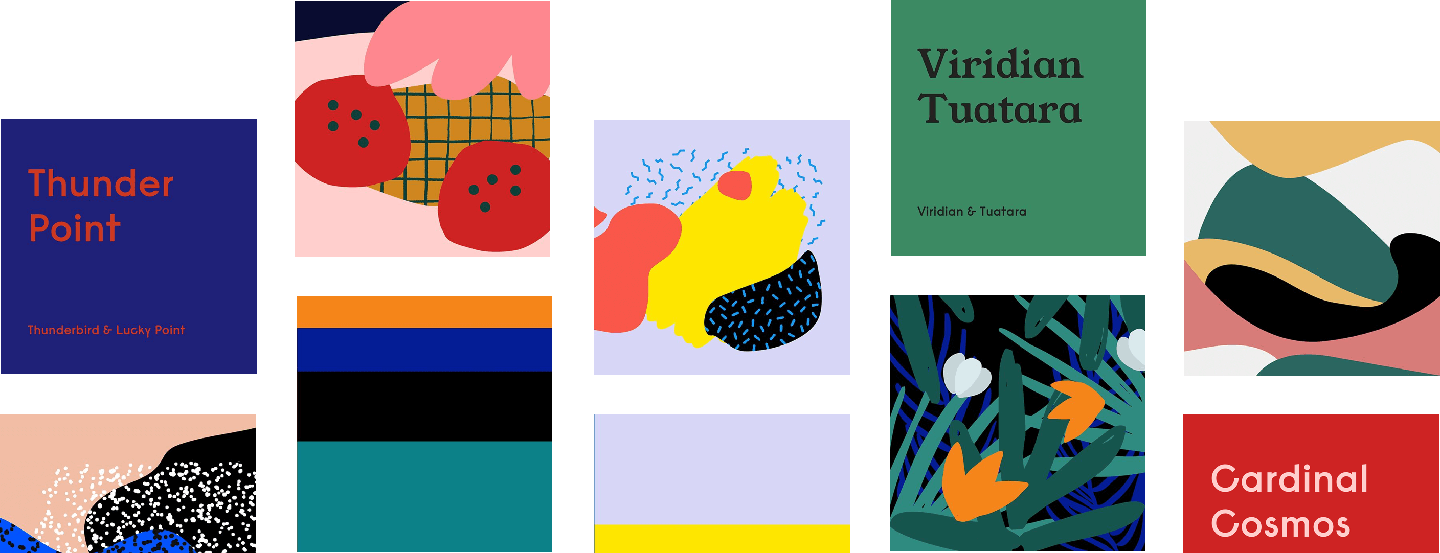
Khroma runs a personalized algorithm that learns which colors a user likes and blocks ones they reject, then produces an open-ended stream of combinations drawn from patterns found in thousands of popular human-made palettes. Results display as typography, gradients, flat palettes, or over a custom uploaded image, and a search filter narrows results by hue, tint, value, hex, or RGB. Khroma stores training data locally in the browser rather than on a server account.

Main Features
Personalized Algorithm
Khroma trains a neural network on a set of colors the user selects, learning preferences and exclusions directly in the browser rather than on a remote server. The model adjusts its output as the user keeps choosing, so the palette stream narrows toward a specific taste profile instead of showing generic swatches. This means two users get different results from the same starting prompt.
Infinite Combos
Khroma generates combinations learned from thousands of popular human-made palettes across the internet, displaying them as typography samples, gradients, flat palettes, or custom uploaded images. The format switch lets a designer check how a pairing reads on body text versus a hero gradient without rebuilding the combo elsewhere. This covers several visual contexts from one generated set.
Search Functionality
Khroma’s search filters the generator by hue, tint, value, color name, hex code, or RGB value, so a designer chasing a specific brand red can narrow results instead of scrolling an unsorted feed. The filter works on top of the personalized stream, not a separate static library. This keeps exploration targeted when a known constraint, like an existing hex value, already exists.
Save to Collection
Khroma lets users build an unlimited library of favorite combinations to reference later, separate from the live generation stream. Saved items persist for reuse across a project without re-running the training process each time. This matters because the free, no-account beta setup stores training data in local browser storage, which limits portability across devices.
Use Cases
-
Brand palette generation
Brand designers choose 50 preferred colors to train Khroma’s algorithm and generate personalized brand-palette candidates. The infinite combo stream and save-to-collection feature replace manual trial-and-error testing before a final palette is chosen.
-
UI/UX color evaluation
UI/UX teams evaluate text-background combinations in Khroma while filtering for WCAG-compliant pairs through accessibility checking. Color information shows CSS code alongside hex and RGB values, so teams copy values directly into implementation.
-
Marketing or creative teams
Marketing teams developing campaign concepts preview Khroma’s palette options as typography, gradient, and custom image formats to judge how a combination behaves across media. No public time or outcome figure is reported for this workflow.
Best For / Not For
Khroma is built for people exploring color combinations through a trained, personalized generator rather than a static swatch library or a shared brand system.
Brand designers testing palette candidates and UI/UX teams checking accessibility-compliant text-background pairs fit Khroma’s core workflow best, since both groups work from a short list of color decisions rather than a full component library.
Khroma does not replace a full design system, asset library, or collaborative design platform, so teams needing shared libraries or multi-user review should look elsewhere; its beta workflow also stores training data locally in the browser, which limits portability across devices and rules it out for anyone switching machines often.
Pricing
Khroma costs $0 — the entire tool is free, with no paid plan, subscription tier, or enterprise pricing published anywhere on the site, and no account is required to start generating palettes.
| Plan | Free |
|---|---|
| Price | Free |
| Free tier | Yes |
The table does not show that training data for the beta experience saves only to local browser storage rather than a server-linked profile, so preferences do not carry over if a user switches browsers or devices, and nothing is lost by clearing site data beyond that training history. There is no paid tier to upgrade into for cross-device sync, team accounts, or shared collection access, since the entire product ships as a single free browser tool.
Pricing checked 2026-11-09.
Quick Comparison
Attention Insight is Khroma’s main alternative for teams evaluating how color and layout choices perform visually. Attention Insight generates heatmap-style attention predictions on uploaded design mockups before launch. Khroma wins on personalized palette generation trained from a user’s own 50-color selection, paired with built-in WCAG contrast checking. Choose Attention Insight if the priority is predicting where eyes land on a finished design. Choose Khroma if the task is generating and filtering accessible color pairs before that design exists.
Verdict
Khroma trains on 50 user-selected colors to generate palettes for brand designers and UI/UX teams at $0, with no paid tier and no account required. Its built-in WCAG checking suits quick accessibility passes rather than full design-system or team-library management.