
Julius AI: Ultimate Data Analysis Tool
Julius AI revolutionizes data handling by letting users chat with spreadsheets or PDFs to get instant insights. For example, a marketer uploads sales data and asks, “Which product trends drive revenue?” Julius AI generates charts, stats, and forecasts in seconds, no coding required. As a result, teams save hours on analysis and focus on decisions. In particular, researchers use it to test hypotheses from complex datasets effortlessly.
- India 30.5%
- United States 8.4%
- Nepal 6.3%
- Nigeria 2.2%
- Other 52.6%
About Julius AI
Julius AI is an AI-powered data analyst that processes files like Excel, CSV, or PDFs through natural language queries. It solves the problem of slow, code-heavy data work by automating analysis, visualizations, and reports. Consequently, non-experts gain pro-level insights quickly.
Business owners, students, researchers, and marketers rely on it daily. For instance, educators upload student performance PDFs and ask for trend summaries or statistical tests. Meanwhile, YouTubers analyze viewer data to spot engagement patterns, creating animated charts for videos. Julius AI uses advanced models like GPT-4o and Claude to write Python or R code behind the scenes.
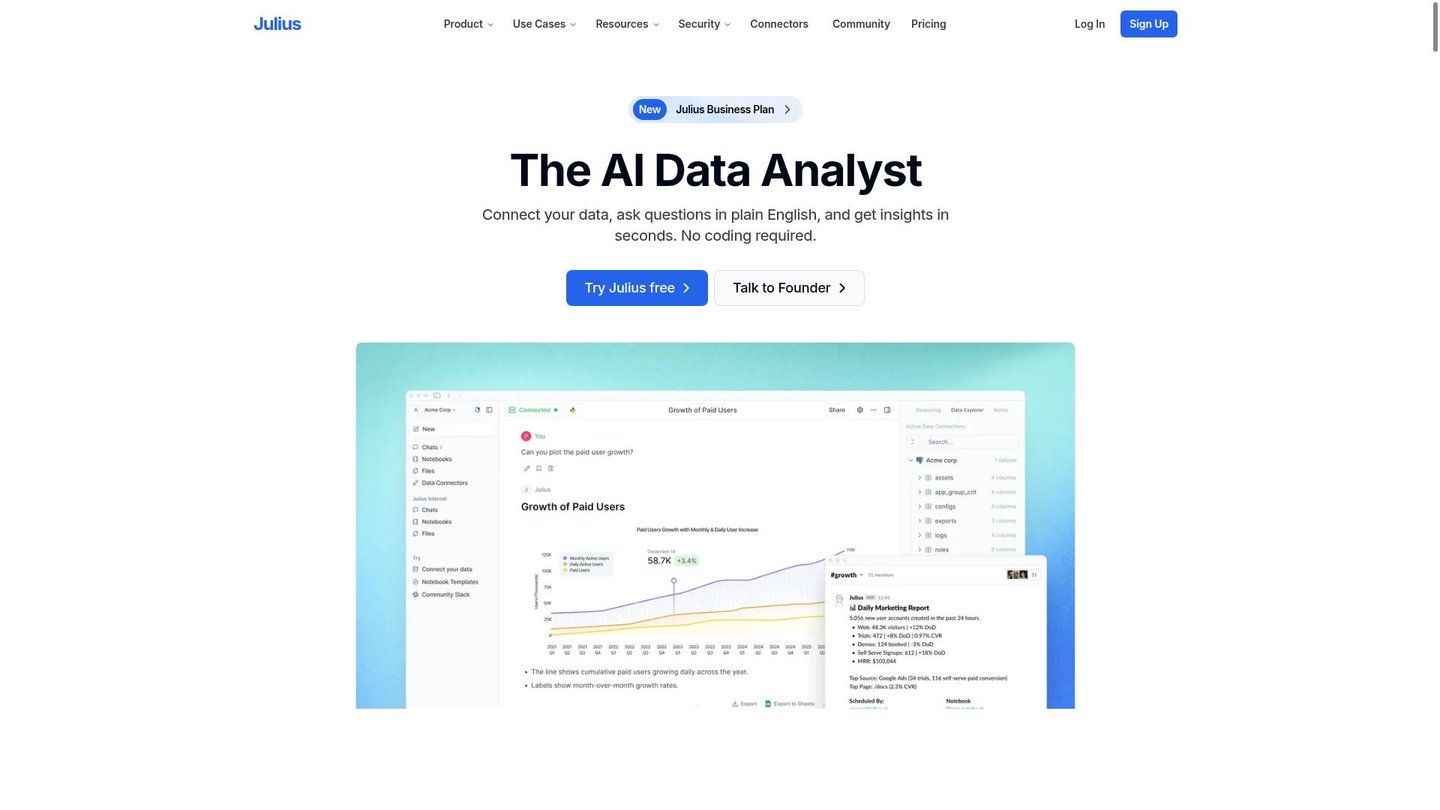
Users simply upload data and chat. It cleans messy files, runs t-tests or regressions, and explains results plainly. For example, a retailer forecasts sales by querying past quarters, getting actionable predictions without BI software.
Features of Julius AI
Moreover, Julius AI packs powerful tools for seamless data workflows.
- Chat with Data: Ask natural questions about spreadsheets; get instant answers, trends, and forecasts as an AI data analyst.
- Auto Visualizations: Generate charts, graphs, and animations from data; ideal for reports in AI video maker style.
- Data Cleaning: Fix missing values and outliers automatically; prep large datasets up to 32GB effortlessly.
- Statistical Tests: Run t-tests, ANOVA, or regressions no-code; receive plain-English explanations and code.
- Predictive Modeling: Build “what-if” scenarios for sales or productivity; enhance business intelligence.
- Automated Reports: Create summaries, exports to CSV/Excel; share insights via interactive dashboards.
- Code Generation: Output Python/R scripts for Jupyter; extend analysis as a digital storytelling tool.
Furthermore, Julius AI offers free credits for starters, API access for custom integrations, and collaboration via shared notebooks. It supports mobile browsers for on-the-go analysis and includes pricing tiers like Lite for basics or Standard for heavy tasks. These perks boost team efficiency. Additionally, workflows automate repetitive jobs, such as batch processing multiple files. Integrations with tools like Google Drive streamline uploads. As a result, users handle complex stats without learning curves, turning raw data into strategic assets swiftly.
Ultimately, Julius AI stands out as a top AI data analyst for turning spreadsheets into actionable visuals and predictions. For teams needing quick, no-code insights, it excels in automated animation and forecasting. Consequently, professionals across fields boost productivity and decision-making with this versatile platform.


