
Alai: Create Professional Presentations with AI
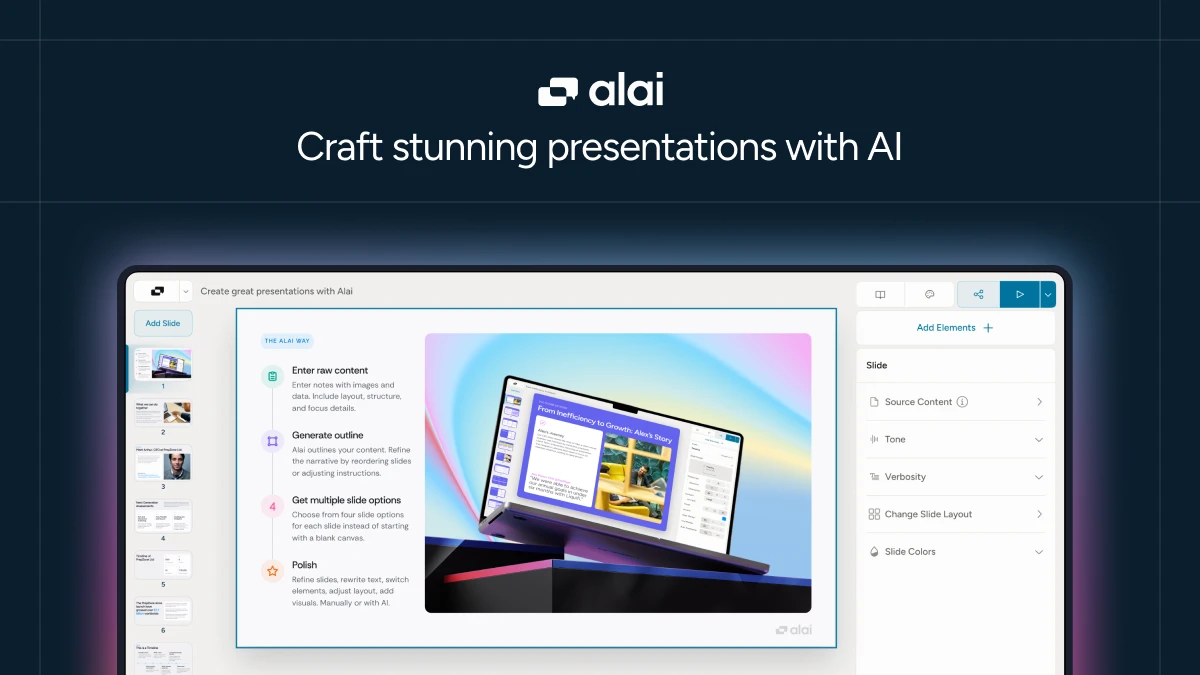
Alai is an AI presentation maker that transforms how teams build decks. For example, marketing professionals can paste a proposal and receive four polished slide layouts in seconds, while consultants can import PDFs and have the tool automatically structure content with professional visuals, eliminating hours of manual design work.
About Alai
Alai solves a persistent problem: presentation creation takes too long and requires design skills most people lack. Instead of starting from scratch or wrestling with templates, users input content and let AI generate complete decks. The platform combines intelligent automation with human control, ensuring presentations feel professional without sacrificing personalization. Alai works by analyzing your content and creating responsive layouts that adapt as you edit.
Marketing teams use Alai to produce decks at volume without hiring designers. A marketing manager can generate client proposals in minutes, then refine them with brand-specific colors and messaging. Consultants benefit similarly—they import existing PowerPoints or PDFs, and Alai restyle them across all slides instantly. Sales professionals leverage the tool to create pitch decks that highlight customer pain points and solutions contextually.
Additionally, Alai includes native marketing elements like funnels, comparison matrices, timelines, and hub-and-spoke diagrams. These aren’t basic shapes; they’re purpose-built components ready for real business needs. The platform accepts multiple input formats: notes, PDFs, URLs, screenshots, and existing PowerPoints. PowerPoint exports preserve formatting with high fidelity, making integration seamless.
Features of Alai
Alai delivers powerful AI presentation capabilities designed to accelerate the entire creation process.
- Four Layout Options Per Slide: Every slide generates four distinct design variations, eliminating the need for regeneration roulette and letting you pick the layout matching your narrative instantly.
- Context-Aware AI Editing: AI understands your entire deck, enabling intelligent rewrites, content splitting, visualization changes, and merged slides that maintain coherence across all pages.
- AI Image Generation: Create relevant images that match your theme and style without custom prompts, using the “Use slide context” button to generate visuals aligned with existing content.
- Responsive Canvas Design: Layouts automatically adjust as you add or remove content, eliminating manual alignment fixes and spacing adjustments across responsive presentations.
- Native Marketing Components: Access presentation-specific elements including comparison matrices, funnels, timelines, and feature matrices with advanced customization options.
- Multiple Import Formats: Import PDFs, PowerPoints, screenshots, and text content, then let AI restyle and restructure everything automatically for consistency.
- AI-Powered Content Refinement: Rewrite copy for clarity, convert bullet lists into timelines, switch visualizations, and adjust tone with simple targeted prompts.
In addition to these core features, Alai supports API and MCP server integration for developers building programmatic deck generation from CRM data, analytics dashboards, or internal databases. The free plan includes 200 AI credits, access to all premium design elements, and unlimited visual quality. Paid plans start at $16 monthly, offering higher AI credit allocation and advanced customization. The platform tracks engagement on shared presentation links, showing who viewed your deck, time spent per section, and where viewers dropped off—valuable intelligence before follow-up conversations.
Ultimately, Alai redefines AI content creation for presentations. Whether you’re a marketer producing decks at scale or a consultant delivering client work, this AI presentation platform combines intelligent automation with creative control, turning hours of slide-building into minutes of focused refinement.


