
AI Image Editing for Job Seekers with AI Ease
AI Ease is an Image Editing platform that turns photos and text prompts into generated images, videos, and edited visuals. Professionals and job seekers use AI Ease to generate polished headshots from casual photos for LinkedIn profiles. AI Ease handles portrait retouching, while complex brand layouts need a dedicated design tool.
- Bangladesh 22.4%
- United States 11.4%
- Russia 7.7%
- India 5.6%
- Other 52.9%
What AI Ease Does
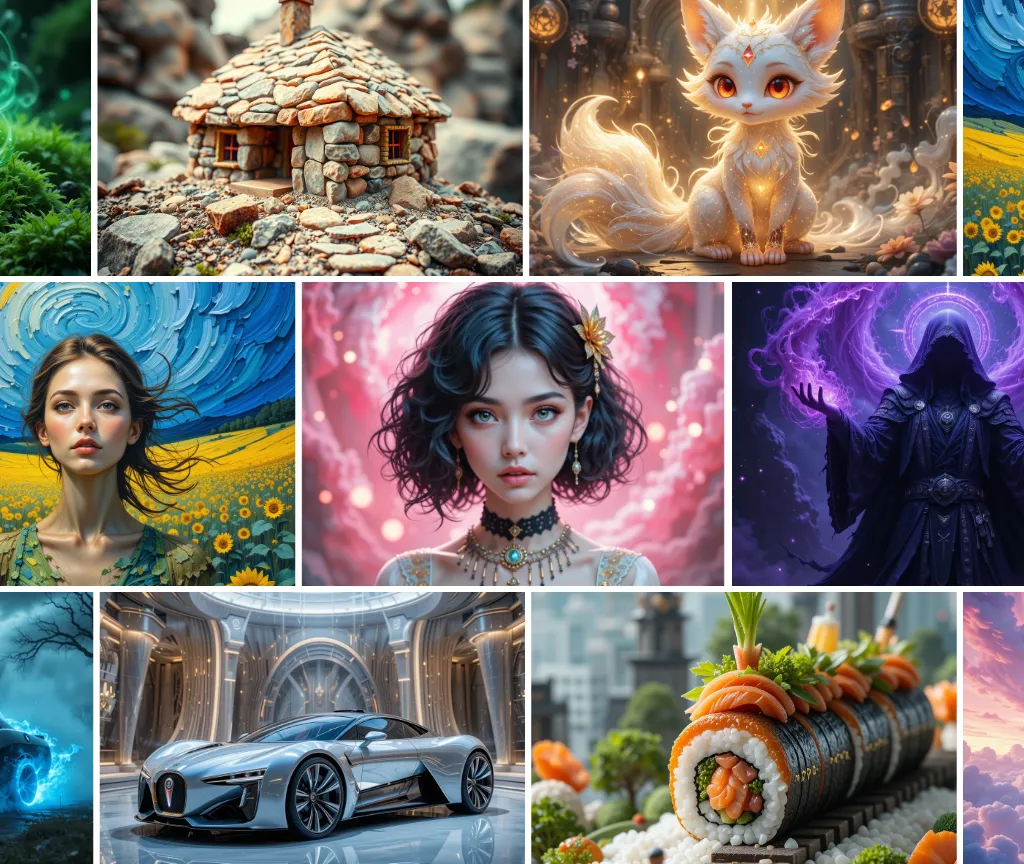
AI Ease converts uploaded photos and text prompts into finished images and videos through a credit-based generation pipeline. Users upload a photo or write a prompt, select a model such as Nano Banana Pro, Veo 3.1, or Sora 2, and AI Ease returns an edited or generated result within the browser. The platform bundles generation with correction tools: background removal, object and watermark removal, photo restoration, and face swapping run on the same credit pool, so a single account covers both creating new visuals and fixing existing ones.
Outputs download directly or save to cloud storage tied to the active plan, without export to a separate editor.
Main Features
AI Video Generator
AI Ease generates short videos from text prompts or still images using models including Seedance 2.5, Veo 3.1, and Sora 2. The user picks a model and writes a prompt or uploads a source photo, and the system renders a clip consuming plan credits. Access to multiple video models in one account means switching between separate subscriptions is not required.
AI Image Generator
AI Ease produces images from prompts using models such as Nano Banana Pro, GPT Image 2.5, and Seedream 5.0 Pro, covering styles from illustration to photorealism. Each generation draws from the monthly credit allocation tied to the plan. Having several image models under one interface lets a user compare outputs without re-uploading a prompt elsewhere.
Photo Restoration
AI Ease repairs old or damaged photos by detecting scratches, blur, and fading, then rebuilding detail and sharpening the image. The process runs automatically after upload, with no manual retouching layer required. Restoring a photo in one pass avoids the manual retouching work that damaged prints otherwise demand.
Face Swap
AI Ease swaps faces between photos using AI face recognition and blending, matching lighting and angle between source and target images. The feature works on both uploaded stills and generated content. Because blending runs automatically, results come back in one step rather than requiring manual masking in a separate editor.
Use Cases
-
Professional Headshot Creation
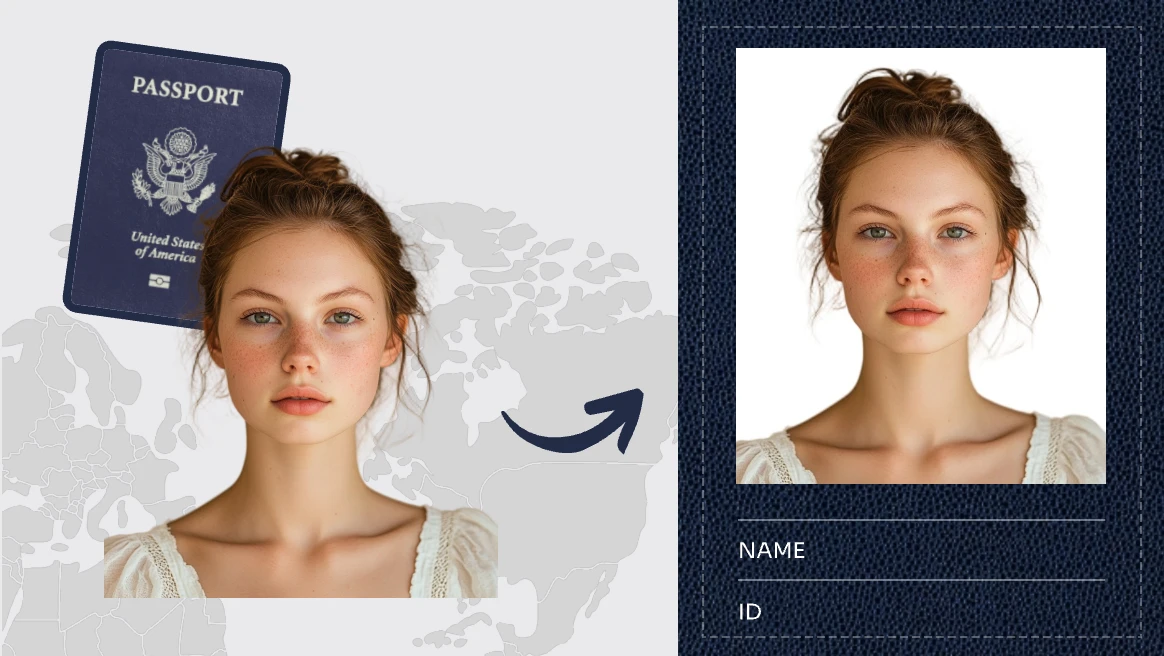
Professionals and job seekers upload a casual photo and use AI Ease’s Headshot Generator to produce a corporate-style portrait. The Photo Enhancer refines lighting and sharpness. A finished headshot is ready for LinkedIn or a resume without a photo session.
-
E-commerce Product Photography
Product photographers and online sellers upload product shots and apply AI Ease’s Background Remover and AI Background to place items on clean backdrops. Photo Enhancer sharpens detail for catalog use. The result is a marketplace-ready image without a studio setup.
-
Old Photo Restoration
Photographers and families upload scanned or damaged prints to AI Ease’s Photo Restoration tool, which repairs scratches and fading and upscales resolution. The repaired file downloads directly from the account, turning a damaged original into a usable digital copy.
Best For / Not For
AI Ease is built for individuals and small teams who need fast, single-purpose photo and video edits without a design background.
Professionals and job seekers producing a single headshot, product photographers and online sellers processing catalog images in bulk, and content creators and marketers producing short-form video effects all fit the intended use.
AI Ease limits free accounts to 7 days of cloud storage and watermarked exports, which rules it out for anyone needing permanent asset archiving or client-ready files without upgrading; teams managing multi-page layouts or brand style guides will also find it too narrow for that work.
Pricing
AI Ease offers a Free tier, a Pro plan at $4.99 per user/month billed monthly, and an Ultra plan at $9.99 per user/month billed monthly.
| Plan | Price | Included |
|---|---|---|
| Free | Free | Limited credits for images and videos, basic AI image tools, 7 days of cloud storage, normal generation channel, export with watermark, and ads. |
| Pro | $4.99 / user/month, billed monthly | 1000 credits per month, up to 50 videos, up to 200 images per month, 20 GB cloud storage. |
| Ultra | $9.99 / user/month, billed monthly | 2500 credits per month, up to 125 videos, up to 500 images per month, unlimited image generations for most tools, 50 GB cloud storage. |
Monthly credits do not roll over between billing cycles, so unused generations on Pro or Ultra are lost at renewal.
Pricing checked 2026-11-09.
Quick Comparison
Super Resolution is AI Ease’s main alternative for image upscaling and detail restoration work. Super Resolution focuses specifically on enlarging and sharpening existing images at high resolution. AI Ease covers that plus headshot generation, face swap, and full video generation through models like Sora 2. Choose Super Resolution if the task is purely upscaling a batch of images. Choose AI Ease if the work also needs headshots, face swaps, or generated video content.
Verdict
AI Ease runs headshot generation, face swap, and photo restoration on a shared credit system starting at $4.99 per user/month for 1000 monthly credits. It fits professionals and small sellers needing fast single-image or short-video edits. Teams needing layout tools or brand templates should look elsewhere.


