
Chroma for Documentation Teams: Vector Search Storage
Most Development & Misc tools require a managed backend from day one; Chroma runs in-memory locally then moves to serverless cloud without a workflow change. Documentation teams get one retrieval layer across both stages. Built for embedding-heavy retrieval — teams needing a relational database will hit its ceiling fast.
- India 22.9%
- United States 16.7%
- Mexico 4.4%
- Indonesia 4.1%
- Other 51.8%
What Chroma Does
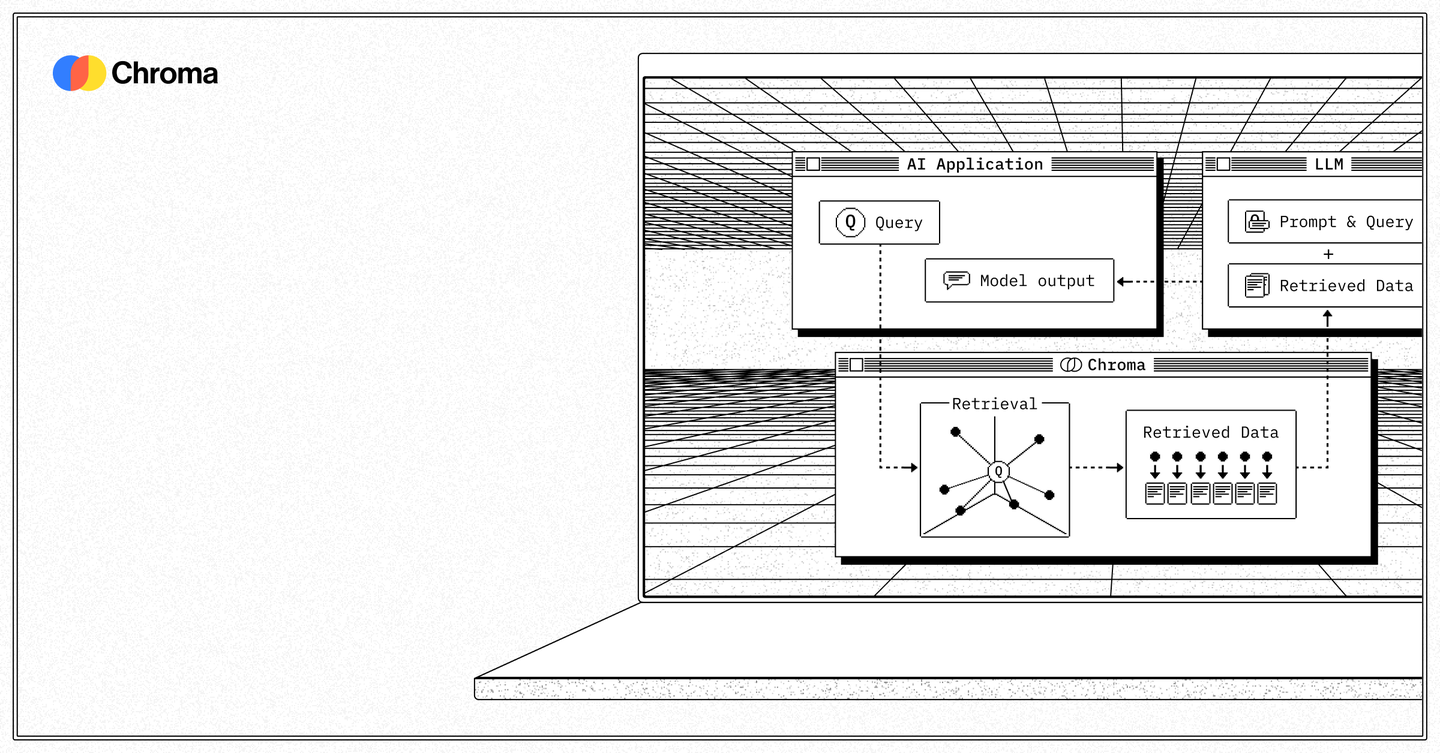
Documentation teams, engineering teams, and developers use Chroma to store and retrieve embeddings for search and AI agents, feeding results into LLM prompts or code tools.
Chroma addresses embedding storage cost by combining vector search, full-text search, and metadata filtering in one open-source system built on object storage, so a single query returns both keyword and semantic matches. Collections can be forked without duplicating data, and GitHub repositories sync automatically through Chroma Sync, keeping code embeddings current without manual re-indexing. Python, TypeScript, and Rust SDKs let teams wire Chroma into existing AI stacks.
Main Features
Vector Search
Chroma runs sparse vector search with BM25 and SPLADE alongside semantic vector search, mixing both on object storage for billions of indexes. This combination lets teams query by exact keyword match and by semantic similarity in the same collection, so relevance does not depend on picking one retrieval method up front.
Full-Text & Metadata Search
Trigram and regex full-text search work alongside metadata filtering and faceted search in Chroma, narrowing results by document properties as well as content. Developers can combine a regex pattern with a metadata tag in one query, which cuts down the extra filtering logic that would otherwise run outside the database.
Collection Forking
Chroma versions collections for testing and experimentation using zero-copy cloning, so a fork does not duplicate the underlying data. Teams can trial a new embedding model or chunking strategy against a forked collection while the production copy stays untouched, avoiding storage costs from full duplication.
Chroma Sync
Chroma Sync automatically indexes GitHub repositories, keeping embeddings and metadata current for code search without manual re-ingestion. As commits land, the index updates in place, so code search and code review agents built on Chroma work against current source rather than a stale snapshot.
Use Cases
-
Documentation search with Chroma
Mintlify uses Chroma Cloud to power documentation search for documentation teams. It combines vector and full-text search so developers can find relevant knowledge-base pages without keyword-only search. This lets doc teams surface answers without rebuilding a separate search index.
-
Code review agents powered by Chroma
Propel AI uses Chroma Cloud to power code review agents for engineering teams. Vector search and metadata filtering give the agent context-aware retrieval across a codebase. Reviews reference actual repository context instead of isolated diffs.
-
Code search with Chroma Cloud
Factory AI uses Chroma Cloud for code search across large codebases for developers. Semantic vector search finds matches beyond exact string search, aided by Chroma Sync’s automatic GitHub indexing. Search results stay current as repositories change.
Best For / Not For
Chroma is built for teams whose core problem is embedding storage and retrieval, not general data management.
Documentation teams indexing large knowledge bases, engineering teams building code review agents, and developers running semantic code search across large repositories are the named users of Chroma Cloud.
Chroma is not a general-purpose relational database, so teams needing transactional tables, joins, or standard SQL workflows should look elsewhere; solo developers testing a single prototype may find Chroma’s usage-based pricing harder to predict than a flat fee, and Chroma names no compliance certification beyond SOC II on the Team plan.
Pricing
Chroma’s Starter plan is free with 10 databases, and the Team plan costs $250 / user/month, billed monthly, with 100 databases and 30 team members.
| Plan | Price | Included |
|---|---|---|
| Starter | Free | 10 databases, 10 team members |
| Team | $250 / user/month, billed monthly | 100 databases, 30 team members |
Both paid tiers add usage-based charges for writes, storage, and queries on top of the base price, and Enterprise adds single-tenant clusters and SLAs not on Starter or Team.
Pricing checked 2026-09-18.
Quick Comparison
Cursor is Chroma’s main alternative for developers building AI-assisted coding workflows. Cursor bundles an AI code editor with inline completions and chat directly in the IDE. Chroma instead handles the retrieval layer itself, with Collection Forking for testing embedding changes without duplicating data. Choose Cursor if the priority is an AI-native editor for writing code. Choose Chroma if the priority is storing and searching embeddings behind a code review agent or documentation search tool.
Verdict
Chroma stores and queries embeddings for teams like Mintlify’s documentation search at a Starter tier that includes 10 databases for free. Its strength is combining vector, full-text, and metadata search in one system rather than stitching three tools together. Fits teams centered on retrieval, not general databases.